
Quick Answer
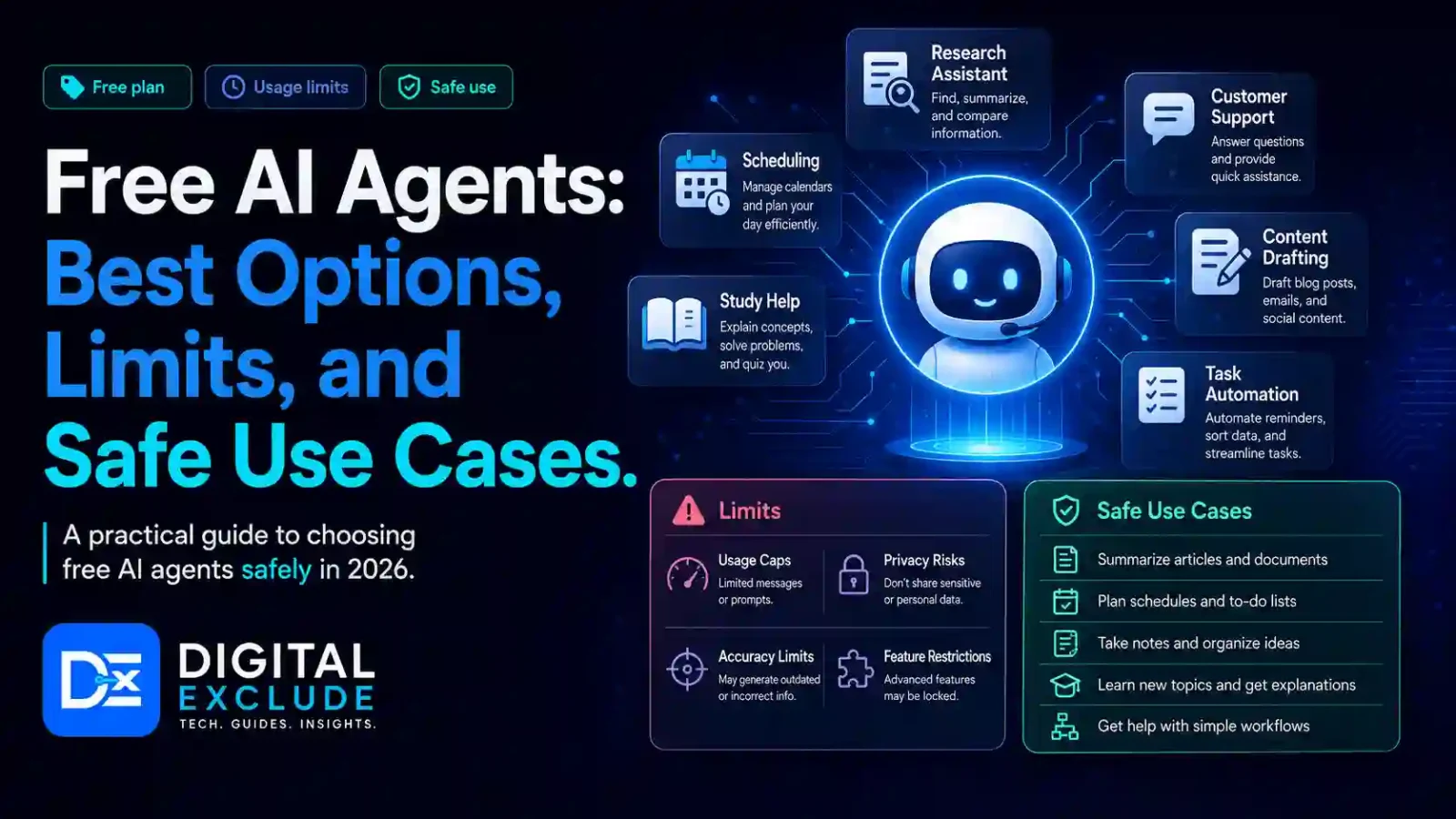
Free AI agents are AI assistants or automation tools that can help with tasks such as research, writing, coding, summarizing, planning, lead tracking, app building, and simple workflow automation without an upfront paid plan. Good free options include ChatGPT Free, Google Gemini, Microsoft Copilot, Perplexity, Zapier Free, Make Free, n8n self-hosted, AutoGPT, and Replit for quick app prototypes.
Free AI agents are useful for students, freelancers, beginners, and solo founders, but they usually come with limits. These limits may include message caps, smaller context windows, fewer automations, slower access during busy times, limited file uploads, fewer advanced models, restricted integrations, or technical setup needs. Users should avoid sharing passwords, client data, customer records, payment details, private documents, or API keys with free AI tools unless the platform is trusted and the privacy settings are clear.
Introduction
Free AI agents are attractive because they promise useful help without adding another monthly bill. A student may want help with research notes. A freelancer may want help drafting client replies. A beginner may want an assistant for learning. A solo founder may want to automate lead tracking, content planning, or customer support drafts.
The problem is that free does not always mean unlimited, private, or business-ready. Many users try free AI tools without checking usage limits, data policies, connected app permissions, or whether the tool is safe for real client work. Some tools are good for learning and drafting, while others are better for workflow automation or app building.
This guide explains the best free AI agents, what they can realistically do, where they are limited, and when a paid plan becomes necessary.
What Free AI Agents Mean
Free AI agents are AI systems that can assist with tasks at no upfront cost. Some are simple AI assistants. Others are more agent-like because they can use tools, connect apps, follow multi-step instructions, or run workflows.
A free AI agent may help you:
- Search and summarize information
- Draft emails or social media posts
- Create study notes
- Compare tools or products
- Generate simple code
- Build app prototypes
- Create workflow automations
- Extract data from text
- Classify leads or messages
- Plan tasks and schedules
- Create simple reports
- Draft customer support replies
A normal chatbot mostly replies to prompts. An AI agent can often do more, such as use tools, remember context within a task, call apps, perform steps, and suggest or complete actions.
Why Free AI Agents Matter in 2026
Free AI agents matter in 2026 because AI is becoming part of everyday work. Students use AI for study support. Freelancers use it for proposals, research, and client communication. Beginners use it to learn coding or productivity. Solo founders use AI automation tools to reduce repetitive work.
The value is practical. A free AI assistant can help a student summarize a long article. A free AI automation tool can save a lead from a form into a spreadsheet. A free AI coding agent can help a beginner understand an error. A free research assistant can compare sources before writing.
But there is a serious caution. Free tools often have limits, and those limits matter when your work becomes sensitive or important. If you use AI for client work, customer data, business planning, code, or automations, you must think about privacy, reliability, and control.
Main Practical Guide: Best Free AI Agents to Consider
1. ChatGPT Free
ChatGPT Free is a useful starting point for general AI assistance. It can help with writing, brainstorming, summaries, coding help, study support, planning, and basic research. OpenAI’s Free Tier FAQ says free users have access to a range of capabilities, including web search, file and image uploads, data analysis, and GPTs, although limits can apply.
Best for:
- Students
- Beginners
- Freelancers
- Solo founders
- Content drafts
- Study notes
- Research summaries
- Basic coding explanations
Safe use cases:
- Summarizing public articles
- Drafting emails for review
- Creating study plans
- Explaining concepts
- Creating blog outlines
- Comparing tools at a high level
- Creating simple checklists
Limits to expect:
- Usage caps
- Lower availability during high demand
- Limited access compared with paid plans
- Possible restrictions on advanced tools
- Not ideal for sensitive business data in personal accounts
Be careful:
Do not paste passwords, API keys, private client files, invoices, customer lists, or confidential business data into a free personal AI account.
2. Google Gemini
Google Gemini is a good free AI assistant for users who already work with Google products, Android, Chrome, Gmail, Docs, and Search. It can help with writing, explanations, planning, mobile assistance, coding support, and general productivity.
Best for:
- Android users
- Students
- Google Workspace users
- Beginners
- Mobile productivity
- Quick explanations
Safe use cases:
- Explaining a topic
- Drafting a message
- Summarizing public information
- Creating a study schedule
- Asking questions about general concepts
- Planning a daily routine
Limits to expect:
- Some advanced features may require a paid Google plan
- Availability can vary by country, device, account, and language
- Deep integrations with personal Google data may need extra permissions or paid access
- Business use should follow the company data policy
Be careful:
If Gemini connects with Gmail, Drive, Calendar, Photos, or other personal services, review what access is being granted. Do not connect sensitive accounts casually.
3. Microsoft Copilot
Microsoft Copilot is useful for users who want a free AI assistant for everyday questions, drafting, summaries, and productivity. It is especially relevant for people who use Windows, Edge, Bing, or Microsoft tools.
Best for:
- Students
- Professionals
- Microsoft users
- Beginners
- General research
- Drafting and summaries
Safe use cases:
- Asking general questions
- Summarizing webpages
- Drafting simple text
- Creating ideas
- Explaining software concepts
- Preparing meeting notes manually
Limits to expect:
- Microsoft 365 Copilot features require business or paid Microsoft plans
- Free Copilot is not the same as full workplace Copilot
- Work data access depends on account type and organization settings
Be careful:
Do not use a personal Copilot account for confidential work documents unless your company allows it.
4. Perplexity Free
Perplexity is useful for AI-assisted search and web research. It is a good option when users want quick answers with source links. It works well for students, researchers, marketers, and solo founders who need source-based research.
Best for:
- Research
- Source discovery
- Topic summaries
- Competitor research
- Market research
- Students and writers
Safe use cases:
- Finding sources for an article
- Comparing tools
- Researching public information
- Creating reading lists
- Checking definitions
- Understanding current topics
Limits to expect:
- Free use may have search or advanced feature limits
- Pro search and advanced models may require a paid plan
- Source quality still needs manual checking
- Not every answer is complete or perfectly accurate
Be careful:
Do not copy Perplexity answers directly. Open the sources, verify facts, and write in your own words.
5. Zapier Free
Zapier Free is useful for people who want to test AI automation and app connections. It can connect common apps and help build simple workflows. Zapier’s pricing page mentions a free plan for experimenting with AI agents and an activity limit on free usage.
Best for:
- Freelancers
- Solo founders
- Small business beginners
- Simple app automation
- Lead capture
- Notifications
- Spreadsheet updates
Safe use cases:
- Save form leads to Google Sheets
- Send yourself a notification when a new inquiry arrives
- Create a task from an email
- Add simple customer requests to a tracker
- Draft simple automation ideas
Limits to expect:
- Activity limits
- Limited advanced automation features
- More complex workflows may require paid plans
- Costs can grow when automations run frequently
Be careful:
Do not connect sensitive apps like payment platforms, client CRMs, or full email access until you understand permissions and workflow behavior.
6. Make Free
Make is a visual automation platform that can help users create workflows across apps. Its free plan has no time limit and uses a credit-based system, where actions in a scenario consume credits.
Best for:
- Visual automation learners
- Freelancers
- Startup founders
- Marketers
- Multi-step workflows
- Users who want more control than simple automations
Safe use cases:
- Collect form responses
- Send notifications
- Create content drafts
- Move data between apps
- Format data before adding it to a sheet
- Trigger simple email drafts
Limits to expect:
- Credit limits
- Learning curve for multi-step scenarios
- More complex workflows require careful setup
- Paid plans may be needed for frequent automation
Be careful:
A visual workflow can still break if input data changes. Test with blank fields, duplicate leads, long messages, and unusual customer requests.
7. n8n Self Hosted
n8n is useful for technical users who want more control over AI workflow automation. It can be self-hosted, which gives more control than many fully hosted tools. n8n describes itself as a workflow automation platform that combines AI capabilities with business process automation and lets teams build visible, controllable AI agents and workflows.
Best for:
- Technical founders
- Developers
- Automation users
- Privacy-conscious users
- Teams that want self-hosting
- Users are comfortable with setup and maintenance
Safe use cases:
- Internal automations
- Lead routing
- Data cleanup
- AI summary workflows
- Internal reports
- App integrations
- Controlled agent workflows
Limits to expect:
- Requires technical setup
- Self-hosting requires updates and security maintenance
- Cloud hosting may have paid plans
- You may still pay for AI model API usage
Be careful:
Self-hosting gives control, but it also gives responsibility. You must secure the server, update the system, protect API keys, and monitor workflows.
8. AutoGPT
AutoGPT is an open-source AI agent platform that can help users create agents for complex workflows. It is better suited to technical users than beginners who want a simple web assistant.
Best for:
- Developers
- AI learners
- Technical founders
- Automation experiments
- Open source agent exploration
Safe use cases:
- Learning how AI agents plan tasks
- Testing local or controlled workflows
- Research experiments
- Prototyping agent behavior
- Understanding agent limitations
Limits to expect:
- Requires setup and technical knowledge
- May need paid API keys or local model infrastructure
- Can get stuck or produce poor results if goals are unclear
- Not ideal for sensitive business workflows without review
Be careful:
Do not give open-ended goals such as “run my business” or “manage my accounts.” Keep tasks narrow and supervised.
9. Replit
Replit is useful for beginners and solo founders who want to create simple apps or websites with AI assistance. Replit’s official site describes parallel agents that can work on tasks together and keep progress visible.
Best for:
- Beginners
- Students
- Solo founders
- App prototypes
- Landing pages
- Simple tools and dashboards
Safe use cases:
- Build a simple habit tracker
- Create a portfolio site
- Prototype a calculator
- Build a small internal dashboard
- Learn app structure
- Create demo projects
Limits to expect:
- Free access may not be enough for larger projects
- Agent usage may require paid credits or plans
- Generated apps need code review
- Hosting and deployment may have limits
Be careful:
Do not use AI-generated apps for payments, healthcare, legal, customer records, or authentication without proper developer review.
10. Open Source Agent Frameworks
Open source frameworks such as LangChain, CrewAI, AutoGen, Smolagents, and similar tools can help developers build custom AI agents. These are not always free in the full practical sense because you may still pay for models, hosting, databases, APIs, and infrastructure.
Best for:
- Developers
- AI builders
- Technical founders
- SaaS teams
- Automation experiments
- Custom agent workflows
Safe use cases:
- Build internal assistants
- Create controlled research agents
- Test multi-agent workflows
- Build developer tools
- Create proof of concept automations
Limits to expect:
- Requires coding knowledge
- Requires model and infrastructure setup
- Security must be designed manually
- Free framework does not mean free compute
Be careful:
Open source tools give freedom, but they also need strong technical review, logging, permissions, error handling, and cost control.
Comparison Table: Free AI Agents and Their Limits
| Tool | Best For | Free Use Strength | Main Limit | Safe Starter Use |
| ChatGPT Free | General AI help | Writing, research, files, and basic data help | Usage caps and plan limits | Study notes and drafts |
| Google Gemini | Android and Google users | Mobile help, writing, explanations | Advanced features may require paid plans | Message drafts and planning |
| Microsoft Copilot | Microsoft users | Web answers and general productivity | Full work features may require Microsoft 365 plans | Summaries and ideas |
| Perplexity Free | Research | Source-based answers | Pro features and search depth limits | Topic research |
| Zapier Free | App automation | Simple workflows and AI agent testing | Activity limits | Form leads to spreadsheet |
| Make Free | Visual automation | Multi-step workflow building | Credit limits and learning curve | Notifications and data movement |
| n8n Self Hosted | Technical automation | Control and flexibility | Setup and maintenance | Internal workflow testing |
| AutoGPT | Open source agent learning | Agent experiments | Technical setup and model costs | Learning agent behavior |
| Replit | App prototypes | AI-assisted app building | Agent and hosting limits | Simple apps and demos |
| Open source frameworks | Developers | Custom agent building | Coding and infrastructure needs | Controlled prototypes |
Real World Examples
Example 1: Student Using Free AI Agents for Study
A student can use ChatGPT Free or Gemini to summarize lecture notes, create revision questions, explain concepts, and make a weekly study plan.
Safe workflow:
- Paste non-sensitive study material.
- Ask for a summary.
- Ask for key terms.
- Ask for quiz questions.
- Verify facts with textbooks or official sources.
What to avoid:
Do not upload private student IDs, exam login details, paid course PDFs, or someone else’s copyrighted notes without permission.
Example 2: Freelancer Managing Leads
A freelancer can use Zapier Free or Make Free to collect form leads into a spreadsheet and create follow-up reminders.
Safe workflow:
- New form submission arrives.
- Automation saves lead details to Google Sheets.
- AI summarizes the inquiry.
- A draft reply is created.
- Freelancer reviews and sends it manually.
What to avoid:
Do not let AI send pricing, contracts, or delivery promises without review.
Example 3: Beginner Building a Simple App
A beginner can use Replit to create a basic app idea, such as a habit tracker, calculator, or landing page.
Safe workflow:
- Describe the simple app.
- Let AI create a first version.
- Ask it to explain the code.
- Test every button.
- Do not collect real user data yet.
What to avoid:
Do not launch an AI-generated app with login, payments, or customer data before developer review.
Example 4: Solo Founder Planning Content
A solo founder can use ChatGPT Free, Gemini, or Perplexity to plan blog topics and social posts.
Safe workflow:
- Research the topic with Perplexity.
- Draft an outline with ChatGPT or Gemini.
- Add real business experience.
- Edit for brand tone.
- Verify statistics and claims.
What to avoid:
Do not publish AI-generated claims without checking sources.
Example 5: Technical Founder Testing Automation
A technical founder can use n8n or AutoGPT in a controlled environment to test internal AI workflows.
Safe workflow:
- Use dummy data first.
- Limit access to one tool.
- Log all actions.
- Add approval for write actions.
- Test edge cases.
What to avoid:
Do not connect production databases, payment systems, or admin tools to experimental agents.
Common Mistakes to Avoid
Mistake 1: Thinking Free Means Unlimited
Free tools usually have limits. You may face message caps, activity limits, credits, slower speed, fewer models, or restricted integrations.
Better approach:
Use free tools to test value, then upgrade only when the tool saves real time or supports business work.
Mistake 2: Sharing Sensitive Data
Users often paste too much information into free AI assistants.
Do not share:
- Passwords
- OTPs
- API keys
- Customer records
- Client contracts
- Bank details
- Government IDs
- Private invoices
- Company strategy
- Confidential emails
Better approach:
Use dummy data or remove private fields before testing.
Mistake 3: Letting AI Agents Act Without Approval
AI agents can misunderstand context.
Better approach:
Keep approval before sending emails, updating records, deleting files, making purchases, or changing settings.
Mistake 4: Choosing Tools Only Because They Are Free
A free tool is not always the right tool.
Better approach:
Choose based on task, privacy, reliability, integration needs, and future cost.
Mistake 5: Building Complex Automations Too Early
Beginners often try to automate too many steps.
Better approach:
Start with one simple workflow and expand only after it works reliably.
Mistake 6: Ignoring Hidden Costs
Open source or free tools may still cost money through:
- API usage
- Hosting
- Storage
- Add-ons
- Paid models
- Premium connectors
- Extra users
- Higher usage limits
Better approach:
Track all costs before scaling.
Best Practices: Step-by-Step Tips
Step 1: Choose One Clear Task
Start with one task, such as:
- Summarize notes
- Draft client replies
- Research a topic
- Track leads
- Create tasks from emails
- Build a small app prototype
- Create social media ideas
Avoid vague goals like:
Automate my whole business.
Use a specific goal:
When someone fills out my contact form, save the lead in a sheet and draft a reply for review.
Step 2: Use Low Risk Data First
Test with sample data before using real information.
Example:
Use fake names, fake emails, and dummy customer requests.
Step 3: Check the Free Plan Limits
Before depending on a free AI agent, check:
- Message limits
- Automation run limits
- AI credits
- File upload limits
- App connection limits
- Export limits
- Storage limits
- Model access
- Team sharing restrictions
- Support options
Step 4: Review Privacy Settings
Check:
- Is data used for training?
- Can chats be deleted?
- Can files be removed?
- Does the tool store prompts?
- Can connected apps be disconnected?
- Does it support business privacy controls?
- Does it show activity logs?
Step 5: Keep Human Approval
Human approval is important for:
- Client replies
- Public posts
- Reports
- Invoices
- Payment reminders
- Business decisions
- Legal or financial language
- Customer complaints
- Data exports
Step 6: Track Real Value
After seven days, ask:
- Did the tool save time?
- Did it reduce repetitive work?
- Was output accurate?
- Did it create mistakes?
- Did I hit usage limits?
- Would a paid plan be worth it?
Step 7: Upgrade Only When Needed
Upgrade when:
- You hit free limits often
- You need stronger privacy controls
- You need better models
- You need team features
- You need more automation runs
- You need reliable availability
- You need business support
- You need admin controls
- You handle client or customer data
Safe Use Case Checklist
| Use Case | Free AI Agent Suitable? | Human Review Needed? |
| Study summaries | Yes | Yes, for accuracy |
| Blog outlines | Yes | Yes |
| Social post drafts | Yes | Yes |
| Lead tracking | Yes, for simple flows | Yes |
| Email reply drafts | Yes | Yes |
| Customer support drafts | Yes | Yes |
| Coding explanations | Yes | Yes |
| App prototypes | Yes | Yes |
| Payment reminders | Sometimes | Always |
| Legal documents | Not recommended | Professional review required |
| Customer data processing | Be careful | Always |
| Automated sending | Be careful | Always |
| Production app deployment | Not enough alone | Developer review required |
When Paid AI Tools Are Necessary
Free AI agents are enough for learning, testing, drafting, and small personal workflows. Paid tools become more useful when the work becomes frequent, sensitive, or business critical.
Consider paid tools when you need:
- Higher usage limits
- Faster response times
- Advanced models
- Team accounts
- Business privacy controls
- Admin settings
- More automation runs
- More app connections
- File and data analysis at scale
- Better support
- Compliance features
- Audit logs
- Reliable daily use
For example, a student may be fine with free tools. A freelancer handling client data may need stronger privacy controls. A solo founder running daily lead automation may need a paid automation plan to avoid hitting limits.
Pros and Cons of Free AI Agents
| Pros | Cons |
| No upfront cost | Usage limits are common |
| Good for learning | Privacy controls may be limited |
| Helpful for drafts and summaries | Advanced models may require paid plans |
| Useful for simple automation tests | Free automation limits can be low |
| Good for students and beginners | Output still needs review |
| Easy to test multiple tools | Too many tools can create confusion |
| Good for prototypes | Not always business-ready |
| Can save time on repetitive tasks | Hidden costs may appear later |
Final Recommendation
The best free AI agent depends on what you want to do.
Choose ChatGPT Free if you need a general assistant for writing, studying, researching, and simple file-based work.
Choose Gemini if you use Android, Google Search, Gmail, Docs, or other Google tools.
Choose Microsoft Copilot if you use Windows, Edge, Bing, or Microsoft apps.
Choose Perplexity Free if your main need is web research with source links.
Choose Zapier Free if you want to test simple app automation.
Choose Make Free if you want visual workflow automation with more control.
Choose n8n self-hosted if you are technical and want more control over workflows.
Choose AutoGPT if you want to experiment with open-source agent behavior.
Choose Replit if you want to build simple app prototypes with AI help.
For most students and beginners, start with ChatGPT Free, Gemini, or Perplexity. For freelancers and solo founders, add Zapier Free or Make Free for simple automations. For technical users, n8n and open source frameworks are worth testing..
FAQs
What are free AI agents?
Free AI agents are AI assistants or automation tools that help users complete tasks such as research, writing, coding, planning, app building, or workflow automation without an upfront paid plan.
What are the best free AI agents for beginners?
Good options for beginners include ChatGPT Free, Google Gemini, Microsoft Copilot, Perplexity Free, and Replit for simple app prototypes.
What are the best free AI automation tools?
Zapier Free, Make Free, and n8n self-hosted are useful options for testing AI workflow automation. Zapier and Make are easier for non-technical users, while n8n is better for technical users who want more control.
Can free AI agents handle business work?
Yes, but only for low-risk tasks such as drafts, summaries, reminders, research, and simple lead tracking. Avoid using free tools for sensitive customer data, payments, legal work, or private business records without proper controls.
Are free AI agents safe?
They can be safe for general tasks when used carefully. The risk increases when users share sensitive data, connect private apps, allow automatic actions, or use unknown tools without checking privacy settings.
What is the safest way to start with free AI agents?
Start with one low-risk task, use dummy data, check the free plan limits, review privacy settings, keep human approval, and track whether the tool actually saves time.
Conclusion
Free AI agents are useful for students, freelancers, beginners, and solo founders who want help with writing, research, coding, planning, app prototypes, and simple automation. They are a good way to test AI without paying immediately.
The important point is to understand the limits. Free AI tools may restrict usage, file uploads, app connections, automation runs, advanced models, or team features. They may also require careful privacy review before business use. Start with low-risk tasks, avoid sensitive data, keep human approval, and upgrade only when the tool clearly saves time or supports reliable work.

Leave a Reply