Quick Answer
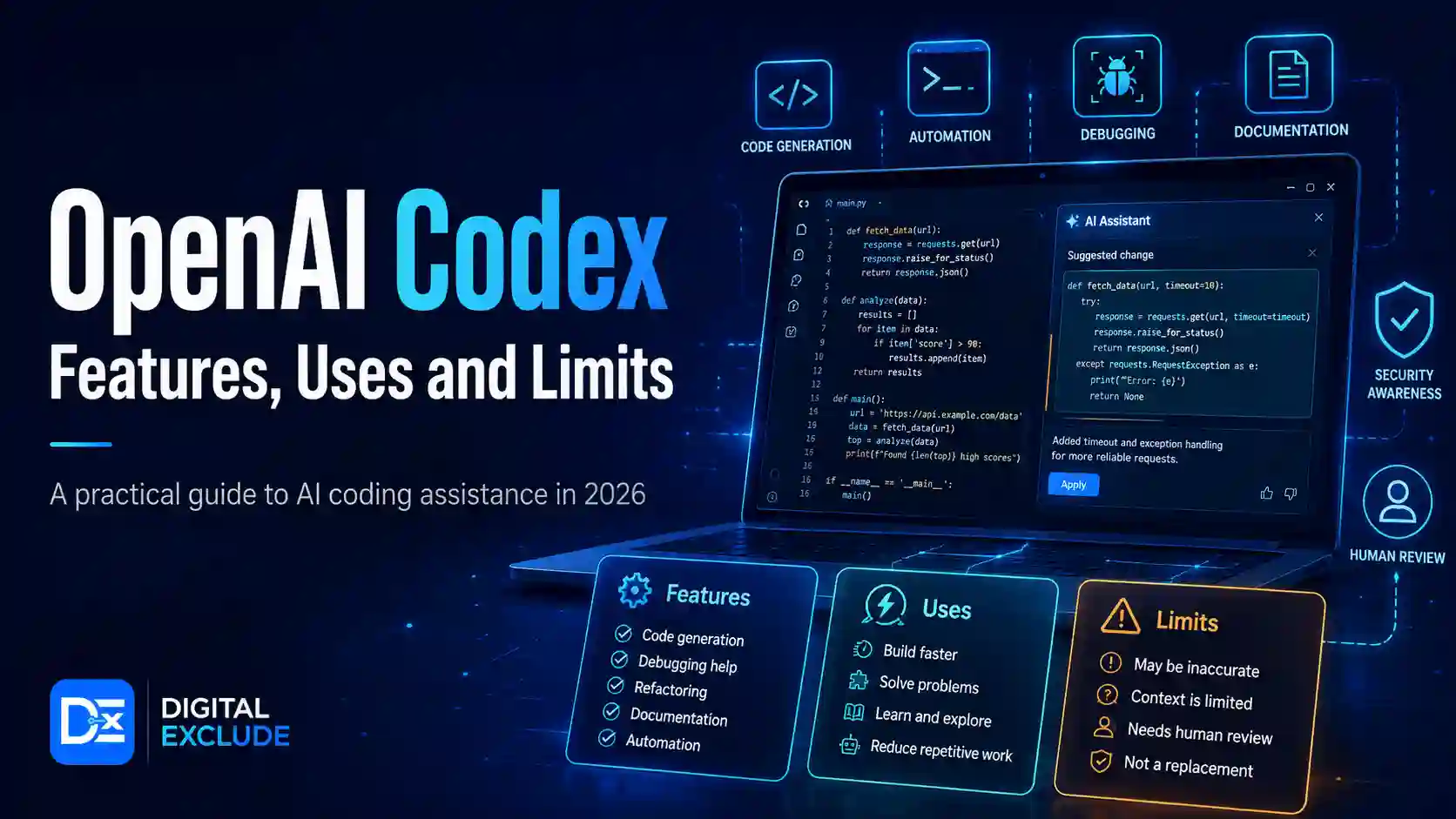
OpenAI Codex is an AI coding agent that helps developers write, review, fix, test, and understand code. It can work with repositories, answer questions about a codebase, propose changes, run tests, review pull requests, and support multi-agent coding workflows. OpenAI describes Codex as an AI coding partner built for real engineering work, including features, refactors, migrations, and pull requests.
For developers, coding students, startup founders, and tech beginners, Codex is useful when used as an assistant, not as an unchecked replacement for engineering judgment. It can save time on repetitive coding work, but human review is still needed for security, logic, architecture, production readiness, licensing, and business context.
Introduction
Many people hear about OpenAI Codex and assume it is only a code generator. That is no longer the full picture. In 2026, Codex is better understood as an OpenAI coding agent that can work across a codebase, run tasks in parallel, review changes, and help developers move from idea to working implementation faster.
The real problem is that developers and beginners often do not know where Codex is actually useful. Can it write reliable code? Can it understand a real project? Can it fix bugs without breaking something else? Can a startup use it for production work? Where does human review still matter?
This guide explains what Codex does, how it works, where it helps, where it is limited, and how to use this AI coding tool safely in real development workflows.
What OpenAI Codex Means
OpenAI Codex is an AI software engineering agent from OpenAI. It is designed to help with coding tasks such as building features, answering questions about code, fixing bugs, running tests, reviewing pull requests, and proposing code changes.
OpenAI first introduced the newer Codex experience as a cloud-based software engineering agent that could work on many tasks in parallel. Each task ran in its own cloud sandbox environment preloaded with the user’s repository, and Codex could read and edit files, run commands, and use test harnesses, linters, and type checkers.
In simple terms:
- A normal chatbot answers coding questions.
- A basic AI code assistant suggests snippets.
- Codex can act more like a coding agent that works on tasks inside a project.
This makes Codex AI useful for people who want help with real code, not only code examples.
Why OpenAI Codex Matters in 2026
OpenAI Codex matters in 2026 because software development is moving from single-prompt code generation to agent-assisted engineering. Developers are no longer only asking AI to “write a function.” They are asking AI agents to inspect codebases, fix issues, generate tests, review pull requests, refactor modules, and work across long-running tasks.
OpenAI introduced the Codex desktop app in February 2026 as a command center for AI coding and software development, with support for managing multiple agents, parallel workflows, and long-running tasks. OpenAI also updated that the Codex app became available on Windows on March 4, 2026.
For developers and startups, this matters because Codex can reduce the time spent on routine implementation work. For coding students, it can explain code and help practise debugging. For founders, it can speed up prototypes. For beginners, it can make coding more approachable, but it can also create false confidence if they accept output without understanding it.
Main Practical Guide: How OpenAI Codex Works
1. Codex Reads the Task
You give Codex a task in natural language.
Example:
“Add email validation to the signup form, update the tests, and explain the change.”
A good prompt should include:
- What you want changed
- Which files or feature areas are involved
- Any constraints
- Expected behavior
- Testing requirements
- What not to change
Bad prompt:
“Fix the app.”
Better prompt:
“The login form accepts invalid email formats. Please update validation in the frontend, add tests for invalid emails, and do not change the authentication API.”
2. Codex Looks at the Codebase
Codex can work with a repository context. OpenAI’s GitHub connection helps explain that ChatGPT can connect to GitHub repositories to read code, README files, and docs, then reason over them in real time. Availability can vary by ChatGPT plan and experience.
This is important because code quality depends on context. A coding agent needs to understand existing patterns, file structure, naming style, tests, dependencies, and business logic.
3. Codex Plans and Edits
Codex can propose file changes based on your task. In the Codex app, agents can run in separate threads organized by projects. OpenAI says the app lets users review the agent’s changes in the thread, comment on diffs, and open changes in the editor for manual edits.
This is different from copying a code snippet from a chatbot. Codex can work through a task inside the project and present a reviewable change.
4. Codex Runs Checks
A useful AI code assistant should not only write code. It should help check whether the code works. OpenAI’s original Codex announcement said Codex could run commands, including test harnesses, linters, and type checkers, inside its task environment.
This is useful for:
- Unit tests
- Type checking
- Linting
- Build checks
- Basic validation
- Regression checks
Still, passing tests does not always mean the code is production-ready. Tests may be incomplete.
5. Developers Review the Work
Human review is the most important part of using Codex for developers. Codex can speed up the work, but it cannot fully understand every business rule, security requirement, user expectation, or hidden production risk.
Review should include:
- Does the code solve the right problem?
- Does it follow the project style?
- Does it introduce security risk?
- Does it affect performance?
- Are tests meaningful?
- Are edge cases handled?
- Are dependencies safe?
- Is the change easy to maintain?
Key Features of OpenAI Codex
| Feature | What It Means | Why It Helps |
| Code generation | Writes functions, components, scripts, or modules | Speeds up routine implementation |
| Codebase Q&A | Answers questions about project code | Helps onboarding and debugging |
| Bug fixing | Finds and proposes fixes for issues | Reduces time spent on small defects |
| Test support | Adds or updates tests | Improves confidence before merging |
| Pull request support | Proposes PR style changes for review | Fits normal developer workflows |
| Parallel agents | Multiple agents can work on separate tasks | Useful for larger projects |
| Worktrees | Agents can work on isolated copies | Reduces conflicts across tasks |
| CLI and IDE support | Works closer to local developer workflows | Helps developers stay in their tools |
| Cloud tasks | Runs tasks in cloud environments | Useful for isolated work |
| Security review support | Helps identify and patch vulnerabilities | Useful for teams reviewing code risk |
OpenAI’s Codex app page also says the app includes built-in support for worktrees, so multiple agents can work on the same repository without conflicts by working on isolated copies of the code.
What Can You Use OpenAI Codex For?
1. Writing New Features
Codex can help implement small or medium-sized features.
Example:
- Add a search box to a dashboard
- Create a settings page
- Add form validation
- Build a small API endpoint
- Add dark mode
- Add export to CSV
Best use:
Give clear requirements and ask Codex to add tests.
Be careful:
Do not let Codex define product logic on its own. A feature may work technically but still miss user needs.
2. Fixing Bugs
Codex is useful when you can describe the bug clearly.
Example:
“The cart total is wrong when a discount code and shipping fee are both applied. Please inspect the calculation logic and add a regression test.”
Best use:
Provide reproduction steps, expected result, actual result, and failing test if possible.
Be careful:
A quick bug fix can create hidden side effects. Review related files and run full tests.
3. Refactoring Code
Codex can help clean up messy code.
Example:
- Split a large component
- Rename confusing variables
- Move repeated logic into helper functions
- Convert callbacks to async functions
- Improve error handling
Best use:
Ask for small refactorings first.
Be careful:
Large refactorings should be reviewed carefully because they may change behavior even when the app still builds.
4. Writing Tests
Codex is useful for creating test cases, especially when the project already has a testing pattern.
Example:
“Add tests for empty email, invalid email, valid email, and duplicate email in the signup flow.”
Best use:
Ask Codex to follow the existing test style.
Be careful:
AI-generated tests can test the implementation instead of the intended behavior. Review test quality.
5. Explaining a Codebase
Coding students and new developers can use Codex to understand unfamiliar projects.
Example:
- “Explain how authentication works in this app.”
- “Where is file upload handled?”
- “What happens after payment succeeds?”
- “Which files control the user dashboard?”
Best use:
Ask for file-level explanations and flow diagrams in text.
Be careful:
Verify explanations by opening the referenced code.
6. Reviewing Pull Requests
Codex can assist with code review. OpenAI’s current Codex page positions it for real engineering work, including pull requests, refactors, migrations, and code review-style tasks.
Best use:
Ask Codex to check for edge cases, missing tests, unclear naming, or security concerns.
Be careful:
Do not replace senior code review with AI review. Use both.
7. Security Review and Remediation
OpenAI also has Codex Security in research preview. OpenAI says Codex Security connects to GitHub repositories, builds a codebase-specific threat model, scans code, validates potential vulnerabilities in an isolated environment, and proposes fixes for human review. It does not automatically modify code.
Best use:
Use it as an additional review layer for security findings.
Be careful:
Security review still needs human validation, especially for business impact, compliance, secrets, authentication, authorization, and deployment assumptions.
Real World Examples
Example 1: Coding Student Learning React
A student is building a simple React todo app, but does not understand state updates.
Good Codex prompt:
“Explain how the state is updated in this React component. Then suggest one small improvement without changing the UI.”
Useful outcome:
Codex can explain the logic, suggest cleaner code, and help the student understand why the change works.
Mistake to avoid:
Do not ask Codex to build the full project if your goal is learning. Ask it to explain and guide.
Example 2: Developer Fixing a Production Bug
A developer sees an issue where the checkout page crashes when the shipping address is empty.
Good Codex prompt:
“Find why checkout crashes when shipping address is missing. Add a safe fallback and a regression test. Do not change payment logic.”
Useful outcome:
Codex can inspect the relevant files, propose a focused fix, and add a test.
Mistake to avoid:
Do not merge only because the test passes. Review error handling, logging, and affected flows.
Example 3: Startup Founder Building an MVP
A founder wants a basic admin dashboard for users, subscriptions, and invoices.
Good Codex prompt:
“Create a basic admin dashboard page using the existing UI components. Include user count, active subscriptions, recent invoices, and loading states. Do not add new dependencies unless needed.”
Useful outcome:
Codex can create a first version quickly.
Mistake to avoid:
Do not treat the MVP as secure by default. Admin permissions, authentication, audit logs, and data access still need serious review.
Example 4: Small Team Reviewing Security Risk
A team wants to check whether file uploads are safe.
Good Codex prompt:
“Review the file upload flow. Identify where file type, size, storage path, and authentication are checked. Suggest safer validation and tests.”
Useful outcome:
Codex can map the flow and suggest fixes.
Mistake to avoid:
Do not assume AI security suggestions are complete. Review against your actual deployment and threat model.
Example 5: Developer Refactoring Old Code
A developer wants to clean a large utility file.
Good Codex prompt:
“Refactor this utility file into smaller functions. Keep public function names unchanged. Add tests for any extracted logic.”
Useful outcome:
Codex can reduce repeated code while preserving public behavior.
Mistake to avoid:
Avoid large refactors without test coverage.
OpenAI Codex vs Other AI Coding Tools
| Tool Type | What It Does | Best For | Limitation |
| Basic chatbot | Answers coding questions and writes snippets | Learning and quick help | Limited project context |
| IDE autocomplete | Suggests code while typing | Faster coding inside the editor | May not handle full tasks |
| AI coding assistant | Helps write, explain, and edit code | Developers and students | Needs review |
| OpenAI Codex | Acts as a coding agent across tasks, repos, tests, and reviews | Real project work and agent workflows | Needs supervision, limits, and review |
| Security scanner | Finds known patterns or vulnerabilities | Compliance and scanning | May miss business logic issues |
| Codex Security | AI-assisted vulnerability validation and patch proposal | Security review with human oversight | Research preview and still needs review |
Limitations of OpenAI Codex
1. Codex Can Still Make Mistakes
Codex can write code that looks correct but fails in edge cases. It may misunderstand requirements, miss hidden dependencies, or choose a solution that does not match the product.
Human review is required.
2. Tests May Be Incomplete
Codex can write tests, but those tests may not cover the most important user paths.
Review tests for:
- Happy path
- Empty values
- Invalid input
- Permission errors
- Network failures
- Performance edge cases
- Security cases
- Regression risk
3. Security Requires Extra Attention
Codex can assist with security, but it should not be the only security control. Check authentication, authorization, input validation, secrets, dependency risk, and data handling.
OpenAI’s Codex Security page says proposed patches are surfaced for human review and can be turned into pull requests, but they do not automatically modify code. That is a useful safety model, but review remains essential.
4. Pricing and Usage Limits Can Vary
Codex usage depends on plan, model, task size, complexity, and whether work runs locally or in the cloud. OpenAI says small scripts may use only a fraction of the allowance, while larger codebases and long-running tasks can use more.
Before relying on Codex for business work, check the current plan, usage limits, credit rules, and team controls.
5. It May Not Know Your Business Context
Codex can read code, but it may not know why a feature exists, what a customer expects, or what legal or compliance rules apply.
Add context in your prompt.
Example:
“This field is required for tax reporting in India. Do not remove it, even if it looks unused.”
6. It can overwrite files
A coding agent may modify more files than expected if the prompt is broad.
Better prompt:
“Make the smallest change needed and list every file changed.”
7. It Is Not a Replacement for Engineering Ownership
Codex can speed up software work, but the developer still owns the final code. You are responsible for what is merged, deployed, and shipped.
Common Mistakes to Avoid
Mistake 1: Asking Codex to Do Too Much at Once
Bad prompt:
“Refactor the whole app and fix all bugs.”
Better prompt:
“Refactor the user profile form into smaller components. Keep behavior the same and add tests for validation.”
Mistake 2: Not Reading the Diff
Always review every changed file. The Codex app supports reviewing diffs and commenting on changes, which should be part of the workflow.
Mistake 3: Skipping Security Review
AI-generated code can still have security issues.
Check:
- Input validation
- Auth checks
- Role permissions
- SQL injection risk
- XSS risk
- Secret exposure
- File upload handling
- API authorization
Mistake 4: Sharing Sensitive Code Without Approval
If you work at a company, follow internal rules before connecting repositories or using AI tools with private code.
Review:
- Company AI policy
- Client data rules
- Repository access permissions
- GitHub app permissions
- Compliance requirements
- Admin approval
Mistake 5: Accepting New Dependencies Too Easily
AI tools may add a dependency when a simpler solution exists.
Better approach:
Tell Codex:
“Do not add new dependencies unless you explain why they are necessary.”
Mistake 6: Using Codex Without a Testing Habit
Codex is more useful when your project has tests, linters, type checks, and build commands.
Without tests, review becomes harder.
Best Practices: Step-by-Step Tips for Using OpenAI Codex
Step 1: Start With a Small Task
Good first tasks:
- Add validation
- Fix a small bug
- Add a unit test
- Explain one module
- Improve error handling
- Update a UI component
Avoid starting with payment flows, authentication rewrites, or production migrations.
Step 2: Give Clear Context
Include:
- Goal
- Files involved
- Expected behavior
- What not to change
- Testing command
- Style preference
- Security requirement
Example prompt:
“Update the signup form to reject disposable email domains. Use the existing validation pattern in SignupForm.tsx. Add tests in the existing test file. Do not change backend API behavior.”
Step 3: Ask for a Plan First
Before code changes, ask:
“Explain your plan before editing files.”
This helps you catch wrong assumptions early.
Step 4: Require Tests
Ask Codex to:
- Add tests
- Run existing tests
- Explain any failing tests
- Avoid removing tests
- List what was not tested
Step 5: Review the Diff
Check:
- Every changed file
- New dependency additions
- Config changes
- Hidden behavior changes
- Error handling
- Security controls
- Code style
Step 6: Run Locally
Even if Codex runs tests in an environment, run important checks locally or in CI before merging.
Run:
- Unit tests
- Linting
- Type checks
- Build command
- Manual smoke test
- Security checks where needed
Step 7: Use Branches and Pull Requests
Never let AI generated work go directly to production.
Use:
- Feature branches
- Pull requests
- Code review
- CI checks
- Staging environment
- Rollback plan
Step 8: Use Codex for Learning, Not Copying
For students and beginners, ask Codex to explain:
- Why the code works
- What each function does
- What alternatives exist
- Which edge cases matter
- How to debug similar problems
This builds skill instead of dependency.
Security and Privacy Checklist
Before using Codex for developers or teams, check:
| Area | Question to Ask |
| Repository access | Does Codex need access to this repo? |
| Permissions | Can access be limited to selected repositories? |
| Secrets | Are API keys, passwords, or tokens removed from code? |
| Data | Does the repo contain customer data or private files? |
| Review | Who reviews Codex changes before merge? |
| Testing | Are tests and CI available? |
| Dependencies | Are new packages reviewed? |
| Logs | Can admins audit usage if needed? |
| Limits | Does the plan support expected usage? |
| Compliance | Does company policy allow AI coding tools? |
Pros and Cons of OpenAI Codex
| Pros | Cons |
| Saves time on routine coding tasks | Can still produce wrong code |
| Helps explain unfamiliar codebases | Needs strong human review |
| Can assist with tests and bug fixes | Tests may not cover all risks |
| Supports parallel agent workflows | Usage limits depend on plan and task size |
| Useful for developers and students | Beginners may over-reliance on it |
| Can help review PRs and security issues | Security findings still need validation |
| Works with real project context | Private code needs policy review |
Final Recommendation
Use OpenAI Codex as a coding partner, not as an autopilot.
For coding students, Codex is best for explanation, guided practice, debugging help, and learning project structure. For developers, it is useful for focused implementation, tests, refactoring, code review, and repetitive tasks. For startup founders, it can speed up MVP development, but production quality still depends on engineering review, security checks, and testing.
A safe beginner workflow is:
- Pick a small coding task.
- Give clear context.
- Ask Codex for a plan.
- Let it propose changes.
- Review the diff.
- Run tests.
- Check security.
- Merge only after human review.
Codex can make development faster, but the responsibility for reliable code stays with the person or team shipping it.
FAQs
-
What is OpenAI Codex?
OpenAI Codex is an AI coding agent that helps developers write, edit, test, review, and understand code. It can work with repositories, answer codebase questions, fix bugs, propose pull requests, and support multi-agent software workflows.
-
Can OpenAI Codex write reliable code?
Codex can write useful code, but reliability depends on prompt quality, project context, tests, review, and task complexity. Developers should review all changes before merging.
-
Can Codex replace developers?
No. Codex can assist developers, reduce repetitive work, and speed up implementation, but it does not replace engineering judgment, architecture decisions, security review, product thinking, or responsibility for shipped code.
-
What is the difference between Codex and an AI code assistant?
A basic AI code assistant may suggest code snippets or autocomplete lines. Codex can operate more like an agent that works across files, tasks, tests, and pull request-style changes.
-
Is Codex safe for private repositories?
Codex can work with repositories, but teams should review permissions, company policy, GitHub access, secrets, customer data, compliance rules, and admin controls before connecting private code.
Conclusion
OpenAI Codex is more than a simple AI code assistant. It is an OpenAI coding agent designed to help with real software engineering tasks such as writing features, fixing bugs, explaining codebases, running tests, reviewing changes, and supporting multi-agent development workflows.
For developers, coding students, startup founders, and tech beginners, Codex can be a practical tool when used with discipline. Start with small tasks, give clear instructions, ask for tests, review every change, and keep security in mind. Codex AI can reduce manual effort and improve development speed, but human review remains essential for reliable, secure, and maintainable code.