A successful small business cloud migration starts with one question: which workloads should move, and what business problem will the move solve?
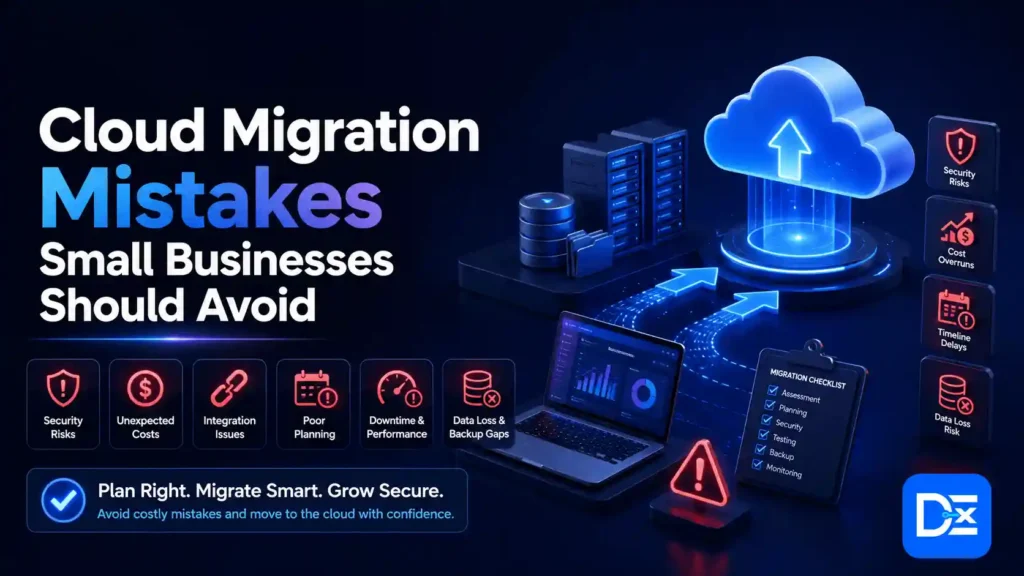
Before migrating, inventory your applications, data, integrations, users, licenses, and security requirements. Choose a migration strategy for each workload, calculate the complete three-year cost, build a secure cloud foundation, and move applications in controlled waves. Every critical cutover should include tested backups, clear acceptance criteria, defined recovery objectives, and a rollback plan.
Do not move every system simply because cloud services are available. Retire software you no longer need, replace outdated applications with software as a service when practical, retain workloads that are not ready, and migrate only where the expected benefits justify the cost and risk.
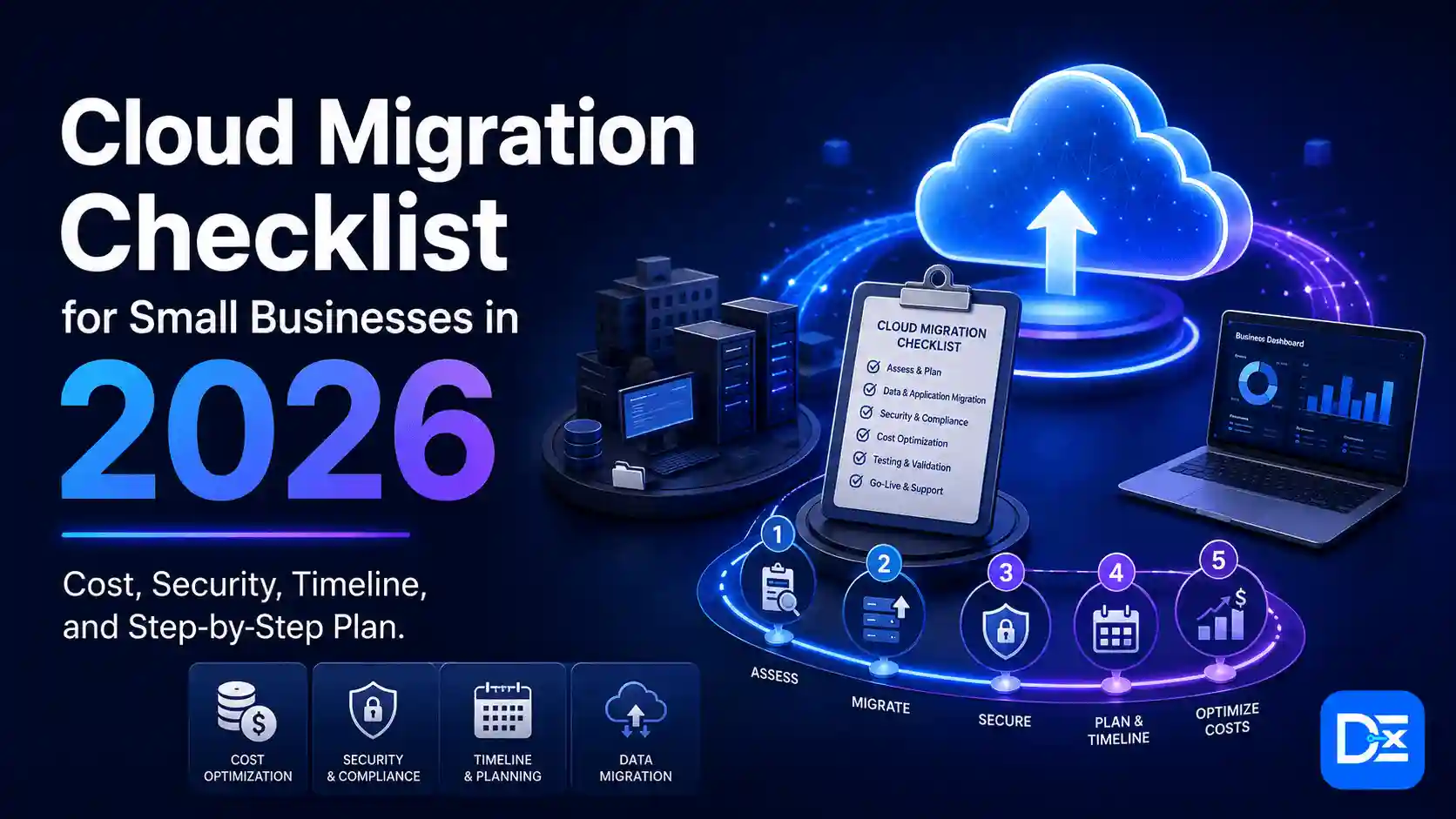
Cloud Migration Checklist at a Glance
Use this summary as your project-level checklist:
- Define the business reason for migrating.
- Assign an executive sponsor and workload owners.
- Inventory applications, infrastructure, data, licenses, and integrations.
- Map technical and business dependencies.
- Score your organization’s migration readiness.
- Choose a migration strategy for every workload.
- Calculate migration cost and three-year total cost of ownership.
- Select the appropriate cloud model and provider.
- Build the cloud landing zone and governance foundation.
- Configure identity, security, backups, logging, and compliance controls.
- Clean and classify data before transfer.
- Group workloads into migration waves.
- Test applications, data, performance, security, and recovery.
- Prepare a detailed cutover and rollback runbook.
- Migrate, validate, stabilize, and optimize.
- Decommission old systems only after business sign-off.
- Review cost, performance, security, and business outcomes regularly.
Why Cloud Migration Matters for Small Businesses in 2026
Cloud adoption among small and midsized businesses continues to grow. Flexera’s 2026 State of the Cloud Report found that the share of SMB workloads running in the public cloud increased from 55% to 63% year over year. The SMB figure was based on 133 respondents within a total report sample of 753 cloud decision-makers and practitioners. Read the Flexera 2026 State of the Cloud Report. es are moving because cloud platforms can support:
- Remote and hybrid work
- Faster software deployment
- Easier collaboration
- Flexible infrastructure capacity
- Managed databases and applications
- Centralized identity and access
- Improved backup options
- Faster disaster recovery
- Access to analytics and AI services
- Reduced dependence on aging hardware
However, moving to the cloud does not automatically reduce costs or improve security.
Flexera also estimated that 29% of cloud spending was wasted in 2026. Hybrid cloud remained the dominant architecture, used by 73% of organizations, which shows that many businesses continue to operate a combination of cloud and on-premises systems. Review Flexera’s cloud cost findings. tical lesson is simple:
Cloud migration creates value when the business moves the right workloads, uses the right architecture, and actively manages the environment after launch.
For a plain-language explanation of cloud models and services, read Digital Exclude’s guide to what cloud computing is and how it works.
Should Your Small Business Move to the Cloud?
A cloud migration checklist should not begin by assuming that every workload must move. Start by deciding whether migration is the right business decision.
Strong Reasons to Consider Cloud Migration
Cloud migration may be appropriate when:
- Servers or storage systems are reaching end of life.
- Hardware failures are becoming more frequent.
- Employees need reliable remote access.
- The business is opening new locations.
- Demand changes significantly throughout the year.
- Backup and disaster recovery processes are weak.
- Application deployment takes too long.
- Maintaining on-premises infrastructure consumes too much staff time.
- Current software is no longer supported.
- The business needs services that are difficult to operate internally.
- Security controls are fragmented across locations and devices.
- A current data center or hosting contract is ending.
Reasons to Delay or Limit Migration
A workload may need to stay where it is when:
- A software vendor does not support cloud deployment.
- Hardware dependencies cannot be replaced.
- The application requires extremely low local latency.
- Migration cost is greater than the remaining value of the application.
- Data cannot legally or contractually be stored in the available regions.
- The business does not have reliable internet connectivity or redundancy.
- The application will be retired soon.
- Dependencies are not understood.
- The business lacks a tested backup and recovery process.
- No one owns the application or can approve the migration.
- The organization cannot support the new environment after launch.
A hybrid model can be the correct long-term design. It should not be treated as a failed or incomplete migration.
What Do Cloud Migration Services Include?
Cloud migration services help a business assess, plan, execute, secure, and optimize the movement of applications, data, and infrastructure.
A complete service engagement may include:
Discovery and Assessment
- Infrastructure inventory
- Application discovery
- Performance and utilization analysis
- Dependency mapping
- Data classification
- Licensing review
- Compliance assessment
- Network assessment
- Cloud readiness scoring
Strategy and Architecture
- Business-case development
- Cloud model selection
- Provider selection
- Migration strategy by workload
- Target architecture
- Landing-zone design
- Security architecture
- Backup and disaster recovery design
- Cost model and timeline
Migration Execution
- Cloud account setup
- Identity and access configuration
- Network connectivity
- Data transfer
- Database migration
- Application rehosting or modernization
- SaaS replacement
- Integration configuration
- Testing and cutover
- Rollback support
Post-Migration Services
- Monitoring
- Security hardening
- Cost optimization
- Performance tuning
- Backup validation
- Documentation
- User training
- Ongoing managed support
- Legacy system decommissioning
What May Not Be Included
Before accepting a proposal, confirm whether the following are included:
- Cloud provider charges
- Data transfer and egress fees
- Third-party software licenses
- New security products
- Backup storage
- Employee training
- Application redevelopment
- Vendor support charges
- After-hours cutover support
- Compliance documentation
- Long-term monitoring
- Post-launch optimization
- Hardware disposal
- Tax and currency changes
A low migration quote can become expensive when critical services are excluded.
Small Business Cloud Migration Readiness Assessment
Use this scorecard before beginning a production migration.
Score each statement from 1 to 5:
- 1: Not started
- 2: Major gaps
- 3: Partially ready
- 4: Mostly ready
- 5: Fully ready and documented
| Readiness category | Weight | Questions to evaluate |
| Business goals and ownership | 15% | Are objectives, sponsors, owners, budgets, and success metrics defined? |
| Application and dependency visibility | 20% | Do you know what exists, who uses it, and what it depends on? |
| Data readiness | 15% | Is data classified, clean, backed up, owned, and subject to retention rules? |
| Security and compliance | 20% | Are identity, access, encryption, logging, recovery, and compliance requirements documented? |
| Network and technical readiness | 15% | Is connectivity sufficient, and are applications compatible with the target environment? |
| Skills and change readiness | 15% | Can the team operate the new environment, support users, and manage vendors? |
Readiness Score Formula
Weighted readiness score =
Category score ÷ 5 × category weight
Add the weighted scores from all six categories.
How to Interpret the Result
| Score | Recommended action |
| 80 to 100 | Proceed with a controlled pilot |
| 60 to 79 | Address identified gaps, then begin a pilot |
| 40 to 59 | Complete a formal assessment and remediation plan |
| Below 40 | Do not begin production migration |
A low score does not mean the cloud is inappropriate. It means the organization is not yet prepared to migrate safely.
Complete Cloud Migration Checklist for Small Businesses
Step 1: Define the Business Case
A migration needs a measurable business purpose. “We want to use the cloud” is not a business case.
Define the Problem
Examples include:
- Aging servers create unacceptable failure risk.
- Remote employees experience slow access.
- New offices take too long to provision.
- Backups are not tested.
- Application releases are delayed by infrastructure work.
- Current hosting costs are rising.
- A legacy application is no longer supported.
- The business cannot scale during peak demand.
Select Measurable Objectives
Strong objectives include:
- Reduce infrastructure incidents by 30%.
- Restore critical files within four hours.
- Reduce new-user setup time from two days to two hours.
- Improve application availability to the agreed service target.
- Reduce average page response time below two seconds.
- Decommission five physical servers within six months.
- Reduce monthly infrastructure cost by a documented amount.
- Support a 50% increase in transaction volume without buying hardware.
Do not promise an arbitrary savings percentage. Cloud savings depend on current hardware, utilization, licensing, staffing, architecture, and usage.
Assign Owners
At minimum, assign:
- Executive sponsor
- Migration project manager
- Technical lead
- Security owner
- Application owner
- Data owner
- Finance or procurement owner
- Business acceptance owner
- External provider contact
Required Deliverable
A one-page migration charter containing scope, objectives, owners, timeline, budget, success metrics, and exclusions.
Go or No-Go Gate
Do not proceed if the project has no executive sponsor, no workload owners, or no measurable business outcome.
Step 2: Inventory Applications, Infrastructure, and Data
You cannot plan a safe migration around systems that nobody has documented.
Application Inventory
Record:
- Application name
- Version
- Vendor
- Business owner
- Technical owner
- Number of users
- Business criticality
- Support status
- Hosting location
- Operating system
- Database
- Required uptime
- Peak usage periods
- Compliance requirements
- Licensing model
- Current monthly cost
- Planned migration strategy
Infrastructure Inventory
Include:
- Physical servers
- Virtual machines
- Storage systems
- Network devices
- Internet connections
- Firewalls
- Backup appliances
- Identity servers
- Endpoints
- Printers and scanners
- Remote access systems
- Monitoring tools
- Development and test environments
Data Inventory
Classify data as:
- Public
- Internal
- Confidential
- Restricted
- Regulated
- Archival
- Eligible for deletion
Record its owner, location, volume, retention period, backup method, and recovery requirement.
Licensing Inventory
Cloud migration can change software licensing. Confirm:
- Whether licenses can move to the cloud
- Whether licenses are tied to hardware
- Whether bring-your-own-license rights apply
- Whether a new subscription is required
- Whether support remains valid
- Whether old licenses can be terminated
Required Deliverable
A single inventory with an identified owner for every in-scope application and dataset.
Go or No-Go Gate
Do not approve a critical workload for migration if its owner, licensing, data classification, or support status is unknown.
Step 3: Map Dependencies
A dependency is anything an application needs to function.
Technical Dependencies
Map:
- Databases
- File shares
- APIs
- Webhooks
- Authentication services
- Domain name services
- Certificates
- Email relays
- Scheduled jobs
- Message queues
- Payment gateways
- Data warehouses
- Reporting systems
- IP allowlists
- Network ports
- Shared libraries
- Third-party plugins
- Backup processes
Business Dependencies
Also document:
- Manual approvals
- Spreadsheet exports
- Employee knowledge
- Customer communication
- Vendor processing windows
- Daily financial closing
- Month-end reporting
- Regulatory submissions
- Peak sales periods
- Support availability
A system may be technically independent but operationally tied to an employee’s undocumented process.
Build a Dependency Map
For every application, record:
Application
→ required services
→ required data
→ upstream systems
→ downstream systems
→ business process
→ owner
→ migration wave
AWS recommends prioritizing workloads through an iterative model that accounts for migration strategy and application relationships rather than using server-list order. Review AWS workload prioritization guidance. Required Deliverable
A dependency map showing which workloads must move together and which systems need temporary connectivity.
Go or No-Go Gate
Do not schedule a workload until all critical upstream and downstream dependencies have been tested in the target design.
Step 4: Choose a Migration Strategy Using the 7 Rs
AWS documents seven common migration strategies: retire, retain, rehost, relocate, repurchase, replatform, and refactor or re-architect. Read AWS Prescriptive Guidance on the 7 Rs.
Remove a system that is obsolete, duplicated, unused, or no longer valuable.
Example: Decommission an old reporting tool after confirming that its records are available elsewhere.
Business benefit: Reduces migration scope and ongoing licensing cost.
Retain
Keep the workload in its current environment.
Example: Retain a manufacturing application tied to specialized equipment until the equipment is replaced.
Business benefit: Avoids unnecessary cost and risk.
Rehost
Move the application with minimal changes.
This is often called lift and shift.
Example: Move a supported virtual server into cloud infrastructure.
Business benefit: Faster migration.
Main risk: Existing inefficiency and over-provisioning may move with the application.
Relocate
Move a compatible environment without redesigning individual workloads.
Example: Relocate supported virtualized workloads into a compatible cloud-hosted environment.
Business benefit: Reduces application-level change.
Repurchase
Replace the application with a SaaS product.
Example: Replace an on-premises email server with Microsoft 365 or Google Workspace.
Business benefit: Reduces infrastructure maintenance.
Main risk: Data migration, subscription growth, configuration limits, and vendor lock-in.
Replatform
Make limited changes to use managed cloud services.
Example: Move an application while replacing its self-managed database with a managed database.
Business benefit: Reduces operational work without a complete rewrite.
Refactor or Re-architect
Redesign the application to use cloud-native architecture.
Example: Break a legacy monolith into managed services, containers, or event-driven components.
Business benefit: Greater scalability and flexibility.
Main risk: Higher development cost, a longer timeline, and more testing.
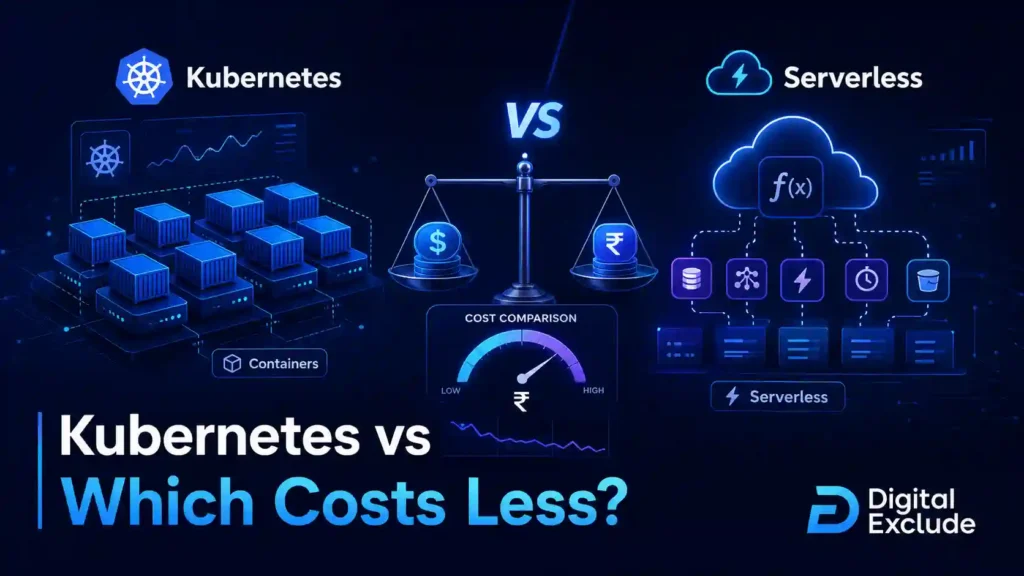
If you are comparing modern infrastructure approaches, Digital Exclude’s guide to Kubernetes versus serverless costs explains how traffic, team skills, and operational complexity affect the decision.
Workload Strategy Decision Table
| Workload condition | Likely strategy |
| No longer needed | Retire |
| Cannot move yet | Retain |
| Must move quickly with minimal change | Rehost |
| Existing platform can move as a unit | Relocate |
| Better SaaS alternative exists | Repurchase |
| Small improvements create meaningful value | Replatform |
| Strategic application needs major modernization | Refactor |
Required Deliverable
A documented strategy for every workload, including the reason, expected benefit, risk, and future review date.
Go or No-Go Gate
Do not default every application to rehosting. Confirm that the strategy fits the application’s remaining life, business value, and operating cost.
Step 5: Calculate Migration Cost and Three-Year TCO
Cloud cost is not only the provider invoice.
One-Time Migration Costs
Include:
- Assessment
- Architecture design
- Project management
- Data cleanup
- Application changes
- Integration work
- Data transfer
- Testing
- Security configuration
- Compliance review
- Staff training
- Cutover support
- Temporary equipment or connectivity
- Hardware disposal
- Contingency
Recurring Costs
Include:
- Compute
- Storage
- Managed databases
- Network traffic
- Internet connectivity
- Backup
- Security tools
- Monitoring and logging
- Software subscriptions
- Support plans
- Managed services
- Identity services
- Developer tools
- Disaster recovery
- Staff administration
- Ongoing optimization
Temporary Dual-Running Costs
Most businesses operate old and new environments together during migration. Budget for:
- Existing hosting or hardware
- New cloud infrastructure
- Duplicate software licenses
- Data synchronization
- Extended support
- Additional backup
- Temporary network connections
Three-Year TCO Formula
Three-year migration TCO =
Initial assessment and implementation
+ 36 months of cloud services
+ software licensing
+ security, backup, and monitoring
+ support and internal labor
+ dual-running period
+ modernization and optimization
+ contingency
– avoided hardware purchases
– avoided maintenance
– avoided facility and energy costs
– retired licenses and services
Use Measured Utilization
Do not estimate cloud infrastructure from server specifications alone. A server with 16 CPUs may use only a small percentage of that capacity.
AWS Migration Evaluator, Azure Migrate, and Google Cloud Migration Center can help build provider-specific cost estimates using inventory and performance information. Google explicitly notes that generated estimates use assumptions and that actual cost can be higher or lower. Explore AWS Migration Evaluator, Azure Migrate business cases, and Google Cloud Migration Center cost estimation. Digital Exclude Planning Cost Ranges
The figures below are illustrative planning ranges for U.S. small businesses. They are not vendor quotes or universal market averages.
| Migration scope | Illustrative professional services cost |
| Email, identity, and collaboration migration | $5,000 to $25,000 |
| File storage, backup, and basic cloud foundation | $10,000 to $50,000 |
| Several standard business applications | $25,000 to $100,000 |
| Multi-application infrastructure migration | $50,000 to $250,000 |
| Legacy application modernization | $100,000 to $500,000 or more |
| Regulated or multi-location program | Highly dependent on scope |
Cost depends on user count, data volume, application complexity, downtime tolerance, integrations, security, and internal skills.
Add a Contingency
A planning contingency of 15% to 30% may be appropriate when:
- Dependencies are incomplete.
- Legacy applications are poorly documented.
- Data quality is uncertain.
- Vendor cooperation is required.
- Network upgrades may be needed.
- Compliance requirements are still being evaluated.
Reduce the contingency as discovery produces stronger evidence.
Required Deliverable
A three-year business case with best-case, expected-case, and high-cost scenarios.
Go or No-Go Gate
Do not approve migration based only on a low monthly compute estimate.
Step 6: Select the Cloud Model and Provider
Public Cloud
Infrastructure or applications run on shared provider platforms.
Best for: Most standard SMB workloads, variable demand, managed services, and teams with limited infrastructure staff.
Private Cloud
The environment is dedicated to one organization.
Best for: Specialized control, contractual requirements, or workloads that cannot use a shared public environment.
Main limitation: Higher cost and management responsibility.
Hybrid Cloud
Some workloads remain on-premises while others run in public or private cloud.
Best for: Phased migration, legacy dependencies, local processing, and regulatory constraints.
Multi-Cloud
The organization uses services from more than one public cloud provider.
Best for: Specific product capabilities, acquisitions, regional requirements, or deliberate risk management.
Main limitation: More identity, security, monitoring, networking, skills, and cost-management complexity.
How to Compare AWS, Azure, and Google Cloud
Do not select a provider based only on brand recognition.
Evaluate:
| Decision area | Questions |
| Existing technology | Which provider best supports your operating systems, databases, productivity tools, and development stack? |
| Application support | Does each software vendor officially support the target platform? |
| Team skills | Which environment can your team operate safely? |
| Managed services | Which services reduce administration for your workloads? |
| Regions | Are services available where your data and customers require them? |
| Compliance | Can the provider support your contractual and regulatory obligations? |
| Pricing | What are the complete compute, storage, database, support, backup, and transfer costs? |
| Reliability | What architecture is required to meet the workload’s availability target? |
| Support | What response time, escalation path, and partner ecosystem are available? |
| Portability | How difficult and expensive would it be to move later? |
Microsoft’s Cloud Adoption Framework organizes cloud adoption around strategy, planning, environment readiness, migration, modernization, governance, security, and management. Google’s framework similarly emphasizes organizational readiness and careful planning before workload movement. Review the Microsoft Cloud Adoption Framework and Google Cloud Adoption Framework.
A provider decision matrix based on workload fit, three-year cost, skills, security, support, and exit requirements.
Go or No-Go Gate
Do not select a provider until the organization has tested the most critical workload assumptions.
Step 7: Build a Secure Cloud Foundation
Do not move production workloads into an unstructured cloud account.
A cloud foundation, often called a landing zone, establishes how accounts, subscriptions, identity, networking, logs, policies, and billing will work.
Microsoft describes an Azure landing zone as its standardized approach for establishing a consistent foundation aligned with security, compliance, and operational efficiency. Google’s architecture guidance also includes landing-zone design covering identity, resource hierarchy, networking, and security controls. Read about Azure landing zones and Google Cloud landing-zone guidance. Cloud Foundation Checklist
- Create separate production and non-production environments.
- Define account, subscription, project, and resource naming.
- Centralize identity.
- Enforce multifactor authentication.
- Establish administrator roles.
- Remove unnecessary permanent credentials.
- Configure network segmentation.
- Define secure remote access.
- Enable central logging.
- Configure security alerts.
- Establish backup policies.
- Create tagging standards.
- Set budgets and spending alerts.
- Define approved regions.
- Document data retention.
- Configure incident contacts.
- Record ownership for every environment.
Apply Least Privilege
Users, administrators, applications, and service accounts should receive only the access needed to perform their responsibilities.
CISA recommends MFA for system administrator accounts and provides SMB guidance covering logging, backups, encryption, and secure cloud applications. Review CISA’s small business cybersecurity resources and MFA guidance. Shared Responsibility
The cloud provider secures the underlying services according to the service model. The customer remains responsible for important areas such as identities, permissions, data classification, application configuration, and many security settings.
| Area | Provider responsibility | Customer responsibility |
| Physical facilities | Primary | Limited |
| Underlying cloud infrastructure | Primary | Limited |
| User identities | Provides tools | Configures and governs |
| Application configuration | Limited | Primary |
| Data classification | No | Primary |
| Access permissions | Provides controls | Primary |
| Backup policy | Provides services | Defines and validates |
| Logging | Provides capability | Enables, monitors, and retains |
| Compliance | Provides certifications and tools | Applies controls to the workload |
Digital Exclude’s guide to cloud security risks and best practices provides additional guidance on identity, exposed storage, monitoring, and secure configuration.
Treat Security as a Business Requirement
IBM’s 2025 research found that the global average cost of a data breach was $4.44 million, while the U.S. average reached $10.22 million. The report studied 600 organizations that experienced breaches between March 2024 and February 2025. These are broad averages, not estimates of what a small business will necessarily lose, but they show why security work should not be removed to reduce migration cost. Read IBM’s 2025 Cost of a Data Breach findings. Required Deliverable
A documented cloud foundation with approved identity, security, networking, logging, backup, and cost controls.
Go or No-Go Gate
Do not migrate production data until MFA, administrative access, logging, backup, and incident contacts are configured.
Step 8: Prepare Applications and Data
Clean Data Before Moving It
Migration is an opportunity to avoid paying for unnecessary information.
Remove or archive:
- Duplicate files
- Obsolete backups
- Temporary exports
- Unsupported application data
- Former employee files that exceed retention requirements
- Redundant database copies
- Unused development data
Do not delete records without approval from the appropriate data owner.
Choose a Data Transfer Method
Options include:
- One-time bulk transfer
- Incremental synchronization
- Database replication
- Physical transfer device
- Application-level export and import
- Cloud-to-cloud transfer
- Continuous replication followed by cutover
The correct method depends on:
- Data volume
- Available bandwidth
- Allowed downtime
- Change rate
- Security requirements
- Data location
- Recovery needs
Validate Data
Validation should include:
- Record counts
- File counts
- Checksums
- Database consistency
- Permissions
- Metadata
- Timestamps
- Application reports
- Searchability
- Sample business transactions
Prepare Applications
Check:
- Operating-system support
- Database compatibility
- Hardcoded IP addresses
- Local file paths
- Printer and scanner dependencies
- Authentication
- Certificates
- Scheduled tasks
- API endpoints
- Time zones
- Email delivery
- License activation
- Monitoring
- Backup agents
- Performance expectations
Required Deliverable
A signed application and data readiness report.
Go or No-Go Gate
Do not schedule final data cutover until backup restoration and sample data reconciliation have passed.
Step 9: Build Migration Waves
Moving everything at once concentrates risk. Use waves.
Wave 0: Cloud Foundation
Set up:
- Accounts
- Identity
- Networking
- Security
- Logging
- Backup
- Monitoring
- Cost controls
Wave 1: Low-Risk Workloads
Examples:
- Development tools
- Archived data
- Non-critical internal websites
- Collaboration tools
- Secondary backups
Wave 2: Standard Business Services
Examples:
- File sharing
- Intranet
- Internal applications
- Reporting tools
Wave 3: Customer-Facing Workloads
Examples:
- Websites
- Ecommerce services
- Customer portals
- CRM integrations
- Support systems
Wave 4: Critical Applications and Databases
Examples:
- Finance
- ERP
- Transaction systems
- Core databases
- Regulated workloads
Wave 5: Decommissioning and Optimization
Remove confirmed legacy services, update documentation, and improve costs and performance.
Prioritize by Business Risk
A useful scoring formula is:
Migration priority =
Business value
+ urgency
+ technical readiness
– migration risk
– dependency complexity
Start with a workload that is meaningful enough to test the migration approach but not so critical that one failure stops the business.
Required Deliverable
A wave plan with scope, dependencies, owners, test criteria, downtime, support coverage, and rollback requirements.
Go or No-Go Gate
Do not start the next wave until lessons and unresolved issues from the previous wave have been reviewed.
Step 10: Test Before Cutover
Testing should prove that the business process works, not only that the server starts.
Functional Testing
Test real tasks such as:
- User login
- File access
- Order creation
- Checkout
- Invoice generation
- Customer search
- Report creation
- Email notifications
- Data export
- Payment reconciliation
Integration Testing
Confirm that the application can communicate with:
- Identity provider
- Databases
- Payment services
- CRM
- ERP
- Reporting
- Third-party APIs
- Local devices
Performance Testing
Measure:
- Response time
- Transaction time
- Database latency
- Upload and download speed
- Concurrent users
- Peak demand
- Batch-processing duration
Security Testing
Validate:
- Permissions
- Administrator access
- MFA
- Encryption
- Logging
- Public exposure
- Secrets storage
- Alerts
- Vulnerability findings
- Data-loss controls
Recovery Testing
Test:
- File restoration
- Database restoration
- Application recovery
- Access to backups
- Recovery in a separate environment
- Failover where required
User Acceptance Testing
Business users should approve real workflows. Technical teams cannot confirm whether financial, customer, or operational results are correct without business participation.
Required Deliverable
A test report with passed, failed, deferred, and accepted-risk items.
Go or No-Go Gate
Do not cut over when a failed test affects a critical business process, security requirement, or recovery objective.
Step 11: Define RTO and RPO
What Is Recovery Time Objective?
Recovery Time Objective, or RTO, is the maximum acceptable time required to restore a workload after an outage.
What Is Recovery Point Objective?
Recovery Point Objective, or RPO, is the maximum acceptable amount of data loss measured in time.
Example:
- An RTO of four hours means the service should be restored within four hours.
- An RPO of 15 minutes means the organization can accept losing no more than 15 minutes of data.
Lower RTO and RPO targets usually require more infrastructure, replication, automation, and testing, which increases cost.
Define these values based on business impact, not technical preference.
| Workload | Example RTO | Example RPO |
| Marketing website | 8 hours | 24 hours |
| Internal file sharing | 4 hours | 4 hours |
| Ecommerce checkout | 1 hour | 15 minutes |
| Financial transaction system | 30 minutes | Near zero |
These examples are illustrative. Each business should perform its own impact assessment.
Step 12: Create the Cutover and Rollback Runbook
A cutover plan should be detailed enough that another qualified team member can follow it.
Cutover Runbook Checklist
- Final migration date
- Change-freeze time
- Final backup time
- Backup validation owner
- Data synchronization process
- User notification schedule
- Vendor contacts
- Technical owners
- Business approvers
- DNS changes
- Application shutdown sequence
- Application startup sequence
- Validation scripts
- User acceptance checks
- Support coverage
- Go or no-go deadline
- Rollback trigger
- Rollback steps
- Maximum rollback time
- Final approval record
Define Rollback Triggers
Examples include:
- Critical data mismatch
- Authentication failure
- Unacceptable performance
- Payment or transaction failure
- Security control failure
- A critical integration is unavailable
- Recovery cannot be confirmed
- Cutover exceeds the approved outage window
A rollback decision should not depend on an exhausted team debating the issue during an outage. Define the trigger in advance.
Step 13: Execute the Migration
During execution:
- Freeze unapproved changes.
- Record every action.
- Track actual time against the runbook.
- Maintain one decision channel.
- Escalate deviations immediately.
- Validate data before opening access.
- Obtain business approval before declaring success.
- Keep the previous environment available until the rollback window closes.
Do not decommission the old environment on migration day.
Step 14: Stabilize the Environment
Migration completion is followed by stabilization.
Track:
- Errors
- Performance
- Security alerts
- Backup completion
- Failed jobs
- User access problems
- Support tickets
- Integration failures
- Cost anomalies
- Customer complaints
Maintain increased support coverage during the first days after cutover.
Step 15: Optimize Cost and Performance
Cloud spending requires active management. Flexera’s estimated 29% waste rate shows why cost review should begin immediately rather than several months after migration. Optimization Checklist
- Right-size compute.
- Remove unused storage.
- Stop idle test environments.
- Delete orphaned resources.
- Review log retention.
- Use appropriate storage classes.
- Evaluate committed-use discounts after demand becomes predictable.
- Configure autoscaling.
- Track data transfer.
- Tag resources by workload, owner, and environment.
- Set budget alerts.
- Review cost per application.
- Compare actual spending with the business case.
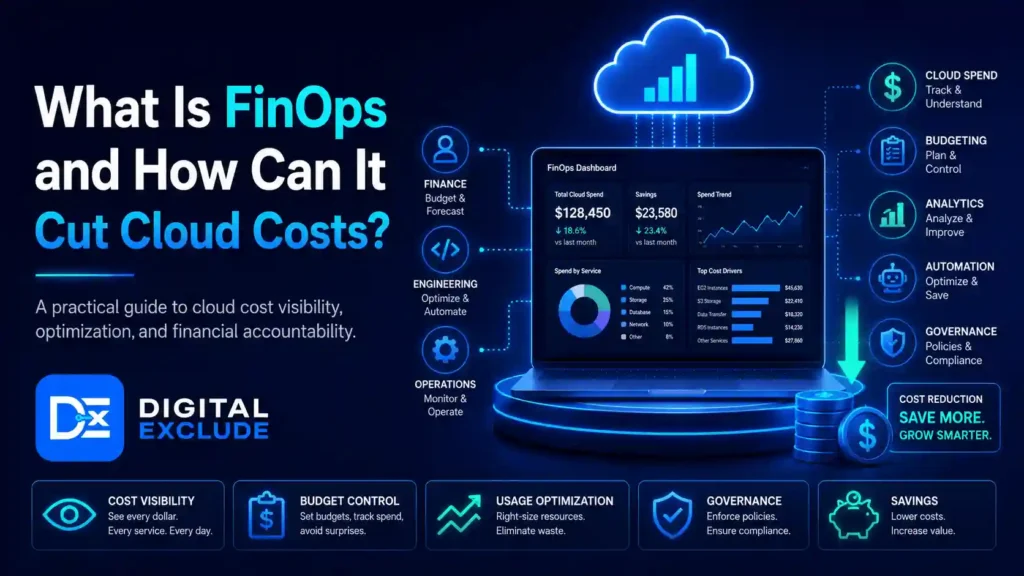
For a detailed operating model, read Digital Exclude’s guide to FinOps and cloud cost management.
Performance Optimization Checklist
- Review application latency.
- Tune database queries.
- Improve caching.
- Optimize storage.
- Review network routes.
- Adjust scaling policies.
- Reduce unnecessary cross-region traffic.
- Test peak demand again.
- Review user experience.
Step 16: Decommission Legacy Systems Safely
Do not keep paying for both environments indefinitely.
Before decommissioning:
- Confirm business acceptance.
- Complete the rollback window.
- Verify backup retention.
- Export required logs.
- Record final configurations.
- Cancel unnecessary licenses.
- Remove DNS records.
- Revoke old credentials.
- Sanitize or destroy storage securely.
- Update asset registers.
- Update disaster recovery documentation.
- Inform finance and procurement.
A forgotten server can create a security risk and unnecessary cost even after the main migration is complete.
Cloud Migration Timeline for Small Businesses
Timeline depends more on workload complexity than employee count.
The following are planning estimates:
| Migration type | Illustrative timeline |
| Email and collaboration | 2 to 6 weeks |
| File storage and backup | 3 to 8 weeks |
| Several standard business applications | 2 to 4 months |
| Infrastructure and database migration | 3 to 9 months |
| Legacy application modernization | 6 to 18 months |
| Regulated or multi-location migration | 6 to 18 months or more |
Add time for:
- Vendor coordination
- Compliance review
- Procurement
- Network upgrades
- User training
- Peak-season restrictions
- Data cleanup
- Application redevelopment
A fast timeline is not a success metric when it increases downtime, security risk, or rework.
Worked Example: 50-Employee Professional Services Firm
Consider a U.S. consulting company with:
- 50 employees
- Two physical servers
- Microsoft 365
- A local file server
- An accounting application
- A CRM
- Remote employees
- 5 TB of business data
- Limited internal IT support
Business Problems
- Remote file access is slow.
- Backups are not regularly tested.
- Servers are approaching replacement.
- New employees take too long to provision.
- The company wants stronger access control.
Recommended Strategy
| Workload | Strategy |
| Old file shares | Replatform to managed cloud storage |
| Retain existing SaaS platform | |
| Accounting | Repurchase if a supported SaaS version is available |
| CRM | Retain SaaS platform and improve integration |
| Legacy archive | Retire unnecessary data and move required records to archival storage |
| Identity | Replatform to centralized cloud identity |
| Backup | Repurchase or replatform to managed backup |
Illustrative One-Time Budget
| Cost area | Planning estimate |
| Assessment and planning | $7,500 |
| Cloud foundation and identity | $10,000 |
| Data cleanup and file migration | $15,000 |
| Application and integration work | $12,500 |
| Security and backup setup | $7,500 |
| Testing, training, and cutover | $7,500 |
| Contingency | $10,000 |
| Total planning estimate | $70,000 |
Illustrative Monthly Cost
| Cost area | Monthly estimate |
| Cloud storage and services | $1,500 |
| Backup and security | $800 |
| Managed support | $2,000 |
| Connectivity and monitoring | $500 |
| Total monthly estimate | $4,800 |
These figures should be compared with:
- Planned server replacement
- Current maintenance
- Existing backup
- IT support
- Downtime
- Software licensing
- Productivity lost through slow remote access
The migration should not be approved simply because $4,800 appears affordable. The company should compare three-year TCO, service quality, risk reduction, and employee productivity with the current environment.
30, 60, and 90-Day Post-Migration Plan
First 30 Days: Stabilize
- Monitor errors and performance daily.
- Resolve access problems.
- Check backups.
- Perform at least one restoration test.
- Review security alerts.
- Compare actual cost with forecast.
- Record user feedback.
- Update operating documentation.
Days 31 to 60: Optimize
- Right-size infrastructure.
- Remove unused resources.
- Review storage classes.
- Tune databases and applications.
- Close unnecessary firewall rules.
- Review administrative access.
- Improve training materials.
- Confirm which legacy systems can be retired.
Days 61 to 90: Govern
- Review business KPIs.
- Complete a formal cost review.
- Test recovery procedures.
- Review compliance evidence.
- Update incident-response plans.
- Evaluate committed pricing.
- Confirm ongoing owners.
- Document lessons for the next wave.
Common Cloud Migration Mistakes
Moving Everything at Once
This concentrates technical and business risk.
Better approach: Use controlled waves with exit criteria.
Copying Existing Infrastructure Without Right-Sizing
An oversized server remains oversized after rehosting.
Better approach: Use measured utilization and performance-based estimates.
Choosing a Provider Before Assessing Workloads
A provider may be strong overall but unsuitable for a specific application.
Better approach: Select based on workload fit, support, skills, cost, and risk.
Skipping Data Cleanup
Migrating obsolete data increases transfer, storage, search, backup, and compliance costs.
Better approach: Classify, retain, archive, or delete data before movement.
Assuming the Cloud Is Secure by Default
Providers offer strong security capabilities, but customers must configure access, data protection, logging, and applications correctly.
Better approach: Build security into the landing zone.
Treating Backup as Disaster Recovery
A backup does not guarantee that the complete service can be restored within the required time.
Better approach: Define RTO and RPO, then test recovery.
Ignoring Dual-Running Cost
Businesses may pay for old and new environments for several months.
Better approach: Include overlap in the budget and establish decommission dates.
Skipping User Training
New tools and access processes can reduce productivity when users are unprepared.
Better approach: Train administrators, power users, and employees before cutover.
Failing to Test Rollback
A rollback plan that has never been rehearsed is only an assumption.
Better approach: Test critical rollback steps before production cutover.
Forgetting Post-Migration Optimization
Cloud resources remain expensive when no one reviews utilization and ownership.
Better approach: Start FinOps controls before the first workload moves.
When Should You Hire a Cloud Migration Services Provider?
External help may be useful when:
- The business has no cloud architect.
- Critical dependencies are unclear.
- The migration includes several applications or locations.
- Downtime tolerance is low.
- Regulated or sensitive data is involved.
- Legacy systems require custom integration.
- The team lacks security expertise.
- Internal employees cannot support the project alongside daily operations.
- A formal business case is required.
- The organization needs 24-hour cutover or recovery support.
Questions to Ask a Migration Provider
- What discovery work is included?
- How will you map dependencies?
- Which migration strategies are you recommending and why?
- What is excluded from the quote?
- How are cloud consumption costs estimated?
- How will you test backups and recovery?
- What are the expected RTO and RPO?
- Who owns each part of the migration?
- How will security and compliance be validated?
- What rollback conditions will be used?
- What support is provided after cutover?
- How will cost optimization be handled?
- Will we receive complete documentation?
- Can our team operate the environment without you?
- How will credentials and administrative access be transferred?
- What happens if the project exceeds budget or schedule?
- Do you have relevant, verifiable customer references?
Red Flags
Be cautious when a provider:
- Promises guaranteed savings without assessment.
- Recommends moving every workload.
- Cannot explain shared responsibility.
- Provides no rollback plan.
- Excludes testing from the proposal.
- Does not include user training.
- Ignores application licensing.
- Cannot explain post-migration support.
- Requires permanent unrestricted administrator access.
- Uses vague pricing with no assumptions.
How Digital Exclude Supports Cloud and Technology Companies
At Digital Exclude, we publish practical technology guidance for businesses, professionals, and decision-makers. We also provide backlink and link building services for cloud, SaaS, software development, cybersecurity, and technology companies that want to strengthen organic visibility and build relevant authority.
Cloud migration companies can earn stronger links by publishing evidence-based resources that solve real buyer problems, including:
- Migration cost calculators
- Readiness scorecards
- Security checklists
- Provider comparisons
- Industry migration benchmarks
- Detailed case studies
- Cutover templates
- Recovery planning tools
- Original cloud cost data
These resources are more valuable than generic promotional content because consultants, business publications, IT teams, and technology websites can reference them as practical sources. Organizations interested in content collaboration, backlinks, and strategic link building can contact Digital Exclude.
Final Recommendation
A cloud migration should not be measured by how many servers were moved or how quickly the project finished.
It should be measured by whether the business:
Created a platform that can support future growth
Improved service reliability
Protected critical data
Reduced operational risk
Supported employees and customers
Controlled long-term costs
Met security and compliance requirements
Retired unnecessary systems
The safest approach is to start with a business objective, inventory the current environment, choose a strategy for every workload, and migrate in controlled waves. Build security, recovery, cost management, and user adoption into the plan before production cutover.
The cloud is not automatically less expensive, more secure, or more reliable. Those outcomes come from good architecture, disciplined execution, and continuous management.
Use this checklist to make each decision visible, assign ownership, and stop the project when critical evidence is missing. A careful migration may take longer at the beginning, but it reduces the risk of downtime, lost data, surprise bills, and expensive rework after launch.
Frequently Asked Questions
How Much Does Cloud Migration Cost for a Small Business?
A limited email or file migration may cost several thousand dollars. A migration involving several applications, security controls, databases, integrations, and employee training may cost $25,000 to $250,000 or more. The amount depends on scope, data volume, application complexity, downtime, compliance, and internal skills.
How Long Does a Small Business Cloud Migration Take?
A focused migration may take two to eight weeks. A broader application and infrastructure program may take three to twelve months. Legacy modernization, regulated data, and multiple locations can extend the timeline.
Which Applications Should Be Migrated First?
Start with a workload that has manageable risk, limited dependencies, an available owner, and measurable business value. Avoid beginning with the most critical application or an irrelevant test system that teaches the team nothing useful.
What Is the Best Cloud Migration Strategy?
There is no single best strategy. Retire systems that are no longer needed, retain workloads that cannot move, replace applications when SaaS is a better fit, rehost for speed, replatform for moderate improvement, and refactor when long-term business value justifies redevelopment.
Is Cloud Migration Secure?
Cloud migration can support strong security, but the environment must be configured correctly. Businesses remain responsible for identities, permissions, application configuration, data protection, monitoring, and many compliance requirements.