Direct Answer
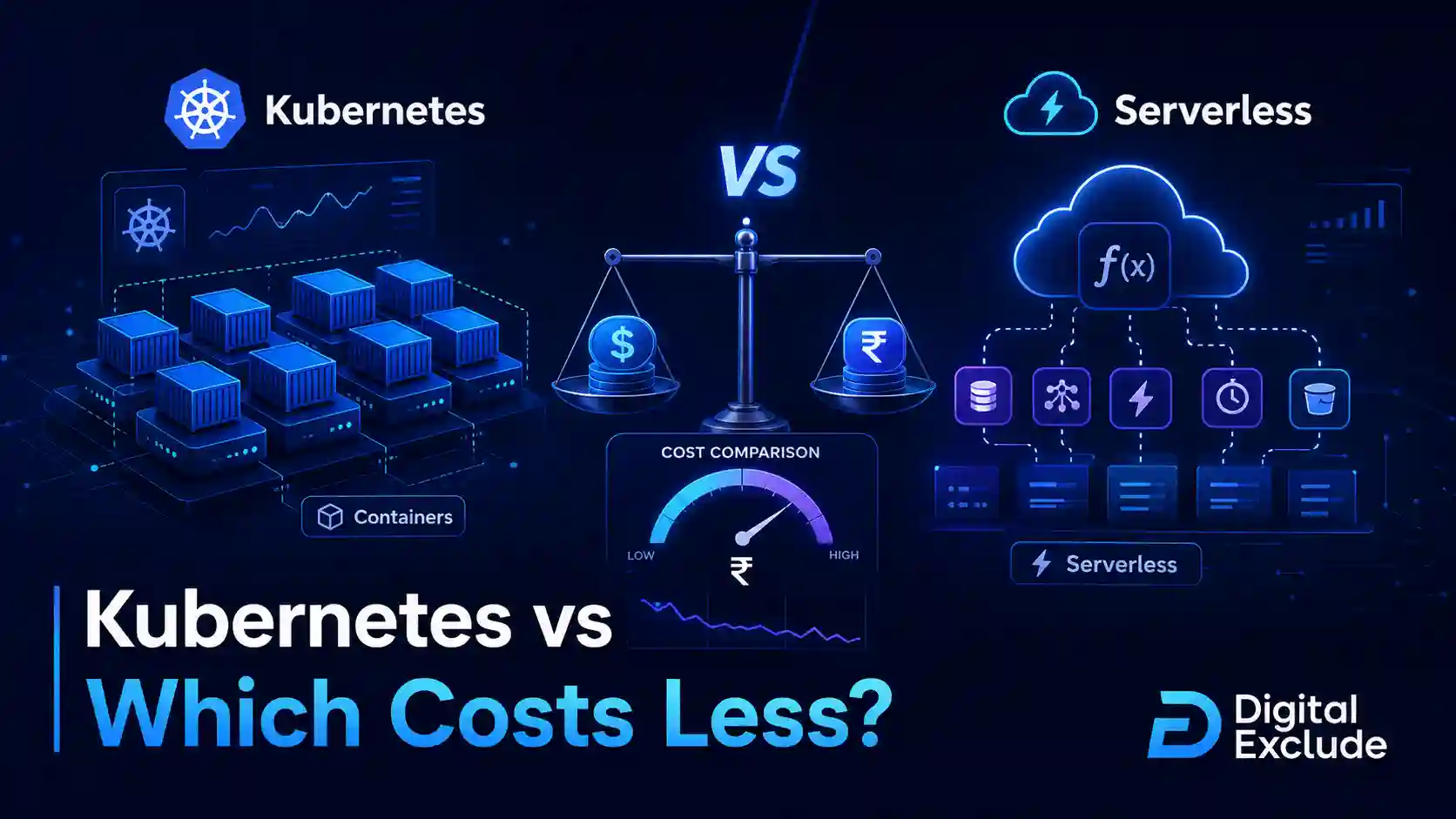
Serverless usually costs less for early-stage startups with low, unpredictable, or event-based traffic. Kubernetes can cost less later when workloads are steady, high-volume, container-heavy, or need more infrastructure control. The cheaper option depends on traffic pattern, team skill, uptime needs, scaling behavior, monitoring cost, and how much operational work your team can handle.
For most startups, serverless is cheaper to start because there is little infrastructure to manage and you often pay only when code runs. Kubernetes becomes more cost-effective when the team can keep clusters well-utilized and needs control over long-running services, custom networking, background workers, or multi-service platforms.
Introduction
Choosing between kubernetes vs serverless is one of the most common startup cloud architecture decisions. It is also one of the easiest decisions to get wrong.
A founder may hear that Kubernetes is powerful and future-proof. A developer may prefer containers because they are portable. Another teammate may suggest serverless because it is simple and scales automatically. All of them may be partly right.
The real question is not only “Which technology is better?” The practical question is:
Which one costs less to run for your startup right now, without creating expensive problems later?
This guide explains Kubernetes vs serverless in plain language. You will learn how both options work, where costs come from, when each option makes sense, what mistakes increase cloud bills, and how early-stage teams can make a smart architecture decision without overbuilding.
Quick Answer
Choose serverless if your startup has unpredictable traffic, a small engineering team, event-based tasks, APIs with uneven usage, MVP experiments, or limited DevOps experience.
Choose Kubernetes if your startup runs steady services, needs containers across many workloads, has complex networking needs, uses long-running processes, or already has engineers who can manage clusters properly.
A simple way to think about it:
| Startup Situation | Usually Cheaper Option |
| MVP with uncertain traffic | Serverless |
| Small API with occasional usage | Serverless |
| Scheduled jobs or event processing | Serverless |
| Long-running backend service | Kubernetes or managed containers |
| High, steady traffic | Kubernetes may become cheaper |
| Complex microservices platform | Kubernetes |
| Small team with no DevOps owner | Serverless |
| Team already skilled in Kubernetes | Kubernetes can work |
| Need fast launch with low maintenance | Serverless |
| Need deep control over runtime and networking | Kubernetes |
What Kubernetes vs Serverless Means
What Is Kubernetes?
Kubernetes is an open-source platform for running and managing cloud workloads and services. It helps teams deploy, scale, update, and operate containers across a group of machines.
In Kubernetes, your application usually runs inside containers. Kubernetes manages those containers using objects such as pods, deployments, services, config maps, secrets, ingress, and autoscalers.
Common managed Kubernetes services include:
- Amazon EKS
- Google Kubernetes Engine
- Azure Kubernetes Service
- DigitalOcean Kubernetes
- Oracle Kubernetes Engine
Kubernetes is powerful because it gives teams control. But that control comes with complexity.
You may need to manage:
- Cluster setup
- Node sizing
- Autoscaling
- Networking
- Load balancing
- Security policies
- Container images
- Monitoring
- Logs
- Secrets
- Deployments
- Upgrades
- Cost allocation
Kubernetes is not automatically expensive, but poorly managed Kubernetes can become expensive quickly.
What Is Serverless?
Serverless is a cloud model where the cloud provider manages much of the infrastructure and your team focuses more on code, events, and business logic.
The word serverless does not mean there are no servers. It means your team does not directly manage most of the servers.
Common serverless services include:
- AWS Lambda
- Azure Functions
- Google Cloud Run functions
- Google Cloud Run
- AWS Fargate
- AWS Step Functions
- Azure Container Apps
- Firebase functions
- EventBridge, Pub/Sub, SQS, and similar event services
Serverless is often priced based on usage, such as requests, execution time, memory, CPU, events, or container runtime. This can be very cost-effective when traffic is low or uneven.
But serverless is not always cheap. Costs can rise when workloads run constantly, functions are inefficient, traffic grows fast, data transfer increases, or too many managed services are used without monitoring.
Containers vs Serverless: What Is the Real Difference?
Containers and serverless solve different problems.
Containers package your application with its dependencies so it can run consistently across environments. Serverless runs code or containers with less infrastructure management and more provider-managed scaling.
| Area | Containers on Kubernetes | Serverless |
| Main idea | Run and manage containerized apps | Run code or containers with less server management |
| Cost model | Pay for cluster resources, nodes, storage, load balancers, networking, observability | Pay based on usage, execution time, requests, events, memory, CPU, and related services |
| Best for | Steady workloads, complex services, platform teams | Event-based workloads, MVPs, APIs, automation, unpredictable traffic |
| Team skill needed | Higher | Lower to moderate |
| Control | High | Lower to medium |
| Operations work | Higher | Lower |
| Scaling | Powerful but must be configured | Often automatic |
| Startup fit | Better after product and traffic are clearer | Better for early-stage experiments and uneven usage |
Why This Matters in 2026
Cloud cost comparison matters more in 2026 because startups are building with more moving parts than before.
A modern startup may use:
- APIs
- Databases
- Queues
- Containers
- AI APIs
- Vector databases
- Background workers
- Analytics pipelines
- Logs and monitoring tools
- Authentication providers
- Serverless functions
- Managed Kubernetes
- Multi-region services
The cloud bill is no longer only about virtual machines. It includes compute, storage, data transfer, logs, metrics, requests, API calls, managed databases, and developer tools.
This creates a real problem for startups:
A simple architecture can become expensive because no one is tracking the hidden costs.
For example, a serverless API may look cheap until it starts making millions of database calls. A Kubernetes cluster may look flexible until the team pays for oversized nodes running all night with low usage.
The better question is not “Which is cheaper forever?” It is:
Which architecture gives your startup the best balance of cost, speed, reliability, and team capacity at your current stage?
Kubernetes vs Serverless: Main Practical Guide
1. Start With Your Workload Pattern
Before choosing architecture, map your workload.
Ask these questions:
- Is traffic steady or unpredictable?
- Does the workload run all day?
- Is it event-based?
- Does it need long-running processes?
- Is startup speed important?
- Does it need custom networking?
- Does it need containers?
- Can it tolerate cold starts?
- Does it need GPU, special runtime, or custom binaries?
- How much DevOps skill does the team have?
Answer Block
Serverless is usually better for irregular, short-running, event-driven workloads. Kubernetes is usually better for steady, long-running, container-heavy workloads.
2. Understand Kubernetes Cost Drivers
Kubernetes cost is not only the managed cluster fee. The bigger cost usually comes from the resources around the cluster.
Common Kubernetes costs include:
- Worker nodes or compute instances
- Control plane charges, depending on provider
- Load balancers
- Storage volumes
- Container registry
- Data transfer
- Logs and metrics
- Ingress controllers
- NAT gateways
- Security tools
- Backup tools
- Cluster monitoring
- Idle capacity
- Engineering time
The biggest Kubernetes cost issue for startups is often underutilization.
Example:
A startup runs a Kubernetes cluster with three nodes for availability. Each node is only 15 percent utilized most of the day. The startup is still paying for the nodes even when applications are not using the full capacity.
This is why Kubernetes can feel cheap in theory but expensive in practice.
3. Understand Serverless Cost Drivers
Serverless costs are usually tied to usage. That is great when usage is low. It can become expensive when usage is high or inefficient.
Common serverless costs include:
- Function invocations
- Execution duration
- Memory allocation
- CPU allocation
- API gateway requests
- Event processing
- Queue operations
- Database calls
- Logs
- Data transfer
- Cold start workarounds
- Provisioned concurrency
- External API usage
- Observability tools
The biggest serverless cost issue for startups is often uncontrolled scale.
Example:
A function is triggered every time a file is uploaded. A bug uploads thousands of files repeatedly. The function scales automatically and processes all events. The system works, but the bill rises before the team notices.
Serverless can reduce operational work, but it still needs budgets, alerts, rate limits, and usage monitoring.
4. Compare Total Cost, Not Only Cloud Pricing
A common mistake is comparing only compute pricing.
For a startup, real cost includes:
- Cloud bill
- Developer time
- DevOps time
- Security work
- Debugging time
- Monitoring tools
- Incident response
- Deployment complexity
- Hiring difficulty
- Migration cost later
A small team with no infrastructure engineer may save money with serverless, even if some function calls cost more. Why? Because the team avoids weeks of cluster setup, patching, scaling configuration, and Kubernetes troubleshooting.
A team with strong platform engineering may save money with Kubernetes because it can run many workloads efficiently on shared infrastructure.
5. Use a Cost Model Before Choosing
Create a simple model before committing.
Estimate:
- Monthly requests
- Average request duration
- Peak traffic
- Memory and CPU needs
- Background job volume
- Storage needs
- Data transfer
- Logs and monitoring volume
- Number of environments
- Expected growth for the next 6 months
Then compare:
| Cost Item | Kubernetes | Serverless |
| Base compute | Often always-on | Often usage-based |
| Idle cost | Can be high | Usually low |
| Scaling cost | Depends on cluster capacity and autoscaling | Can grow quickly with traffic |
| Operations cost | Higher | Lower |
| Monitoring cost | Can be higher due to cluster visibility needs | Can rise with high event/log volume |
| Security setup | More control, more responsibility | Less infrastructure work, but still needs IAM and secrets controls |
| Development speed | Slower at first | Faster for small teams |
| Long-term flexibility | High | Medium, depends on provider |
Kubernetes vs Serverless Cost Comparison
| Factor | Kubernetes | Serverless |
| Startup cost | Higher setup effort | Lower setup effort |
| Monthly minimum cost | Usually higher because clusters often run continuously | Often lower because billing follows usage |
| Cost at low traffic | Often inefficient unless shared with other workloads | Usually cost-effective |
| Cost at high steady traffic | Can be cost-effective if well-utilized | Can become expensive if functions run constantly |
| Cost predictability | More predictable after sizing | Can vary with traffic and events |
| Engineering time | Higher | Lower |
| Scaling complexity | Needs careful setup | Mostly managed |
| Vendor lock-in | Lower if containers are portable | Higher for provider-specific services |
| Best startup stage | Growth stage or platform-heavy teams | MVP, early stage, or event-driven products |
| Biggest risk | Idle capacity and operational complexity | Surprise bills from uncontrolled usage |
Real World Examples
Example 1: SaaS MVP With Uncertain Traffic
A startup is building a SaaS MVP. It has:
- One frontend
- A small API
- Authentication
- Email notifications
- A managed database
- A few background jobs
Traffic is unknown. Some days may have 20 users. Other days may have 2,000 users after a launch.
Better fit: Serverless
Why:
- Lower setup work
- No cluster to manage
- Scales with usage
- Good for small APIs and event jobs
- Easier for a small team to launch
Careful:
- Set budget alerts
- Limit API abuse
- Monitor database calls
- Keep function logs under control
- Avoid putting heavy, long-running work inside short functions
Example 2: B2B Platform With Steady Customer Usage
A startup has paying customers and runs:
- Multiple backend services
- Long-running APIs
- Background workers
- Internal admin tools
- Webhooks
- Scheduled processing
- Containerized services
Traffic is steady during business hours, and engineering has DevOps experience.
Better fit: Kubernetes or managed containers
Why:
- Shared infrastructure can improve utilization
- Easier to run many services together
- Good control over deployments and networking
- Better fit for long-running services
- Useful when containers are already part of the workflow
Careful:
- Start with managed Kubernetes, not self-managed
- Use autoscaling
- Track namespace and team costs
- Avoid oversized nodes
- Monitor idle workloads
Example 3: AI Startup With Background Processing
An AI startup processes user uploads. The flow is:
- User uploads files
- Queue triggers processing
- Worker cleans data
- AI API analyzes content
- Results are saved to the database
Traffic is event-based and uneven.
Better fit: Serverless for the event pipeline, possibly containers for heavier workers
Why:
- Serverless works well for upload triggers and queues
- Processing can scale when files arrive
- Idle cost stays low when no jobs are running
Careful:
- AI API cost may become larger than the compute cost
- Add retry limits
- Add queue controls
- Track cost per processed file
- Avoid infinite retry loops
Example 4: Startup Running Real-Time Collaboration
A product needs:
- Persistent WebSocket connections
- Low latency
- Long-running services
- Custom networking
- Frequent deployments
- Strong observability
Better fit: Kubernetes or managed container services
Why:
- Long-running connection-heavy workloads may not fit classic function-based serverless well
- Kubernetes gives more control over networking and runtime
- Container-based deployment can be more predictable
Careful:
- Do not overbuild the cluster
- Start with simple node pools
- Use managed databases
- Set resource requests and limits
- Monitor network and load balancer costs
When Should Startups Use Serverless?
Use serverless when:
- You are building an MVP
- Traffic is unpredictable
- Workloads are event-based
- You have a small engineering team
- You want faster launch speed
- You do not have a DevOps specialist
- You need to process files, events, messages, or webhooks
- You want low idle cost
- You can work within provider limits
- You are comfortable with managed cloud services
Serverless Pros
- Low infrastructure management
- Often cheaper at low usage
- Scales automatically
- Good for event-based tasks
- Faster for early-stage teams
- No cluster maintenance
- Good for prototypes and MVPs
Serverless Cons
- Can become costly at high steady traffic
- Cold starts may affect some workloads
- Provider limits can matter
- Debugging distributed functions can be harder
- Vendor lock-in can increase
- Cost can spike if events are uncontrolled
- Long-running workloads may not fit well
When Should Startups Use Kubernetes?
Use Kubernetes when:
- You run many containerized services
- Traffic is steady or high-volume
- You need long-running services
- You need custom networking
- You have DevOps or platform engineering skills
- You want more control over runtime
- You need portability across environments
- You already use containers heavily
- You need complex service-to-service communication
- You can keep the cluster well-utilized
Kubernetes Pros
- Strong control over workloads
- Good for long-running services
- Works well with containers
- Portable across cloud providers
- Strong ecosystem
- Good for complex platforms
- Can be cost-effective at scale
Kubernetes Cons
- Higher setup complexity
- Needs skilled operators
- Idle capacity can waste money
- Monitoring can become expensive
- Security configuration is more involved
- Cluster upgrades need planning
- Overkill for many MVPs
Common Mistakes to Avoid
Mistake 1: Choosing Kubernetes Because Big Companies Use It
Kubernetes is powerful, but early-stage startups should not copy large company architecture without the same team size, traffic, and operational needs.
Better approach: Start with the simplest architecture that supports your product, security needs, and growth for the next 6 to 12 months.
Mistake 2: Assuming Serverless Is Always Cheap
Serverless can become expensive when functions run frequently, run too long, allocate too much memory, or trigger too many downstream services.
Better approach: Track cost per request, cost per job, and cost per customer. Set alerts before traffic grows.
Mistake 3: Ignoring Database Cost
For many startups, the database becomes more expensive than compute.
Serverless functions can create too many database connections if designed poorly. Kubernetes services can overload databases if autoscaling is not controlled.
Better approach: Use connection pooling, query monitoring, caching, and database budget alerts.
Mistake 4: Forgetting Logs and Monitoring
Logs are useful until they become a cost problem.
Both Kubernetes and serverless can produce large log volumes. Serverless functions may create logs for every invocation. Kubernetes clusters may generate logs from apps, sidecars, nodes, ingress, and system components.
Better approach: Set log retention rules. Do not log sensitive data. Monitor log volume.
Mistake 5: Building for Future Scale Too Early
A startup with 100 users does not need the same architecture as a company with 10 million users.
Better approach: Build for the next practical stage. Keep migration paths open, but avoid paying today for traffic you do not have.
Mistake 6: No Budget Alerts
This is one of the easiest mistakes to fix.
Better approach: Set alerts at 50 percent, 80 percent, and 100 percent of expected monthly spend. Add alerts for unusual daily spikes.
Mistake 7: Weak Security Design
Cost decisions should not weaken security, especially when startups are already dealing with modern cybersecurity threats.
Be careful with:
- Public endpoints
- Secrets in environment variables
- Over-permissive IAM roles
- Unpatched container images
- Insecure API gateways
- Exposed Kubernetes dashboards
- Poor network policies
- No audit logging
- Logging private user data
Better approach: Design security from day one, even if the architecture is simple.
Best Practices: Step-by-Step Decision Framework
Step 1: Define the Workload
Write down what the system actually does.
Use this format:
| Question | Your Answer |
| What does the app do? | |
| Is traffic steady or uneven? | |
| Does it run all day? | |
| Does it process events? | |
| Does it need long-running connections? | |
| Does it need containers? | |
| What is the expected monthly request volume? | |
| What is the expected growth in 6 months? |
Step 2: Estimate Your Monthly Cloud Usage
Estimate:
- Requests per month
- Average execution time
- Memory and CPU needs
- Storage volume
- Data transfer
- Log volume
- Database usage
- Queue events
- Number of environments
- Monitoring needs
Do not aim for perfect numbers. You need a realistic estimate before choosing.
Step 3: Price Both Options With Cloud Calculators
Use the pricing calculator from your preferred cloud provider. Build two estimates:
- Serverless version
- Kubernetes or managed container version
Include related services:
- API gateway
- Load balancer
- Storage
- Database
- Logs
- Monitoring
- Data transfer
- Secrets manager
- Container registry
- NAT gateway if needed
This gives a more honest cloud cost comparison.
Step 4: Add Engineering Time
Ask:
- Who will maintain this?
- Who will respond to incidents?
- Who will patch and upgrade?
- Who will review security?
- Who will manage autoscaling?
- Who will debug production issues?
If there is no clear owner for Kubernetes, serverless may be safer and cheaper for now.
Step 5: Start With the Lowest Operational Burden
For many startups, the best first architecture is:
- Static frontend hosting
- Serverless API or managed container service
- Managed database
- Queue for background jobs
- Object storage
- Basic monitoring
- Budget alerts
This keeps the system simple while the product is still changing.
Step 6: Move to Kubernetes Only When There Is a Clear Reason
Consider Kubernetes when:
- Serverless costs are rising due to steady high usage
- You need long-running services
- You need more runtime control
- You have many services to manage
- You have a DevOps owner
- You need a consistent container platform
- You can improve utilization enough to justify the move
Do not migrate just because Kubernetes sounds more advanced.
Step 7: Review Costs Monthly
Track:
- Total cloud spend
- Cost per customer
- Cost per request
- Cost per job
- Top 5 cost drivers
- Log and monitoring cost
- Data transfer cost
- Database cost
- Idle resources
- Monthly traffic growth
This helps your startup make architecture decisions based on evidence, not guesswork.
Practical Startup Decision Checklist
| Question | If Yes, Lean Toward |
| Is this an MVP with unknown traffic? | Serverless |
| Is traffic low or unpredictable? | Serverless |
| Are tasks event-based or scheduled? | Serverless |
| Is the team small with no DevOps owner? | Serverless |
| Do you need long-running services? | Kubernetes |
| Do you already use containers for everything? | Kubernetes |
| Do you need custom networking and service mesh features? | Kubernetes |
| Is traffic high and steady? | Kubernetes may be cheaper |
| Do you need fast launch with low maintenance? | Serverless |
| Can you keep cluster utilization high? | Kubernetes |
Security and Privacy Considerations
Serverless Security Tips
- Use least-privilege IAM roles.
- Do not give every function broad admin access.
- Store secrets in a secrets manager.
- Validate all inputs.
- Protect API endpoints with authentication.
- Set rate limits.
- Avoid logging passwords, tokens, personal data, or payment details.
- Monitor unusual invocation spikes.
- Set timeout limits to avoid runaway functions.
Kubernetes Security Tips
- Use managed Kubernetes where possible.
- Keep clusters updated.
- Use private clusters if appropriate.
- Apply network policies.
- Scan container images.
- Use least-privilege service accounts.
- Set resource limits.
- Protect secrets properly.
- Restrict dashboard and admin access.
- Monitor cluster events and audit logs.
Answer Block
Serverless reduces infrastructure management, but it does not remove security responsibility. Kubernetes gives more control, but it also gives your team more ways to misconfigure access, networking, and workloads.
Pricing Risks to Watch Carefully
Serverless Pricing Risks
- High request volume
- Long-running functions
- Too much memory allocation
- API gateway charges
- Repeated retries
- Event loops
- Excessive logs
- Expensive downstream database calls
- Provisioned concurrency
- Data transfer
Kubernetes Pricing Risks
- Idle nodes
- Oversized clusters
- Too many environments
- Load balancer costs
- NAT gateway costs
- Overprovisioned databases
- Persistent volumes
- Logging agents
- Monitoring tools
- Poor autoscaling
- Unused namespaces and workloads
Kubernetes vs Serverless: Final Cost Recommendation
For most early-stage startups, serverless costs less to start and is easier to operate. It is a strong choice for MVPs, APIs, scheduled jobs, webhooks, file processing, automation, and event-driven workflows.
Kubernetes is not a bad choice. It becomes stronger when your startup has steady traffic, container-heavy services, long-running workloads, and enough engineering skill to manage clusters safely.
A practical path for many startups is:
- Start with serverless or managed containers.
- Keep the architecture simple.
- Use managed databases and queues.
- Set budget alerts from day one.
- Track cost per customer or cost per request.
- Move selected workloads to Kubernetes only when there is a clear cost, control, or reliability reason.
This approach avoids overengineering while keeping a path open for scale.
FAQs
-
Is Kubernetes cheaper than serverless?
Kubernetes can be cheaper when workloads are steady, high-volume, and the cluster is well-utilized. Serverless is usually cheaper for low, unpredictable, or event-based traffic because you often pay based on usage instead of running infrastructure all the time.
-
Is serverless better for startups?
Serverless is often better for early-stage startups because it reduces infrastructure management, supports fast development, and can keep costs low when traffic is uncertain. It is not always best for long-running or highly customized workloads.
-
When should a startup choose Kubernetes?
A startup should choose Kubernetes when it runs many containerized services, has steady traffic, needs long-running processes, requires more control, or has engineering talent to manage clusters securely and cost-effectively.
-
What is the main cost difference between containers vs serverless?
Containers on Kubernetes often have always-on infrastructure costs. Serverless usually charges based on usage, execution time, requests, and events. Kubernetes can save money at scale, while serverless can save money at the MVP and early-growth stages.
-
Can a startup use both Kubernetes and serverless?
Yes. Many startups use both. For example, they may run the main application on Kubernetes and use serverless for image processing, scheduled jobs, webhooks, notifications, or automation tasks.
Conclusion
Kubernetes vs serverless is not a simple winner-takes-all decision. The cheaper option depends on your traffic, workload type, engineering skill, reliability needs, and cost discipline.
For early-stage startups, serverless is often the practical first choice because it lowers operational work and keeps idle costs low. For growing startups with steady workloads and container-heavy systems, Kubernetes can become more cost-effective if the team manages it well.
The best startup cloud architecture is the one your team can understand, secure, monitor, and afford. Start simple, measure real usage, set budget alerts, and let evidence guide the next architecture decision.