Quick Answer
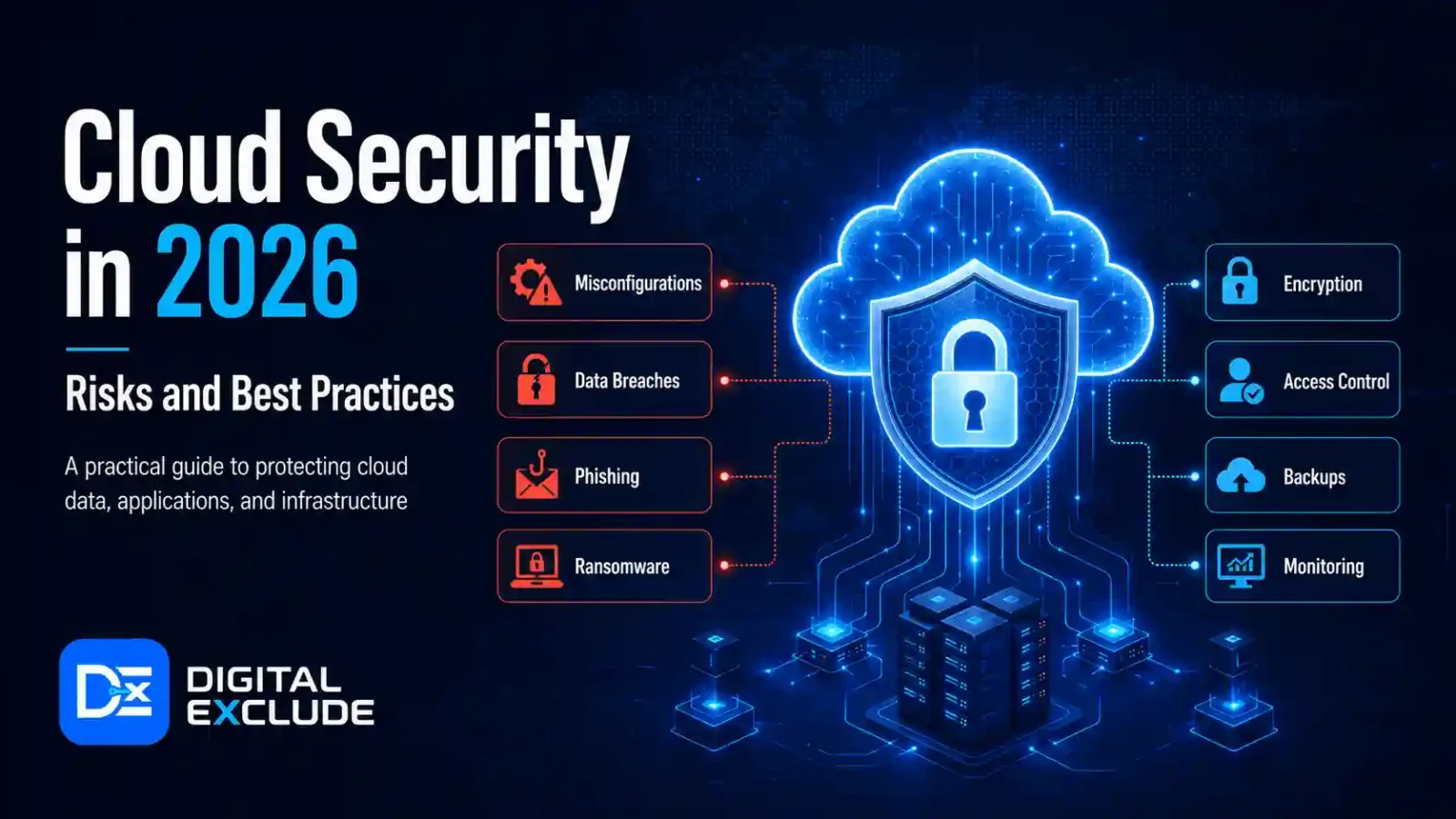
Cloud Security means protecting cloud accounts, data, applications, users, storage, servers, APIs, and workloads from unauthorized access, data leaks, malware, ransomware, misconfiguration, and account misuse. In 2026, cloud security matters because students, professionals, small businesses, Android users, and cybersecurity learners are using cloud services every day for storage, AI tools, websites, business apps, backups, and collaboration.
The safest starting point is simple: secure your cloud login, enable multi-factor authentication, control who can access files, avoid public sharing mistakes, back up important data, monitor unusual activity, and review permissions regularly. Cloud providers secure the cloud infrastructure, but users are still responsible for how they configure accounts, data, apps, identities, and access. AWS calls this the shared responsibility model, where AWS manages the security of the cloud while customers manage security in the cloud. Microsoft Azure explains the same idea: responsibilities vary depending on whether you use SaaS, PaaS, IaaS, or on-premises systems.
Introduction
Cloud services are now part of everyday life. Students store assignments in Google Drive. Working professionals use Microsoft 365, Slack, Notion, and cloud dashboards. Small business owners run websites, CRM tools, online invoices, backups, and customer records in the cloud. Android users back up photos, contacts, and app data. Cybersecurity learners use cloud labs to practise safely.
The problem is that many people use the cloud without fully understanding cloud security. They may share files publicly by mistake, reuse weak passwords, give too much access to team members, forget old accounts, connect risky AI tools, or leave cloud resources running without monitoring.
This guide explains Cloud Security in simple language for 2026. It covers the main risks, practical best practices, beginner-friendly tools, real-world examples, common mistakes, and a clear action checklist.
What Cloud Security Means
Cloud Security is the set of controls, habits, tools, and policies used to protect cloud-based systems and data.
It includes:
- Account security
- Password and MFA protection
- Identity and access management
- Secure file sharing
- Data encryption
- Backup and recovery
- Network protection
- App and API security
- Cloud workload monitoring
- Threat detection
- Security logging
- Vendor and third-party access control
- Cost and usage monitoring
- Compliance and privacy controls
In simple terms, cloud security answers three important questions:
- Who can access your cloud data?
- What can they do with it?
- How will you know if something goes wrong?
Cloud Security Is Shared Responsibility
A common beginner mistake is thinking that “the cloud provider handles everything.” That is not correct.
Cloud providers such as AWS, Azure, and Google Cloud secure physical data centers, core infrastructure, hardware, and some managed services. Users still need to secure identities, passwords, access settings, uploaded data, applications, cloud resources, and business rules. CISA and NSA have also released cloud security best practice sheets to help organizations strengthen areas such as identity, key management, network segmentation, and secure managed service provider relationships.
Why Cloud Security Matters in 2026
Cloud Security matters in 2026 because cloud accounts now hold personal, business, financial, educational, and operational data. A weak cloud login can expose documents. A public storage link can leak customer records. A misconfigured server can invite attacks. A compromised vendor can access business systems.
Cloud risk is also increasing because of AI, automation, and remote work. Attackers can use AI to create better phishing messages, steal credentials, find exposed cloud assets, and target identity systems. Google Cloud’s Cybersecurity Forecast 2026 says threat actors are expected to use AI to increase the speed, scope, and effectiveness of attacks, while defenders are also expected to use AI agents to improve security operations.
Identity is especially important in cloud security. CISA and NSA’s cloud identity guidance says malicious access attempts on cloud resources frequently target user credentials, and social engineering can be used to harvest credentials or trick users into accepting MFA push requests.
For beginners, this means the first cloud security lesson is not complex. Protect the account first. Then protect the data, permissions, devices, apps, and backups.
Main Practical Guide: Biggest Cloud Security Risks in 2026
1. Weak Passwords and Stolen Cloud Logins
A cloud account is often connected to email, documents, photos, billing, business apps, backups, and admin dashboards. If attackers get the password, they may access sensitive data, reset other passwords, or create new cloud resources.
Example:
A small business owner uses the same password for email, cloud storage, and website hosting. One password leaks from an old website. Attackers try the same password on cloud storage and access business files.
How to stay safe:
- Use a password manager.
- Create unique passwords for every important account.
- Turn on multi-factor authentication.
- Avoid SMS based MFA where stronger options are available.
- Review active sessions and connected devices.
- Remove old recovery email addresses and phone numbers.
2. Cloud Misconfiguration
Misconfiguration means a cloud service is set up incorrectly. This is one of the most common cloud security problems.
Examples include:
- Public storage buckets
- Open databases
- Overly broad file sharing
- Admin access given to normal users
- Exposed API keys
- Open server ports
- Missing logging
- No backup policy
- Default settings left unchanged
OWASP’s 2025 Top 10 keeps broken access control as the top application security risk and highlights security misconfiguration as a major risk area in modern applications. This matters for cloud users because cloud apps depend heavily on permissions, configuration, APIs, and access rules.
How to stay safe:
- Start private by default.
- Share files only with specific users.
- Remove public access unless required.
- Use built-in cloud security checks.
- Review permissions monthly.
- Delete unused services.
- Enable logs before a problem happens.
3. Too Much Access for Users and Apps
Cloud tools are useful because people and apps can work together. The risk is that users, apps, vendors, plugins, and AI tools may get more access than they actually need.
Example:
A freelancer needs access to one folder but receives full access to the company’s cloud drive. Months later, the business forgets to remove access.
How to stay safe:
- Give least privilege access.
- Use separate accounts for each person.
- Avoid shared admin logins.
- Remove access when work is complete.
- Review third-party app access.
- Use groups or roles instead of random individual permissions.
NIST’s zero-trust guidance says no implicit trust should be granted based only on network location or asset ownership. Authentication and authorization should happen before access is granted to enterprise resources.
4. Public File Sharing Mistakes
Cloud storage is convenient, but sharing settings can create accidental data leaks.
Example:
A student shares a project folder publicly and accidentally includes ID documents. A business shares an invoice folder with “anyone with the link” and forgets to turn it off.
How to stay safe:
- Share only with named users when possible.
- Avoid “anyone with the link” for private files.
- Set expiry dates for shared links.
- Review shared folders regularly.
- Keep personal and business cloud accounts separate.
- Do not store passwords in plain documents.
5. Poor Backup and Recovery Planning
Cloud storage is not the same as backup. If a file is deleted, overwritten, encrypted by ransomware, or removed by a compromised account, you may still lose data.
Example:
A business stores all files in one cloud drive. A compromised account deletes folders and empties trash. The team realizes too late that there is no separate backup.
How to stay safe:
- Keep separate backups for critical files.
- Test file recovery.
- Use version history where available.
- Protect backup accounts with MFA.
- Keep one backup outside the main cloud account.
- Document how to restore files.
6. Cloud Billing Abuse and Unexpected Costs
Cloud platforms can charge for compute, storage, traffic, databases, API calls, and AI usage. A compromised account or forgotten resource can lead to unexpected costs.
Example:
A beginner creates a cloud server for practice and forgets to stop it. Another user exposes an API key, and attackers use it to run expensive resources.
How to stay safe:
- Set billing alerts.
- Use budgets.
- Delete unused resources.
- Avoid publishing API keys.
- Rotate exposed keys quickly.
- Review usage dashboards weekly.
- Use separate accounts for learning and business.
7. AI Tool and Cloud Data Leakage
AI tools often connect to cloud files, email, calendars, documents, and business apps. This can be useful, but it also creates risk.
Example:
A professional uploads a customer spreadsheet to an unknown AI tool to summarise sales trends. The spreadsheet includes names, phone numbers, emails, and payment details.
How to stay safe:
- Use approved AI tools for work data.
- Remove private fields before testing.
- Do not upload passwords, API keys, customer records, or contracts.
- Check whether the tool stores prompts or files.
- Review connected apps and permissions.
- Keep human approval for AI agents that can send, delete, or modify data.
8. Insecure APIs and Application Access
Cloud apps often use APIs to connect systems. If API keys, tokens, or endpoints are poorly protected, attackers can misuse them.
Example:
A developer accidentally publishes an API key in a public GitHub repository. Attackers use it to access a cloud service.
How to stay safe:
- Store API keys in secret managers.
- Never hardcode secrets in public code.
- Rotate keys regularly.
- Use limited scope tokens.
- Log API usage.
- Disable unused integrations.
9. Third Party and Vendor Risk
Cloud environments often include vendors, agencies, contractors, SaaS apps, plugins, and managed service providers. Each connection can become a risk if not controlled.
Example:
A business gives a marketing agency admin access to analytics, website hosting, cloud drive, and email campaigns. Later, the agency account is compromised.
How to stay safe:
- Give limited access.
- Review vendor accounts monthly.
- Require MFA for vendor access.
- Remove old agencies or freelancers.
- Use contracts that define data handling.
- Keep a list of all connected tools.
10. Lack of Monitoring and Logs
If you do not monitor cloud activity, you may not know when something goes wrong.
Example:
A cloud account is accessed from a new country. No one gets an alert. The attacker downloads files for weeks.
How to stay safe:
- Enable login alerts.
- Review audit logs.
- Monitor admin activity.
- Set alerts for public sharing changes.
- Watch for unusual downloads.
- Use cloud security tools where needed.
Real World Examples
Example 1: Student Using Cloud Storage
A student stores assignments, certificates, ID documents, and project files in cloud storage.
Risk:
The student shares a folder publicly for a group project and forgets that personal files are inside.
Safer approach:
Create a separate project folder, share only that folder, avoid public links, and remove access after the project ends.
Example 2: Working Professional Using Cloud Documents
A professional uses cloud documents for reports, client notes, and meeting summaries.
Risk:
The professional uses a personal AI tool to summarise confidential files.
Safer approach:
Use only company-approved AI tools for work data and remove sensitive details before testing any new tool.
Example 3: Small Business Owner Managing Website Files
A business owner stores invoices, customer lists, website backups, and marketing files in the cloud.
Risk:
A freelancer keeps admin access after the project is complete.
Safer approach:
Create a separate freelancer account, give limited access, set an end date, and remove access after delivery.
Example 4: Android User Backing Up Photos
An Android user relies on cloud backup for photos and contacts.
Risk:
The account uses a weak password and no MFA.
Safer approach:
Turn on MFA, review signed-in devices, check backup settings, and avoid saving private documents in shared albums.
Example 5: Cybersecurity Learner Practicing in Cloud Labs
A learner creates cloud servers to practise networking and security.
Risk:
The learner leaves public ports open and forgets to delete test servers.
Safer approach:
Use temporary labs, set billing alerts, restrict IP access, delete resources after practice, and document what was changed.
Common Mistakes to Avoid
Mistake 1: Thinking the Cloud Provider Secures Everything
Cloud providers secure the infrastructure, but users still secure accounts, data, access, workloads, and configurations.
Better approach:
Learn the shared responsibility model before using cloud services.
Mistake 2: Using One Admin Account for Everything
Using one shared admin account makes it hard to track who did what.
Better approach:
Create separate accounts for each user and give only the needed permissions.
Mistake 3: Leaving Files Public
Public links are easy to forget.
Better approach:
Use private sharing, expiry dates, and regular access reviews.
Mistake 4: Skipping MFA
A password alone is not enough for cloud accounts.
Better approach:
Use MFA for email, cloud storage, admin dashboards, hosting, and business apps.
Mistake 5: Ignoring Billing Alerts
Security and cost are connected. Attackers can misuse cloud resources, and beginners can accidentally run expensive services.
Better approach:
Set budget alerts before creating cloud resources.
Mistake 6: Connecting Every AI Tool
AI tools can ask for email, drive, calendar, notes, browser, and cloud access.
Better approach:
Connect only what is needed and remove access after use.
Mistake 7: Not Testing Backups
A backup that cannot be restored is not reliable.
Better approach:
Test restore steps regularly.
Best Practices: Step-by-Step Cloud Security Checklist
Step 1: Secure the Main Account
Your main cloud account is the key to everything.
Checklist:
- Use a strong, unique password.
- Enable MFA.
- Review recovery email and phone.
- Remove unknown devices.
- Turn on login alerts.
- Avoid using admin accounts for daily work.
Step 2: Apply Least Privilege Access
Give users only the access they need.
Checklist:
- Use roles or groups.
- Avoid full admin access.
- Remove old users.
- Separate personal and business accounts.
- Review permissions monthly.
- Do not share passwords.
Step 3: Protect Cloud Storage
Most data leaks happen through careless sharing.
Checklist:
- Keep storage private by default.
- Avoid public links.
- Set expiry dates.
- Review shared folders.
- Classify sensitive files.
- Encrypt sensitive data where possible.
Step 4: Monitor Activity
Logs help you detect problems early.
Checklist:
- Enable audit logs.
- Watch admin changes.
- Track unusual downloads.
- Monitor failed logins.
- Review alerts weekly.
- Keep logs long enough for investigation.
Step 5: Back Up Important Data
Cloud storage can fail from user error, ransomware, account compromise, or deletion.
Checklist:
- Keep separate backup copies.
- Use version history.
- Test restores.
- Protect backups with MFA.
- Store critical backups outside the main account.
Step 6: Secure Apps and APIs
Apps and APIs can expose cloud data if poorly managed.
Checklist:
- Remove unused connected apps.
- Store API keys safely.
- Rotate secrets.
- Use limited permissions.
- Review app access monthly.
- Avoid public code leaks.
Step 7: Control Costs and Usage
Unexpected bills can be a security signal.
Checklist:
- Set budgets.
- Create billing alerts.
- Tag resources.
- Delete unused servers.
- Review AI and API usage.
- Watch for sudden traffic spikes.
Step 8: Train Users
Cloud security fails when people do not understand risk.
Checklist:
- Teach phishing awareness.
- Explain public links.
- Train users on MFA.
- Create simple data sharing rules.
- Teach safe AI tool use.
- Make reporting easy.
Cloud Security Tools to Know in 2026
The right tool depends on your cloud platform, budget, company size, and risk level. Beginners and small businesses do not need every advanced tool. Start with built-in controls, then add specialized tools when needed.
| Tool Type | What It Does | Useful For | Be Careful About |
| Password manager | Stores strong unique passwords | Everyone | Protect the master password |
| Multi factor authentication | Adds second login check | All cloud accounts | Avoid approving unknown prompts |
| Cloud IAM | Controls users, roles, and access | Businesses and learners | Do not overuse admin access |
| Cloud security posture management | Finds misconfigurations | Cloud teams and SMBs | Review alerts instead of ignoring them |
| Backup tools | Protects files and systems | Students, professionals, businesses | Test restores |
| Endpoint protection | Protects laptops and devices | Professionals and businesses | Keep it updated |
| Secret manager | Stores API keys and tokens safely | Developers and cloud learners | Rotate exposed secrets |
| Logging and monitoring tools | Tracks activity and alerts | Businesses and security learners | Set useful alerts, not too many |
| Data loss prevention | Reduces accidental data sharing | Businesses | Needs proper rules |
| CASB or SaaS security tools | Monitors cloud app usage | Medium and large teams | Stores strong, unique passwords |
Built-In Tools Worth Checking
Depending on your platform, review these built-in areas first:
- Google Account Security Checkup
- Microsoft account security settings
- Microsoft Entra ID access controls
- AWS IAM and billing alerts
- Azure Security Center or Defender features
- Google Cloud IAM and security settings
- Google Workspace admin sharing rules
- Microsoft 365 admin sharing and security settings
- Cloud storage sharing dashboard
- Backup and version history settings
Do not buy a paid cloud security tool before fixing basic account security, MFA, permissions, backups, and sharing settings.
Comparison Table: Cloud Security Risks and Fixes
| Cloud Risk | Warning Sign | Who Is Affected | Best Fix |
| Stolen login | Unknown sign in, password reset email | Everyone | MFA, password manager, login alerts |
| Public file sharing | “Anyone with link” on private files | Students, businesses, professionals | Private sharing, access review |
| Misconfigured storage | Public bucket or open database | Developers, website owners | Default private, security scans |
| Excessive access | Too many admins | SMBs, teams | Least privilege access |
| Vendor access risk | Old freelancer accounts still active | Small businesses | Vendor access review |
| AI data leakage | Sensitive files pasted into AI tools | Professionals, businesses | Approved tools, data masking |
| API key exposure | Key found in public code | Developers, learners | Secret manager, key rotation |
| No backup | Deleted files cannot be restored | Everyone | Separate backup and restore test |
| Billing abuse | Sudden cost increase | Cloud learners, businesses | Budget alerts, resource review |
| No monitoring | No alerts for risky activity | Businesses and learners | “Anyone with a link” on private files |
Pros and Cons of Cloud Security Tools
| Pros | Cons |
| Helps detect risky settings faster | Can create too many alerts |
| Improves visibility across cloud apps | Paid tools can be costly |
| Helps manage access and permissions | Requires proper setup |
| Supports compliance and reporting | Does not replace good habits |
| Helps protect data and backups | Misconfigured tools can still fail |
| Useful for small teams as they grow | Beginners may feel overwhelmed |
Final Recommendation
For beginners and small businesses, Cloud Security should start with the basics before advanced tools.
Use this simple priority order:
- Secure the main cloud account.
- Turn on multi-factor authentication.
- Use strong, unique passwords.
- Review who has access.
- Keep files private by default.
- Set backup and recovery rules.
- Enable login and activity alerts.
- Remove unused apps and users.
- Protect API keys and secrets.
- Set billing alerts.
- Train users on phishing, sharing, and AI tool risks.
If you use AWS, Azure, Google Cloud, Microsoft 365, Google Workspace, Dropbox, Notion, Slack, or any SaaS platform, apply the same rule: protect identities first, then data, then apps, then monitoring.
FAQs
-
What is Cloud Security?
Cloud Security is the practice of protecting cloud accounts, data, applications, storage, servers, APIs, and users from unauthorized access, data leaks, malware, ransomware, misconfiguration, and other online risks.
-
Is cloud storage safe?
Cloud storage can be safe when users enable MFA, use strong passwords, keep files private, avoid public links, review sharing settings, and maintain separate backups.
-
What cloud security tools should beginners use first?
Beginners should start with a password manager, MFA, account security checkup, cloud backup settings, sharing reviews, login alerts, and billing alerts before buying advanced tools.
-
How can small businesses improve cloud security?
Small businesses should use MFA, separate user accounts, limited permissions, secure backups, vendor access reviews, private file sharing, billing alerts, and basic employee training.
-
Can AI tools create cloud security risks?
Yes. AI tools can create cloud security risks when users upload sensitive files, connect full drive or email access, share customer data, or allow AI agents to take actions without review.
-
What should I do if my cloud account is hacked?
Change the password from a clean device, enable MFA, remove unknown devices, check recovery settings, review shared files, revoke unknown app access, download logs if available, and contact the provider’s support team.
Conclusion
Cloud Security in 2026 is not only a topic for large companies. It matters to students, working professionals, small business owners, Android users, tech beginners, and cybersecurity learners because cloud services now store files, backups, websites, apps, AI data, customer records, and personal information.
The practical approach is to secure identities first, then protect data, manage permissions, enable backups, monitor activity, and control costs. Advanced tools can help, but they cannot fix weak passwords, careless sharing, missing MFA, or poor access control. If you start with the basics and review them regularly, cloud security becomes easier, safer, and more useful for daily work.