Quick Answer
The best AI coding assistants in 2026 are tools that help you write, explain, debug, review, and improve code without removing human judgment from the process. For most developers, GitHub Copilot is the safest all-around starting point. Claude Code is strong for terminal-based debugging and learning. OpenAI Codex is useful for agentic coding workflows and parallel project tasks. Cursor and Windsurf are strong AI-first editors. Amazon Q Developer is useful for AWS-focused developers. Tabnine is a good option for teams that care strongly about privacy and deployment control.
A good AI coding assistant should help you move faster, but it should not be trusted blindly. You still need to review code, run tests, check security, avoid exposing secrets, and understand what is being changed before merging anything into a real project.
Introduction
Developers, coding students, beginners, and freelancers are now surrounded by AI programming tools. Some tools autocomplete code inside an editor. Some explain errors. Some edit files across a full project. Some act like coding agents that can plan work, create branches, write tests, and open pull requests.
The problem is that people want to save time while coding, but do not know which tool is actually useful, beginner-friendly, safe, and worth paying for. A student may need an AI code generator that explains concepts clearly. A freelance developer may need help fixing bugs quickly. A professional developer may want repository-level context. A team may need privacy controls and admin settings.
This guide compares the best AI coding assistants for practical use in 2026. It focuses on real workflows, limitations, tool selection, privacy, pricing caution, and where human review is still needed.
What Are AI Coding Assistants?
AI coding assistants are tools that use artificial intelligence to help users write, understand, edit, test, debug, and review software code.
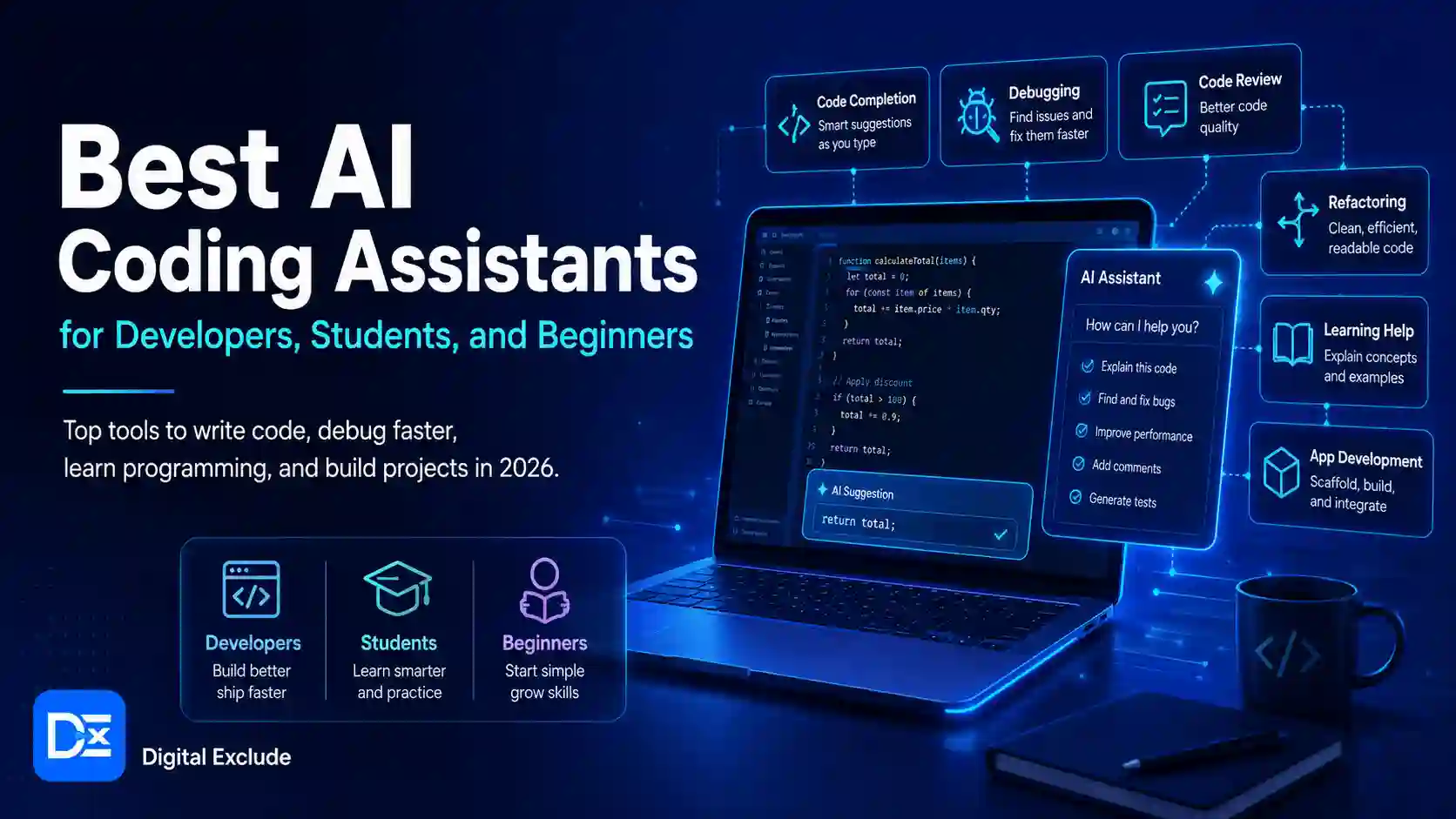
They can help with:
- Code completion
- Code generation
- Debugging
- Code explanation
- Unit test writing
- Refactoring
- Pull request review
- Documentation
- Command line help
- Codebase search
- App prototyping
- Security scanning
- Multi-file edits
- Agentic coding tasks
A basic AI code generator may only write snippets. A more advanced coding assistant AI can understand project context, edit files, run checks, and suggest improvements across a repository.
GitHub describes Copilot as an AI coding assistant that helps users write code faster and with less effort, while its feature documentation also describes a cloud agent that can research a repository, create an implementation plan, make code changes on a branch, and let users review the diff before creating a pull request.
Why AI Coding Assistants Matter in 2026
AI coding tools matter in 2026 because software work is becoming more agent-assisted. Developers are no longer using AI only for autocomplete. They are asking AI tools to inspect codebases, fix bugs, write tests, update documentation, refactor files, and help with pull requests.
OpenAI’s Codex app is described as a focused desktop experience for working on Codex threads in parallel, with built-in worktree support, automations, and Git functionality. Anthropic’s Claude Code quickstart says Claude Code can analyze project files, explain what a project does, show proposed changes, ask for approval, make edits, help with Git, and run tests if available.
For beginners, this can make coding less intimidating. For developers, it can reduce repetitive work. For freelancers, it can speed up small fixes. For teams, it can help standardize reviews and documentation. The risk is that AI-generated code can still be wrong, insecure, hard to maintain, or mismatched with the product requirement.
Main Practical Guide: Best AI Coding Assistants to Consider
1. GitHub Copilot: Best All-Round AI Coding Assistant
GitHub Copilot is one of the most widely used AI tools for developers. It works inside popular IDEs and supports code completion, chat, explanation, edits, agent mode, and cloud agent workflows. GitHub’s official feature page says Copilot can explain concepts, complete code, propose edits, validate files with agent mode, and assign tasks to agents such as Copilot, Claude, and OpenAI Codex.
Best for:
- Professional developers
- Students who already use GitHub
- Teams using pull requests
- Developers who want IDE-based assistance
- Users who want a balanced coding assistant
Practical use case:
A developer can ask Copilot to explain a function, generate a test, suggest a fix, or help complete repeated code inside VS Code.
Where to be careful:
Copilot can suggest code that looks correct but still has logic or security issues. Always review generated code, especially for authentication, payments, file uploads, database queries, and API permissions.
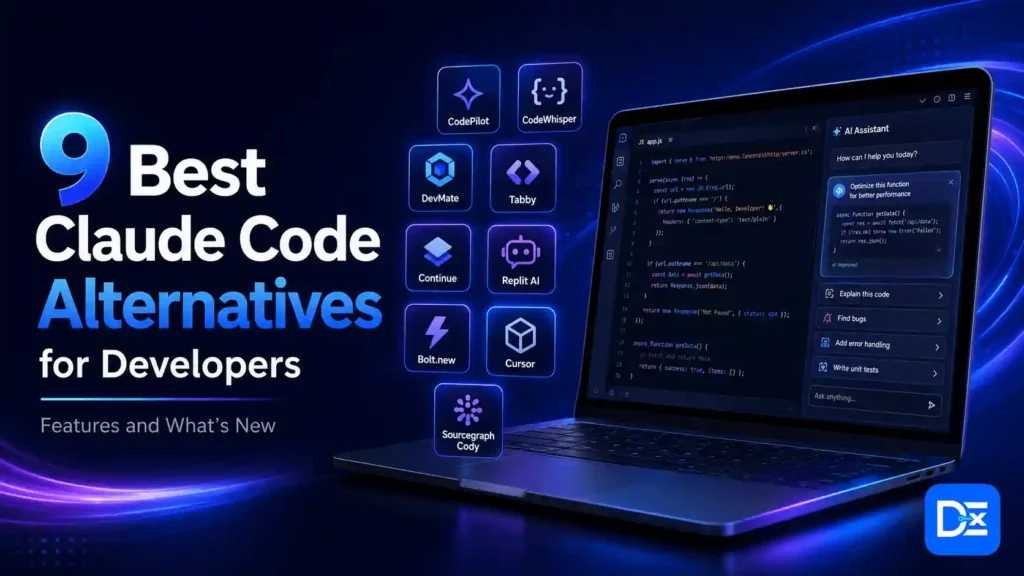
2. Claude Code: Best for Terminal-Based Debugging and Learning
Claude Code is useful for developers and students who prefer a terminal-first workflow. It can inspect a project, explain code, propose file changes, assist with Git, debug errors, and run commands when available. Anthropic describes Claude Code as a tool that connects IDEs to AI models and agents that help users write, understand, and improve code through snippets, explanations, suggestions, and multi-step coding tasks.
Anthropic’s official Claude Code quickstart explains how developers can use Claude Code from the terminal to understand projects, edit files, debug issues, work with Git, and run tests when available.
Best for:
- Coding students
- Freelance programmers
- Developers who use terminal workflows
- Beginners who want explanations before edits
- Users who need debugging help inside a local project
Practical use case:
A student can run Claude Code inside a project folder and ask:
Explain what this project does. Do not edit files yet.
Then they can ask it to fix a bug only after understanding the flow.
Where to be careful:
Do not approve edits too quickly. Review every diff. Avoid using broad permission modes on sensitive projects unless you are working in a safe sandbox.
3. OpenAI Codex: Best for Agentic Coding and Parallel Tasks
OpenAI Codex is useful when you want an AI coding agent that can work across project threads, Git workflows, worktrees, and automation-style coding tasks. The Codex app is designed for working on multiple Codex threads in parallel and includes worktree support, automations, and Git functionality.
Best for:
- Developers working on multiple tasks
- SaaS founders building MVP features
- Teams testing agentic coding workflows
- Users already working in the OpenAI ecosystem
- Developers who want project threads and review flows
Practical use case:
A SaaS founder can create separate Codex threads for a settings page, bug fix, and test coverage update, then review each change before merging.
Where to be careful:
Agentic workflows can create larger changes than expected. Keep tasks small, review diffs carefully, and use branches or worktrees so AI changes do not affect the main branch directly.
4. Cursor: Best AI First Code Editor
Cursor is an AI-focused code editor used by developers who want AI deeply built into the editing experience. Cursor’s official site describes agent-based coding, where users can hand off tasks to Cursor while staying in control of decisions.
Best for:
- Developers who like VS Code, style editors
- Users who want multi-file edits
- Developers building features quickly
- Freelancers working on small and medium projects
- Users who want AI chat inside the editor
Practical use case:
A freelance developer can select a feature area and ask Cursor to update related files, add a UI change, and explain what changed.
Where to be careful:
AI-first editors can make code changes quickly across many files. Before accepting, check changed files, package updates, imports, tests, and whether the change follows your architecture.
5. Windsurf: Best for Flow-Based AI Coding
Windsurf is an AI-powered coding editor built around agentic development. Its site describes Cascade as an agent that codes, fixes, and thinks ahead, and the Windsurf Editor is positioned as an agent powered IDE for keeping developers in flow.
Best for:
- Developers who want an AI native editor
- Users comparing Cursor alternatives
- Frontend and full-stack developers
- Freelancers building quickly
- Developers who like guided AI workflows
Practical use case:
A developer can use Windsurf to update a UI component, fix visible project issues, and use the editor’s problem context to guide improvements.
Where to be careful:
Check pricing and feature limits before depending on it for daily work. Also, review output carefully because fast multi-file changes can create hidden regressions.
6. Amazon Q Developer: Best for AWS Developers
Amazon Q Developer is a strong option for developers working with AWS. AWS says Amazon Q Developer writes, debugs, and refactors code in the IDE, supports inline chat, CLI completions, natural language to bash translation, vulnerability scanning, private repository customization, and agentic coding tasks such as unit testing, documentation, and code reviews.
Best for:
- AWS developers
- Cloud engineers
- Backend developers
- DevOps learners
- Teams using AWS services
- Developers who want security scanning and AWS guidance
Practical use case:
A developer working on a Lambda function can ask Amazon Q to explain an AWS SDK error, generate code, suggest IAM-related fixes, or create unit tests.
Where to be careful:
If your stack is not AWS-heavy, another assistant may feel more general. Also, review any suggested IAM, security group, database, or cloud configuration changes before applying them.
7. JetBrains AI Assistant: Best for JetBrains IDE Users
JetBrains AI Assistant is a good choice for developers already using IntelliJ IDEA, PyCharm, WebStorm, PhpStorm, or other JetBrains IDEs. JetBrains describes AI Assistant as a collection of AI-powered features and coding agents integrated into JetBrains IDEs, helping users write, understand, and improve code through chat, editor actions, snippets, explanations, improvements, and routine task automation.
Best for:
- Java developers
- Kotlin developers
- Python developers using PyCharm
- WebStorm users
- JetBrains IDE loyal users
- Teams are already standardized on JetBrains tools
Practical use case:
A Java developer can ask JetBrains AI Assistant to explain existing logic, generate snippets, and suggest improvements without leaving the IDE.
Where to be careful:
If your workflow is built around VS Code or browser-based tools, JetBrains AI may not be the most natural fit. It is strongest when you already use JetBrains IDEs daily.
8. Tabnine: Best for Privacy Focused Teams
Tabnine is a strong option for teams that care about code privacy, compliance, and controlled deployment. Tabnine says its AI coding platform can be deployed in the cloud, on premises, VPC, or air gapped environments while keeping code private, secure, and compliant. Its code privacy page highlights end-to-end encryption, zero data retention, and secure deployment options.
Best for:
- Enterprise teams
- Security-conscious teams
- Regulated industries
- Teams with private repositories
- Developers who need controlled deployment
Practical use case:
A company with strict privacy rules can use Tabnine in a controlled environment instead of sending code context to a public cloud assistant.
Where to be careful:
Privacy-focused deployment can require more setup and admin work. Compare developer experience, supported IDEs, model quality, and total cost before choosing it only for compliance reasons.
9. Replit: Best for Beginners and Quick App Prototypes
Replit is useful for beginners, students, and non expert builders who want to create apps and websites from a browser or a mobile-friendly environment. Replit’s site says users can create mobile and web apps, landing pages, videos, and projects with parallel agents that handle tasks together and keep progress visible.
Best for:
- Beginners
- Students
- Hackathon builders
- Quick app prototypes
- Non-expert users trying app ideas
- Freelancers making simple demos
Practical use case:
A student can describe a simple habit tracker or budget app and use Replit to generate an initial version, then learn by editing and testing it.
Where to be careful:
Replit can help create quickly, but beginners should still learn what the code does. Do not publish apps handling payments, personal data, or authentication without review.
10. Sourcegraph Cody: Best for Large Codebase Understanding
Sourcegraph Cody is useful for developers who work with large repositories or multi-repo systems. Sourcegraph’s documentation says Cody can chat with AI to ask questions about code, generate code, and edit code, with context from the open file and repository by default. Users can also add context using files, symbols, remote repositories, or other artifacts.
Best for:
- Developers in large codebases
- Enterprise engineering teams
- Backend teams with many repositories
- Developers onboarding into complex systems
- Teams that already use Sourcegraph search
Practical use case:
A new developer can ask Cody where a specific API is used across a large repository and get context before making changes.
Where to be careful:
Large codebase tools are only as useful as their indexing and access setup. Make sure private repositories and permissions are configured correctly.
AI Coding Assistants Comparison Table
| Tool | Best For | Main Strength | Beginner Friendly | Main Caution |
| GitHub Copilot | Most developers and teams | IDE assistance, completions, chat, agents | Yes | Review code and security logic |
| Claude Code | Students, freelancers, terminal users | Project explanation, debugging, and file edits | Yes | Review diffs before approval |
| OpenAI Codex | Agentic coding and parallel tasks | Threads, worktrees, Git workflows | Medium | Keep tasks small and isolated |
| Cursor | AI first editor users | Multi-file coding inside the editor | Medium | Watch broad file changes |
| Windsurf | Flow-based AI coding | Agentic IDE and Cascade workflows | Medium | Check pricing and regressions |
| Amazon Q Developer | AWS developers | AWS help, IDE, CLI, vulnerability scanning | Medium | Review cloud and IAM changes |
| JetBrains AI Assistant | JetBrains IDE users | Native IDE assistance | Yes, if using JetBrains | Less useful outside JetBrains |
| Tabnine | Privacy-focused teams | Private deployment and zero retention claims | Medium | Setup may be heavier |
| Replit | Beginners and prototypes | Browser-based AI app building | Yes | Do not ship sensitive apps blindly |
| Sourcegraph Cody | Large codebases | Repository context and code search | Medium | Needs proper repo indexing |
Which AI Coding Assistant Should You Choose?
If You Are a Coding Student
Start with tools that explain code clearly.
Best options:
- Claude Code
- GitHub Copilot
- Replit
- Cursor
- JetBrains AI Assistant, if your course uses JetBrains
Focus on learning, not copying. Ask the assistant to explain errors, show why a fix works, and give small practice tasks.
If You Are a Beginner
Use tools that keep the setup simple.
Best options:
- Replit for quick app ideas
- GitHub Copilot for editor-based help
- Claude Code for explanation and debugging
- Cursor, if you are comfortable with VS Code style editors
Avoid using AI to build apps with payment, login, or sensitive data until you understand the basics.
If You Are a Professional Developer
Choose based on workflow.
Best options:
- GitHub Copilot for general IDE use
- OpenAI Codex for agentic workflows
- Claude Code for terminal-based debugging
- Cursor or Windsurf for AI first editing
- Sourcegraph Cody for large codebases
Use branches, tests, pull requests, and reviews.
If You Are a Freelancer
Choose tools that save time but keep client work safe.
Best options:
- GitHub Copilot
- Claude Code
- Cursor
- Replit for prototypes
- Tabnine, if privacy is a strong client requirement
Always check the client policy before using AI on private code.
If You Work Mainly on AWS
Amazon Q Developer is worth shortlisting because it is built for AWS workflows, IDE support, CLI help, vulnerability scanning, and AWS guidance.
If Your Team Cares Most About Privacy
Tabnine is worth considering because it focuses on privacy, compliance, and deployment options such as cloud, VPC, on-premises, and air gapped environments.
Real World Examples
Example 1: Student Debugging JavaScript
A student sees this error:
Cannot read properties of undefined
A useful prompt:
Explain why this error happens in my code. Do not fix it yet. Show the exact file and line where the value may be undefined.
Best tools:
- Claude Code
- GitHub Copilot
- Cursor
- Replit
What to avoid:
Do not ask the AI to rewrite the whole project. First, understand the bug.
Example 2: Freelancer Fixing a Client Form
A freelancer needs to fix a contact form that accepts invalid phone numbers.
Useful prompt:
Find the contact form validation. Add phone number validation, keep the existing UI, and add tests for empty, invalid, and valid numbers.
Best tools:
- GitHub Copilot
- Claude Code
- Cursor
- Windsurf
What to avoid:
Do not expose client secrets or production .env files to any tool without permission.
Example 3: Developer Adding Tests
A backend developer wants to improve test coverage.
Useful prompt:
Add tests for valid input, missing email, duplicate email, and unauthorized access. Follow the existing test style.
Best tools:
- GitHub Copilot
- OpenAI Codex
- Claude Code
- Amazon Q Developer
- JetBrains AI Assistant
What to avoid:
Do not accept tests that only confirm the current implementation. Tests should check expected behavior.
Example 4: SaaS Founder Building an MVP
A founder wants a simple admin dashboard.
Useful prompt:
Create a basic admin dashboard using existing components. Show active users, recent signups, failed payments, and support tickets. Use mock data only.
Best tools:
- OpenAI Codex
- Cursor
- Windsurf
- Replit
- Claude Code
What to avoid:
Do not let AI build payment logic, authentication, or admin permissions without expert review.
Example 5: Team Onboarding Into a Large Codebase
A developer joins a team and needs to understand the architecture.
Useful prompt:
Explain how authentication works across this repository. Include the main files, flow, and where permissions are checked.
Best tools:
- Sourcegraph Cody
- GitHub Copilot
- Claude Code
- JetBrains AI Assistant
What to avoid:
Do not rely only on AI summaries. Open the referenced files and verify.
Common Mistakes to Avoid
Mistake 1: Treating AI-generated code as Final
AI code can compile and still be wrong. It may miss edge cases, security checks, or business rules.
Better approach:
Review the logic, run tests, and check whether the code matches the requirement.
Mistake 2: Sharing Secrets With AI Tools
Never expose:
- API keys
- Database passwords
- Payment tokens
- Customer data
- Private .env files
- Production logs
- Client credentials
- SSH keys
Better approach:
Use test data and remove sensitive values before asking for help.
Mistake 3: Asking for Large Changes in One Prompt
Bad prompt:
Fix all bugs and make this app production-ready.
Better prompt:
Fix the bug where users can submit an empty checkout form. Add validation and tests. Do not change payment logic.
Mistake 4: Not Checking Licensing and Dependencies
AI tools may suggest packages you do not need.
Better approach:
Ask the assistant not to add new dependencies unless they explain why. Review license, maintenance, security, and package size.
Mistake 5: Ignoring Security
AI programming tools can create insecure code if the prompt is unclear or the assistant misses context.
Check:
- Authentication
- Authorization
- Input validation
- SQL injection risk
- Cross-site scripting risk
- File upload safety
- Secret handling
- API permissions
- Error messages
Mistake 6: Using Too Many Tools at Once
Trying Copilot, Cursor, Claude Code, Codex, Replit, and Windsurf on the same project can create confusion.
Better approach:
Pick one main tool and one backup tool. Keep a clear Git workflow.
Best Practices: Step-by-Step Tips
Step 1: Choose the Tool Based on Workflow
Ask yourself:
- Do I work in VS Code?
- Do I work at JetBrains?
- Do I prefer terminal?
- Do I need AWS help?
- Do I work with large repos?
- Do I need strong privacy controls?
- Am I a beginner at building simple apps?
- Do I need agentic coding or only autocomplete?
Step 2: Start with Low-Risk Tasks
Good first tasks:
- Explain a file
- Generate a small function
- Write unit tests
- Fix a small UI bug
- Refactor repeated logic
- Add a README section
- Explain an error message
Avoid starting with:
- Payment logic
- Authentication rewrite
- Database migration
- Production deployment
- Security-critical code
- Customer data workflows
Step 3: Use Clear Prompts
A good coding prompt includes:
- Goal
- Files or feature area
- Expected behavior
- What not to change
- Test requirement
- Style preference
- Security constraint
Example:
Update the signup form so users cannot submit an invalid email. Use the existing validation pattern. Add tests for empty, invalid, and valid email. Do not change the backend API.
Step 4: Use Git Branches
Before using any AI coding assistant on real code:
git checkout -b ai-fix-signup-validation
This keeps AI changes separate from the main branch.
Step 5: Review Every Diff
Check:
- Changed files
- Deleted code
- New imports
- New packages
- Config changes
- Security logic
- Test changes
- Formatting
- Business rules
Step 6: Run Tests and Manual Checks
Run:
- Unit tests
- Integration tests
- Linting
- Type checks
- Build command
- Manual smoke test
If tests do not exist, ask the assistant to help add them before bigger changes.
Step 7: Protect Client and Company Code
Before using AI tools on private projects:
- Check company policy
- Check client contracts
- Remove secrets
- Use approved tools
- Limit repository access
- Avoid uploading production data
- Keep logs and review records where needed
Step 8: Track Whether the Tool Actually Helps
Measure:
| Metric | What to Check |
| Time saved | Did it reduce repetitive work? |
| Code quality | Did the code need heavy correction? |
| Test quality | Were useful tests added? |
| Safety | Did it touch risky files unexpectedly? |
| Learning value | Did you understand the result? |
| Cost | Is the paid plan worth it? |
Pros and Cons of AI Coding Assistants
| Pros | Cons |
| Saves time on repetitive code | Can generate incorrect code |
| Helps explain unfamiliar projects | May miss the business context |
| Useful for debugging | Can create false confidence |
| Can write tests and docs | Tests may be incomplete |
| Helps beginners learn faster | Beginners may copy without understanding |
| Supports freelancers and teams | Private code needs careful handling |
| Can improve pull request review | Human review is still required |
| Works across many languages and tools | Pricing and limits change often |
Final Recommendation
The best choice depends on your workflow.
- Choose GitHub Copilot if you want a reliable, all-around AI coding assistant inside your editor.
- Choose Claude Code if you want terminal-based explanations, debugging, and controlled file edits.
- Choose OpenAI Codex if you want agentic coding, parallel tasks, worktrees, and Git based workflows.
- Choose Cursor if you want an AI-first editor with strong multi-file support.
- Choose Windsurf if you want a flow-based AI editor and agentic coding experience.
- Choose Amazon Q Developer if you work heavily with AWS.
- Choose JetBrains AI Assistant if your main workflow is inside JetBrains IDEs.
- Choose Tabnine if privacy, compliance, and controlled deployment are top priorities.
- Choose Replit if you are a beginner or want to build quick prototypes.
- Choose Sourcegraph Cody if you need help understanding large repositories.
For most beginners, start with GitHub Copilot, Claude Code, or Replit. For professional developers, compare GitHub Copilot, Codex, Claude Code, Cursor, and JetBrains AI Assistant based on your editor and project type. For teams, add privacy, admin controls, cost, and repository access to the decision.
FAQs
What are the best AI coding assistants in 2026?
The best AI coding assistants in 2026 include GitHub Copilot, Claude Code, OpenAI Codex, Cursor, Windsurf, Amazon Q Developer, JetBrains AI Assistant, Tabnine, Replit, and Sourcegraph Cody.
Which AI coding assistant is best for beginners?
Replit, GitHub Copilot, and Claude Code are good starting points for beginners. Replit is simple for quick prototypes, Copilot is useful inside an editor, and Claude Code is helpful for explanations and debugging.
Which AI coding assistant is best for developers?
GitHub Copilot is a strong all-around choice for many developers. Codex is useful for agentic coding workflows. Claude Code is strong for terminal-based debugging. Cursor and Windsurf are good for AI-first editing.
Are AI code generators safe?
AI code generators can be useful, but they are not automatically safe. Always review code, run tests, check dependencies, and avoid sharing secrets, customer data, or production credentials.
Can AI coding assistants replace developers?
No. AI coding assistants can speed up repetitive work and help with debugging, but developers still need to review architecture, logic, security, performance, user experience, and production readiness.
Which AI coding tool is best for students?
Students should use tools that explain code clearly. Claude Code, GitHub Copilot, Replit, and Cursor can be useful if students ask for explanations instead of copying answers directly.
What is the best AI coding assistant for AWS developers?
Amazon Q Developer is a strong option for AWS developers because it supports AWS-focused coding, IDE help, CLI support, vulnerability scanning, and cloud-related guidance.
What is the best AI coding assistant for privacy?
Tabnine is worth considering for privacy-focused teams because it offers deployment options such as cloud, VPC, on-premises, and air-gapped environments, along with privacy controls such as zero data retention claims.
Should freelancers use AI coding assistants?
Yes, freelancers can use AI coding assistants to debug faster, write tests, refactor small modules, and create prototypes. They should check the client policy and avoid exposing private code or credentials.
What is the biggest mistake when using AI coding tools?
The biggest mistake is accepting AI-generated code without review. Always check the diff, run tests, review security, and understand the change before merging.
Conclusion
The best AI coding assistants are not the same for every user. A coding student needs explanation and guidance. A beginner needs a simple setup. A freelancer needs speed and safety. A professional developer needs editor support, codebase context, tests, and review workflows. A team may need privacy, admin controls, and predictable costs.
Start with the tool that fits your workflow, not the one with the loudest claim. Use GitHub Copilot for a strong all-around coding assistant, Claude Code for terminal-based debugging, OpenAI Codex for agentic coding workflows, Cursor or Windsurf for AI-first editing, Amazon Q Developer for AWS work, Tabnine for privacy-focused teams, Replit for beginner prototypes, and Sourcegraph Cody for large codebases.
AI coding tools can save time, but safe software still depends on clear requirements, human review, testing, security checks, and developer judgment.