Quick Answer
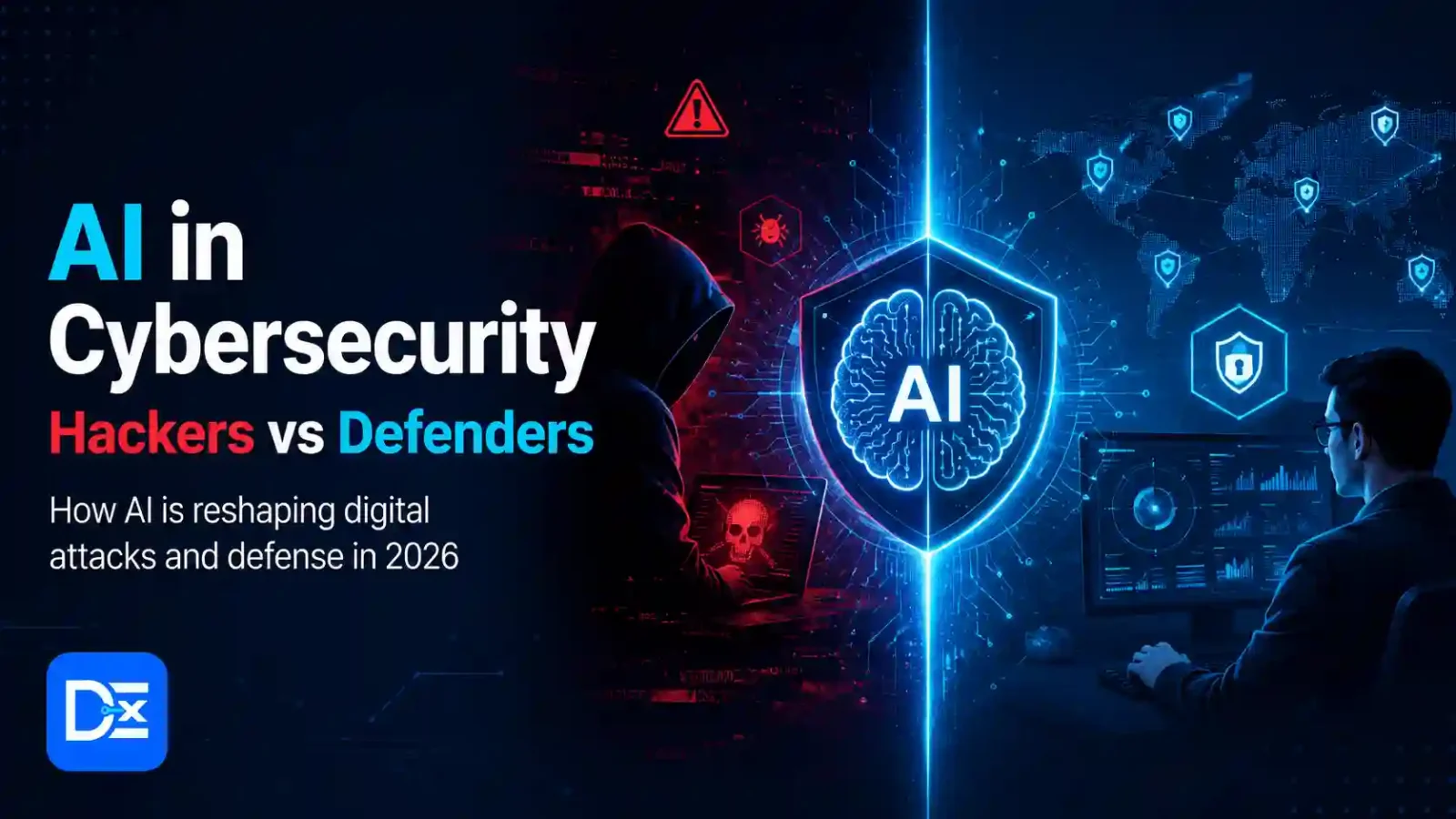
AI in cybersecurity means using artificial intelligence to detect threats, analyse suspicious activity, automate security tasks, and improve decision-making. In 2026, both hackers and defenders are using AI. Hackers use it to write better phishing emails, scan for weak systems, speed up malware development, and create more convincing scams. Defenders use it to monitor logs, detect unusual behaviour, summarise alerts, find vulnerabilities, and respond faster.
The important point is simple: AI does not replace basic security. Strong passwords, updates, backups, multi-factor authentication, safe browsing, and human review still matter. AI makes cybersecurity faster, but it can also make mistakes, miss context, or create new risks if used without control.
Introduction
AI in cybersecurity is no longer a future topic. It is already changing how attacks are created and how security teams defend systems. For students, working professionals, small business owners, Android users, and cybersecurity learners, this can feel confusing because the same technology is being used on both sides.
A hacker may use AI to write a phishing email that sounds natural. A defender may use AI to detect that the email is suspicious. A small business may use AI based security tools to monitor devices. At the same time, the same business may accidentally expose sensitive data by pasting private files into an unsafe AI tool.
The real problem is not only “AI is dangerous” or “AI is useful.” The real problem is knowing how AI is actually being used, what risks are realistic, and what steps normal users can take without needing a large security team.
What Does AI in Cybersecurity Mean?
AI in cybersecurity refers to the use of artificial intelligence and machine learning to identify, prevent, investigate, and respond to cyber threats.
In simple words, AI helps security systems find patterns that may be difficult for humans to notice quickly.
Examples include:
- Detecting unusual login behaviour
- Finding suspicious files
- Analysing phishing emails
- Grouping thousands of alerts
- Summarising security incidents
- Checking code for vulnerabilities
- Helping users understand security logs
- Supporting fraud detection
- Monitoring cloud and network activity
Google Cloud’s Cybersecurity Forecast 2026 says threat actors are expected to use AI to increase the speed, scope, and effectiveness of attacks, while defenders will also use AI agents to improve security operations and analyst productivity.
Is AI the Same as Cybersecurity Automation?
No. Automation follows fixed rules. AI can recognise patterns, summarise data, and make suggestions based on context.
| Area | Traditional Automation | AI in Cybersecurity |
| Email filtering | Blocks known spam patterns | Detects suspicious wording, intent, and sender behaviour |
| Log monitoring | Alerts on fixed rules | Finds unusual behaviour across many signals |
| Vulnerability scanning | Checks known issues | Helps prioritise risk and explain impact |
| Incident response | Runs pre set steps | Summarises alerts and suggests next actions |
| User training | Shows standard lessons | Creates personalised phishing examples for awareness |
Automation is useful. AI becomes more useful when the problem is messy, large, or changing quickly.
Why AI in Cybersecurity Matters in 2026
AI matters in 2026 because cyberattacks are becoming faster, more personalised, and easier to scale. A beginner attacker may not need deep writing skills to create a convincing phishing email. A cybercriminal group can use AI to translate scams, generate fake job messages, create fake customer support scripts, or test malware ideas faster.
At the same time, defenders are also under pressure. Security teams often receive too many alerts, many small businesses do not have dedicated cybersecurity staff, and normal users struggle to recognise modern scams. AI can help reduce noise, explain risk, and speed up investigation.
But there is a catch. AI can also create false confidence. It may label a risky email as safe, summarise a security event incorrectly, or suggest a fix without understanding the full business impact. NIST’s AI Risk Management Framework highlights the need to identify, measure, and manage AI risks instead of treating AI systems as automatically trustworthy.
How Hackers Are Using AI in Cybersecurity
This section is for awareness and prevention. It does not provide harmful instructions.
1. AI Generated Phishing Emails
Phishing emails used to be easier to spot because many had poor grammar, strange formatting, or unnatural language. AI has changed that.
Hackers can now create emails that sound professional, local, and relevant.
Example:
A fake email may pretend to be from a courier company, bank, HR team, college department, or software vendor. It may use polite language, correct formatting, and a believable reason to click a link.
What to check:
- Sender email address
- Link destination
- Unexpected urgency
- File attachments
- Requests for passwords or OTPs
- Payment or refund language
- Login pages that look slightly different
2. More Personalised Social Engineering
Social engineering means manipulating people instead of directly attacking systems.
AI can help attackers write messages based on public information from LinkedIn, company websites, social media, or leaked data.
Example:
A small business owner may receive a fake message that mentions their company name, service type, city, and website. This feels more trustworthy, but the goal may be to steal login details or payment information.
3. Faster Malware Development
AI can help attackers understand code, rewrite scripts, or create variations of malicious files. This does not mean AI automatically creates perfect malware, but it can reduce the effort needed for some attackers.
Security teams are also seeing more concern around AI assisted vulnerability discovery. Recent reporting around Google’s threat intelligence work shows that AI assisted exploitation and AI generated attack tooling are becoming more serious areas of concern.
4. Fake Voice, Image, and Video Scams
AI generated voice and video scams are becoming more realistic. This is important for families, employees, and small businesses.
Example:
A finance employee may receive an urgent voice message that sounds like a manager asking for a payment. A student may receive a fake video or audio message pretending to be from an institute or job recruiter.
Practical safety tip:
Use a second channel to verify urgent requests. If a message asks for money, login access, OTP, or confidential files, confirm through a known phone number or official app.
5. AI Assisted Reconnaissance
Reconnaissance means collecting information before an attack. Hackers may use AI to summarise public company information, identify employee names, review job posts for technology clues, or generate likely attack paths.
This is why small businesses should avoid exposing unnecessary technical details online, such as admin URLs, internal tools, old plugins, or public file directories.
How Defenders Are Using AI in Cybersecurity
1. Threat Detection
AI can help detect unusual behaviour.
Examples:
- A login from a new country
- Many failed login attempts
- A user downloading too many files
- A device connecting to suspicious domains
- A sudden change in normal traffic
- A new file behaving like malware
For large companies, AI can help security teams find patterns across thousands or millions of events. For small businesses, AI based security tools can make basic monitoring easier.
2. Alert Summaries
Security tools generate many alerts. Some are important. Some are noise.
AI can help summarise:
- What happened
- Which user or device was involved
- What changed
- Why it may be risky
- What action should be checked next
This is useful for beginners because raw logs can be hard to read.
3. Phishing Detection and Training
Defenders use AI to detect suspicious emails and train users with realistic examples.
Example:
A company can show employees sample phishing emails based on real patterns, then explain what signs were suspicious.
This is better than generic training because users learn from practical examples.
4. Vulnerability Management
AI can help security teams prioritise vulnerabilities.
Not every vulnerability has the same risk. A weakness on a public login page is usually more urgent than a low risk issue on an internal test system.
AI can help summarise:
- What the issue means
- Whether it affects exposed systems
- What the likely impact is
- Which fix should be reviewed first
Human review is still needed because business context matters.
5. Security Support for Small Businesses
Small businesses often cannot hire a full security team. AI enabled tools can help with:
- Website malware scanning
- Suspicious login alerts
- Cloud account monitoring
- Password risk checks
- Email security warnings
- Backup reminders
- Device protection
- Basic policy creation
The best approach is not to depend only on AI. Use AI as an assistant along with strong security basics.
Main Practical Guide: How to Use AI Safely for Cybersecurity
Step 1: Start With the Risk You Actually Have
Do not start by buying a complex AI security platform.
Start with simple questions:
- Do I use the same password on many sites?
- Do I have multi factor authentication enabled?
- Are my devices updated?
- Are my website plugins updated?
- Do I back up important files?
- Do my employees know how to spot phishing?
- Do I know who has access to my cloud storage?
- Do I have antivirus or endpoint protection?
AI tools are useful only when basic controls are already in place.
Step 2: Use AI for Learning and Review, Not Blind Action
A beginner can use AI to understand security concepts.
Good prompts:
- “Explain this suspicious email in simple language.”
- “Create a checklist to secure my WordPress website.”
- “Explain what multi factor authentication means.”
- “Review this privacy policy and tell me what data this app collects.”
- “Create a beginner friendly incident response checklist for a small business.”
Avoid prompts that include passwords, private customer data, financial records, confidential code, API keys, or personal documents.
Step 3: Check Tool Permissions
Before using any AI based security tool, check what it can access.
| Permission | Risk Level | What to Do |
| Browser history | Medium | Allow only if needed |
| Gmail or email access | High | Use only trusted tools |
| Cloud files | High | Avoid full access unless required |
| Contacts | Medium | Check why it needs access |
| Location | Medium | Disable if not needed |
| Admin access | Very high | Give only to trusted business tools |
| Payment access | Very high | Keep manual approval |
For Android users, app permissions are especially important. A security app should not ask for unrelated permissions without a clear reason.
Step 4: Keep Human Approval for Risky Actions
AI should not automatically:
- Delete files
- Send emails to customers
- Block users without review
- Make payments
- Change DNS or website settings
- Modify security policies
- Share confidential data
- Run scripts on live systems
Use AI for suggestions, summaries, and drafts. Keep humans in charge of final actions.
Step 5: Verify With Trusted Sources
For cybersecurity learning, use reliable references such as:
- CISA
- NIST
- OWASP
- Microsoft Security Blog
- Google Threat Intelligence
- Vendor documentation
- Official product security pages
OWASP lists prompt injection, insecure output handling, training data poisoning, model denial of service, and supply chain vulnerabilities among important LLM application risks, which is useful for understanding AI related security concerns.
Real World Examples
Example 1: Student Learning Cybersecurity
A student wants to learn phishing detection.
Good use:
The student gives AI a sample phishing email and asks for warning signs.
Output should include:
- Suspicious sender
- Fake urgency
- Unsafe link
- Request for credentials
- Poor domain match
- What to do next
What to avoid:
Do not ask AI to create real phishing campaigns or bypass security systems.
Example 2: Small Business Protecting Email Accounts
A small agency receives fake invoice emails.
Practical steps:
- Turn on multi factor authentication.
- Use a password manager.
- Train the team to verify payment requests.
- Use AI to create a simple phishing checklist.
- Use email security tools to detect suspicious attachments.
- Confirm bank detail changes by phone.
AI helps with awareness and review, but payment approval should remain manual.
Example 3: Android User Checking App Safety
An Android user finds a free “AI security booster” app.
Before installing, they should check:
- Developer name
- Reviews quality
- Number of downloads
- Permissions requested
- Privacy policy
- Whether it shows too many ads
- Whether it asks for accessibility access without a clear reason
AI can help explain the privacy policy, but the user should still check the Play Store listing and permissions manually.
Example 4: Working Professional Reviewing a Suspicious Message
A professional receives a message that says:
“Your company email will be disabled today. Login immediately.”
They can use AI to ask:
“Is this message suspicious? Explain the red flags.”
The AI may point out urgency, login pressure, sender mismatch, and unsafe link patterns.
Still, the user should not paste confidential headers or internal company details into an unknown AI tool.
Example 5: Cybersecurity Learner Reading Logs
A learner can paste sample lab logs and ask AI to explain possible issues.
Good use:
- Understanding failed logins
- Learning about suspicious IP behaviour
- Creating a defensive checklist
- Writing a basic incident summary
Unsafe use:
- Asking how to exploit a real system
- Testing on websites without permission
- Sharing private logs from an employer
Common Mistakes to Avoid
Mistake 1: Treating AI as a Security Expert
AI can explain and assist, but it is not always correct. It may miss context or give outdated advice.
Better approach:
Use AI as a second opinion, not the final authority.
Mistake 2: Uploading Sensitive Data
Do not paste:
- Passwords
- API keys
- Customer records
- Private emails
- Bank details
- Aadhaar, PAN, or passport details
- Company source code
- Security logs from your employer
Better approach:
Remove sensitive details or use a company approved AI tool.
Mistake 3: Ignoring Basic Cybersecurity
AI cannot protect you if basic controls are weak.
Must have basics:
- Strong passwords
- Password manager
- Multi factor authentication
- Regular updates
- Secure backups
- Antivirus or endpoint protection
- Limited admin access
- Safe browsing habits
Mistake 4: Installing Random AI Security Apps
Many apps claim to protect your phone or speed up your device. Some may collect too much data or show aggressive ads.
Better approach:
Use trusted vendors, check permissions, and avoid tools that promise unrealistic results.
Mistake 5: Allowing AI Tools to Act Without Review
AI tools that connect to email, cloud accounts, or business apps can cause real damage if misconfigured.
Better approach:
Use approval steps, activity logs, limited permissions, and test accounts first.
Best Practices: Step by Step Cybersecurity Checklist
For Beginners
| Step | Action |
| 1 | Turn on multi factor authentication for email and banking |
| 2 | Use a password manager |
| 3 | Update your phone, laptop, browser, and apps |
| 4 | Do not click urgent login links from emails or messages |
| 5 | Use AI to explain suspicious messages, not to replace your judgment |
| 6 | Keep backups of important files |
| 7 | Learn basic phishing signs |
For Small Business Owners
| Step | Action |
| 1 | Create separate accounts for each employee |
| 2 | Remove access when someone leaves |
| 3 | Use business email security settings |
| 4 | Back up website and customer data |
| 5 | Train employees on AI based phishing scams |
| 6 | Use AI to create security checklists and training drafts |
| 7 | Keep payment approval manual |
For Cybersecurity Learners
| Step | Action |
| 1 | Learn networking, Linux, web basics, and cloud basics |
| 2 | Use legal labs and CTF platforms |
| 3 | Use AI to explain concepts and logs |
| 4 | Read OWASP and NIST resources |
| 5 | Document what you learn |
| 6 | Avoid testing on real systems without permission |
| 7 | Build defensive skills first |
Comparison Table: Hackers vs Defenders Using AI
| Area | Hackers Use AI For | Defenders Use AI For |
| Writing convincing phishing messages | Detecting suspicious emails | |
| Malware | Rewriting or testing code ideas | Identifying suspicious file behaviour |
| Reconnaissance | Summarising public target information | Monitoring exposed assets |
| Social engineering | Creating personalised scams | Training users with realistic examples |
| Logs | Finding weak patterns | Summarising incidents |
| Cloud | Looking for misconfigurations | Detecting risky access patterns |
| Mobile | Creating fake app descriptions | Reviewing permissions and app behaviour |
| Business scams | Fake invoices and payment requests | Flagging unusual payment behaviour |
Pros and Cons of AI in Cybersecurity
| Pros | Cons |
| Faster threat detection | Can make false positives |
| Helps beginners understand risks | Can create false confidence |
| Reduces repetitive analysis | May expose sensitive data if misused |
| Supports small teams | Good tools may cost more |
| Improves phishing training | Attackers also use AI |
| Summarises complex logs | Needs human review |
Final Recommendation
Use AI in cybersecurity as a practical assistant, not as a replacement for security discipline.
For most readers, the best starting point is:
- Secure your email first.
- Turn on multi factor authentication.
- Use a password manager.
- Keep devices and apps updated.
- Learn how phishing works.
- Use AI to explain suspicious messages.
- Avoid sharing sensitive data with unknown tools.
- Keep human approval for important actions.
For students and cybersecurity learners, AI is useful for learning concepts, explaining logs, and building checklists. For professionals and small businesses, AI is useful for reducing alert overload, improving training, and reviewing suspicious activity. For Android users, AI can help explain app risks, but permissions still need manual checking.
FAQs
What is AI in cybersecurity?
AI in cybersecurity means using artificial intelligence to detect threats, analyse suspicious activity, support investigation, and improve security decisions. It is used by both attackers and defenders.
How are hackers using AI in 2026?
Hackers use AI to create better phishing emails, personalise scams, analyse public information, speed up malware related work, and test attack ideas faster. This makes social engineering more convincing.
How do defenders use AI in cybersecurity?
Defenders use AI to detect unusual behaviour, summarise alerts, identify suspicious files, support phishing detection, prioritise vulnerabilities, and improve incident response.
Is AI in cybersecurity safe?
AI can be safe when used with limited permissions, human review, trusted tools, and strong privacy controls. It becomes risky when users upload sensitive data or allow tools to take actions without approval.
Can beginners use AI for cybersecurity learning?
Yes. Beginners can use AI to explain terms, review sample phishing emails, understand logs, and create study checklists. They should use legal labs and avoid testing on real websites without permission.
Can AI stop all cyberattacks?
No. AI cannot stop all cyberattacks. It helps detect and respond faster, but users still need strong passwords, multi-factor authentication, updates, backups, and safe behaviour.
Conclusion
AI in cybersecurity matters in 2026 because it is changing both attack and defense. Hackers are using AI to make scams faster, cleaner, and more personalised. Defenders are using AI to detect threats, analyse alerts, train users, and respond faster.
The safest approach is practical. Use AI to support your security work, but do not let it replace verification, privacy controls, or human judgment. Whether you are a student, professional, small business owner, Android user, or cybersecurity learner, start with basic protection first. Then use AI carefully to understand risks, review suspicious activity, and make better security decisions.