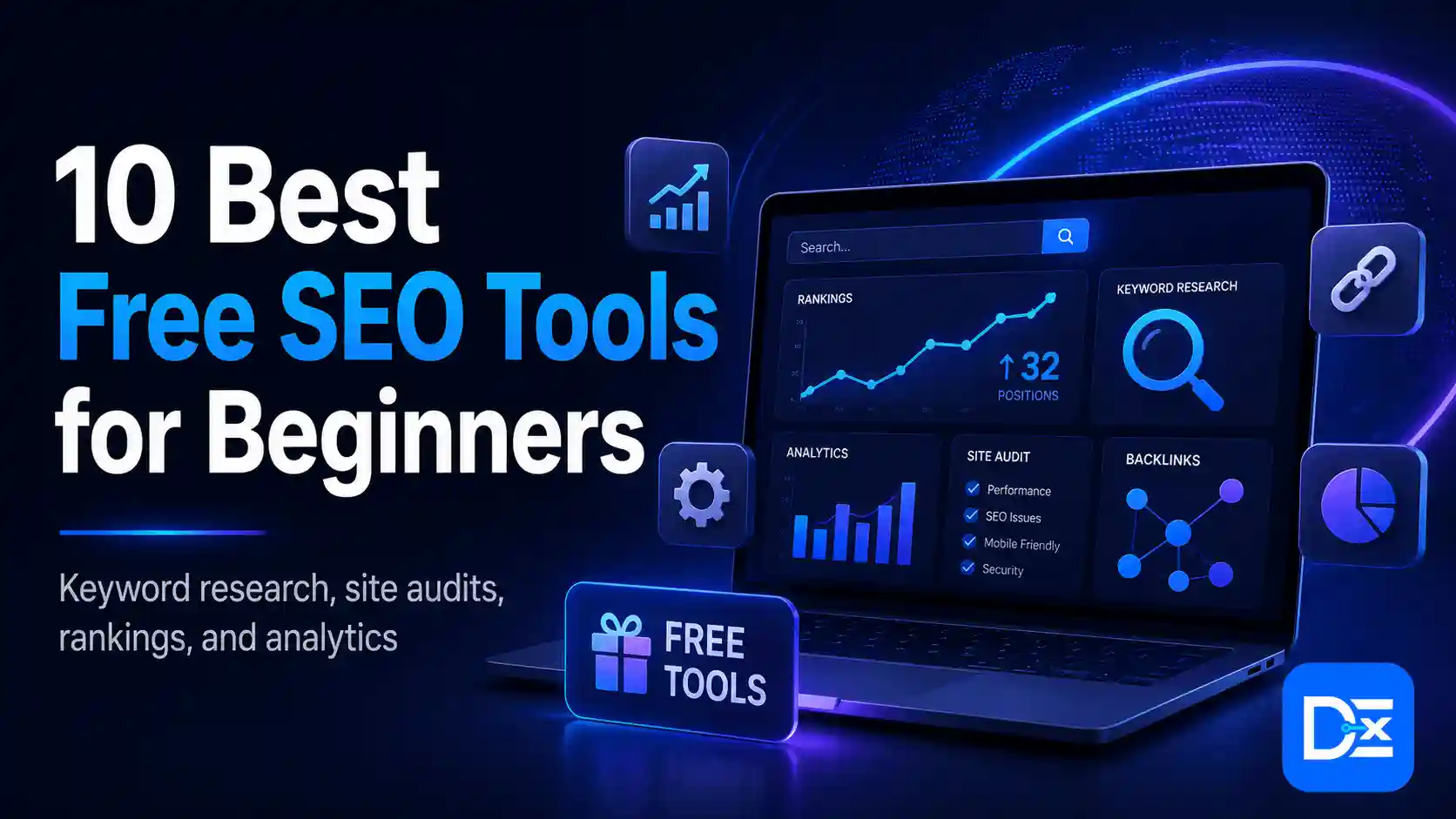
The best free SEO tools for beginners are Google Search Console, Google Analytics 4, Google Keyword Planner, Google Trends, Screaming Frog SEO Spider, Google PageSpeed Insights, Ahrefs Webmaster Tools, Rank Math, Google Rich Results Test, and Bing Webmaster Tools.
Together, these tools teach the main areas of SEO: keyword research, indexing, content optimization, technical auditing, website performance, backlinks, structured data, user behavior, and search reporting.
You do not need to become an expert in all ten before joining an SEO course. However, completing one practical task with each tool will help you understand SEO terminology, follow course demonstrations more easily, and create evidence of your skills.
Why Learn Free SEO Tools Before Taking a Course?
An SEO course can explain how search engines work, but tools help turn those ideas into practical skills.
For example, reading about indexing is useful. Inspecting a real URL in Google Search Console and finding out why it has not been indexed is much more valuable. The same principle applies to keyword research, technical audits, Core Web Vitals, schema markup, and backlink analysis.
Learning the basics before enrolling in a course can help you:
- Understand common SEO terminology
- Follow technical demonstrations more confidently
- Ask better questions during training
- Decide which area of SEO interests you
- Build a small portfolio before applying for internships
- Avoid paying for a course that only explains basic tools
- Evaluate whether an SEO course offers real practical training
Search itself is also changing. Google AI Mode, AI Overviews, chat-based search, and answer engines are encouraging people to use longer and more conversational queries. Digital Exclude’s guide to Google AI Mode and its impact on search explains why content now needs clear answers, reliable sources, examples, and complete topic coverage.
How These Free SEO Tools Were Selected
The tools in this guide were selected based on five criteria.
Beginner usefulness: The tool must teach a skill that new SEO learners will regularly use.
Practical access: A beginner should be able to complete a meaningful task without purchasing an expensive plan.
Coverage: The complete list should cover research, content, technical SEO, performance, analytics, backlinks, and reporting.
Reliable data: Priority is given to first-party search data and well-established SEO platforms.
Course readiness: Each tool should help the learner understand concepts commonly taught in SEO courses.
Free SEO Tools for Beginners: Quick Comparison
| Tool | Primary Use | Do You Need Your Own Website? | Important Free Limitation |
| Google Search Console | Google indexing and search performance | Yes | Only verified properties |
| Google Analytics 4 | Visitor behavior and conversions | Yes | Requires tracking setup |
| Google Keyword Planner | Keyword ideas and search estimates | No | Requires a Google Ads account |
| Google Trends | Search interest and seasonality | No | Shows relative interest, not exact volume |
| Screaming Frog | Technical website crawling | No, if auditing a public site | Maximum 500 URLs per crawl |
| PageSpeed Insights | Page speed and Core Web Vitals | No | Tests one URL at a time |
| Ahrefs Webmaster Tools | Site audits and backlinks | Yes | Limited to verified websites |
| Rank Math | WordPress on-page SEO | Yes | WordPress websites only |
| Rich Results Test | Structured-data validation | No | Tests eligibility, not guaranteed appearance |
| Bing Webmaster Tools | Bing and AI-search visibility | Yes | Only verified properties |
1. Google Search Console
Google Search Console should be one of the first tools every SEO beginner learns.
It provides first-party information about how Google crawls, indexes, and displays a verified website in search results. Its Performance report includes clicks, impressions, click-through rate, average position, queries, pages, countries, and devices. The URL Inspection tool can also show whether an individual page is indexed or potentially indexable.
What You Can Learn
- How Google discovers and indexes pages
- Which queries produce impressions and clicks
- Which pages receive organic traffic
- How mobile and desktop performance differs
- Whether indexing problems are affecting visibility
- How titles and descriptions can influence click-through rate
Beginner Exercise
Open the Performance report and set the date range to the last three months.
Find a query with:
- At least 100 impressions
- An average position between 5 and 20
- A low click-through rate
Review the ranking page and determine whether its title, search intent, opening paragraph, and content depth could be improved.
Important Limitation
Search Console only provides data for websites you own or have permission to access. It is not a competitor-research platform.
2. Google Analytics 4
Google Analytics 4 explains what visitors do after reaching a website.
Search Console may show that a page received 500 clicks from Google, but GA4 can help you investigate whether those visitors stayed, viewed another page, completed a form, downloaded a file, or triggered another important event.
GA4 uses an event-based measurement model across websites and apps. This means interactions such as page views, scrolls, clicks, purchases, and form submissions can be analyzed as events.
What You Can Learn
- Which landing pages attract visitors
- Which channels generate traffic
- How users move through a website
- Which events indicate meaningful engagement
- Which pages contribute to conversions
- Where users leave a journey
Beginner Exercise
Select one important landing page and review:
- Users
- Sessions
- Average engagement time
- Key events
- Traffic source
- Device category
Write down one question the data raises. For example:
Mobile visitors reach the page, but why do they complete fewer forms than desktop visitors?
The purpose is not only to collect numbers. It is to use data to form a testable question.
Important Limitation
GA4 data depends on correct implementation. An incomplete or duplicated tracking setup can produce misleading reports.
3. Google Keyword Planner
Google Keyword Planner is primarily built for Google Ads, but it can also help beginners understand keyword demand, related phrases, locations, and commercial intent.
The tool can generate keyword suggestions from a phrase or website and provide estimated monthly searches and advertising costs. Google currently requires users to complete Google Ads account setup, including billing information, to access basic Keyword Planner functionality.
What You Can Learn
- How seed keywords generate related terms
- How demand changes by location
- How keywords can be grouped by topic
- How broad and specific searches differ
- How commercial and informational intent can differ
Beginner Exercise
Enter a broad topic such as:
email marketing
Export the suggestions and organize ten relevant keywords into three groups:
- Informational
- Commercial investigation
- Transactional
Then select one primary keyword and three closely related supporting terms for a practice article.
Important Limitation
The Competition column refers to competition among advertisers. It is not an organic SEO difficulty score.
Search-volume figures may also appear as ranges, especially for accounts without active campaigns. Use the data to compare demand, not as an exact prediction of organic traffic.
4. Google Trends
Google Trends helps beginners understand how search interest changes over time, across regions, and between related topics.
Unlike a standard keyword tool, Trends displays normalized relative interest. A score of 100 represents peak popularity within the selected comparison, location, and period. It does not mean that a keyword received 100 searches.
What You Can Learn
- Whether interest is rising or falling
- Whether a topic is seasonal
- Which region shows stronger interest
- Which spelling or variation is more popular
- What related and rising searches are appearing
Beginner Exercise
Compare two related terms, such as:
- artificial intelligence course
- AI course
Set your target country and review the past 12 months and past five years.
Record:
- Which term has greater relative interest
- Whether either term is seasonal
- Which regions show stronger interest
- Which related searches may deserve separate content
Important Limitation
Google Trends should not replace a keyword-volume tool. It is most useful for comparison, timing, regional interest, and direction of growth.
5. Screaming Frog SEO Spider
Screaming Frog SEO Spider is a desktop crawler that examines websites in a way that helps SEO professionals understand their technical structure.
Its free version can crawl up to 500 URLs at a time. This is sufficient for small blogs, local-business websites, student projects, and portfolio audits.
What You Can Learn
- HTTP status codes
- Broken internal and external links
- Redirects and redirect chains
- Missing or duplicate page titles
- Missing meta descriptions
- H1 and H2 usage
- Canonical tags
- Indexability
- Internal linking
- Crawl depth
Beginner Exercise
Crawl a small public website and export five reports:
- Client errors or 4xx URLs
- Missing page titles
- Duplicate page titles
- Missing meta descriptions
- Pages with multiple H1 headings
Choose three issues and explain:
- Why the issue matters
- Which URLs are affected
- What action should be taken
- How you would confirm the fix
Important Limitation
A crawler identifies patterns and potential issues. It does not automatically determine which issue is responsible for a ranking decline. Human interpretation is still required.
6. Google PageSpeed Insights
Google PageSpeed Insights evaluates the performance of an individual webpage on mobile and desktop.
It can help beginners understand loading performance, visual stability, responsiveness, image optimization, render-blocking resources, and other user-experience concerns.
What You Can Learn
- Core Web Vitals
- Mobile and desktop performance differences
- Largest Contentful Paint
- Interaction to Next Paint
- Cumulative Layout Shift
- Image-delivery opportunities
- JavaScript and CSS bottlenecks
- The difference between user data and controlled test data
Beginner Exercise
Test the homepage and one article page from the same website.
Compare:
- Mobile and desktop results
- Core Web Vitals status
- Largest Contentful Paint element
- Image-related recommendations
- JavaScript execution
- Layout shifts
Create a short recommendation list grouped into:
- High priority
- Medium priority
- Requires developer review
Important Limitation
Do not judge a website only by one performance score.
A single laboratory test can vary because of test conditions. SEO professionals should review the underlying metrics, available real-user data, page type, device, and repeated test results.
7. Ahrefs Webmaster Tools
Ahrefs Webmaster Tools gives verified website owners free access to technical-audit, backlink, keyword, and traffic information.
Its free offering includes Site Audit, Site Explorer data for verified websites, and web analytics. Ahrefs currently states that its Site Audit can identify more than 170 technical and on-page issues, with monthly crawl limits for free projects. It also includes reporting related to traffic from LLMs.
What You Can Learn
- Technical site health
- Backlink sources
- Linking pages and domains
- Organic keywords
- Pages receiving search traffic
- Internal and external broken links
- Potential traffic from AI and LLM platforms
Beginner Exercise
Verify a practice website and review its backlink profile.
Select five backlinks and record:
- Linking domain
- Linking page
- Destination page
- Anchor text
- Follow or nofollow status
- Relevance to the website
- Whether the link appears editorial, promotional, or low quality
This exercise teaches an important lesson: backlink quantity alone does not determine value.
Important Limitation
Free access is designed around websites you can verify. It is not the same as unrestricted analysis of every competitor.
8. Rank Math
Rank Math is a WordPress SEO plugin that helps website owners manage on-page and technical settings without editing code manually.
Its free version can assist with titles, descriptions, indexation controls, XML sitemaps, canonical URLs, schema settings, and content checks.
What You Can Learn
- How to write SEO titles and descriptions
- How canonical URLs work
- When to use index and noindex
- How XML sitemaps are generated
- How schema is added
- How WordPress SEO settings affect crawlability
Beginner Exercise
Create or update one practice article.
Configure:
- SEO title
- Meta description
- Primary keyword
- Canonical URL
- Article schema
- Social-media title and image
- Internal links
Then inspect the page source or use another testing tool to confirm that the intended tags are present.
Important Limitation
A green optimization score does not guarantee rankings.
Plugins follow configurable checks. They cannot fully judge originality, expertise, backlink authority, user satisfaction, search intent, or the competitive strength of a search result.
9. Google Rich Results Test
Google Rich Results Test checks whether the structured data on a page is eligible for supported rich-result formats.
Google recommends this tool for testing which Google rich results may be generated from a page. It can also preview certain appearances and identify critical structured-data errors.
What You Can Learn
- What structured data is
- How JSON-LD is used
- The difference between valid markup and eligibility
- Which required fields are missing
- How Article, Product, Breadcrumb, Recipe, and other schema types work
Beginner Exercise
Test a blog article that contains Article or Breadcrumb structured data.
Record:
- Detected schema types
- Valid items
- Critical errors
- Non-critical warnings
- Whether the markup accurately represents visible page content
Important Limitation
Valid structured data does not guarantee that Google will display a rich result.
The test confirms technical eligibility. Search appearance can still depend on Google’s systems, content quality, relevance, policies, and query context.
10. Bing Webmaster Tools
Bing Webmaster Tools provides search-performance, indexing, crawling, backlink, SEO-reporting, and site-inspection information for verified websites.
Its reports include metrics such as impressions, clicks, crawl errors, indexed pages, and average click-through rate. Microsoft also introduced an AI Performance report in public preview in February 2026. This report is intended to help publishers understand how their content is referenced in AI-generated answers across supported Microsoft experiences.
What You Can Learn
- How Bing crawls and indexes a website
- Which queries generate Bing visibility
- How search performance differs across engines
- Whether SEO reports identify technical problems
- How content may be cited in AI-generated experiences
- Why GEO measurement is becoming part of search reporting
Beginner Exercise
Verify a website, submit its sitemap, and compare its search data with Google Search Console.
Look for:
- Queries appearing only in Bing
- Differences in indexed-page counts
- Crawl problems
- Backlink differences
- Pages or queries receiving AI citations, where the report is available
Important Limitation
Search engines do not always discover, interpret, or report pages in exactly the same way. Differences between Google and Bing are not automatically errors.
How to Combine These Tools in One SEO Workflow
A beginner should not treat these tools as ten unrelated dashboards. They become more useful when used in a logical sequence.
Step 1: Research the Topic
Use Google Keyword Planner to collect relevant terms.
Use Google Trends to compare phrasing, seasonality, and regional interest.
Step 2: Plan the Content
Choose one main search intent.
Group related questions and supporting terms.
Avoid creating separate pages for several keywords that mean essentially the same thing.
Step 3: Optimize the Page
Use Rank Math to configure the title, description, canonical URL, indexation, and schema.
Do not write only to satisfy the plugin score.
Step 4: Validate Technical Elements
Use the Rich Results Test to check structured data.
Use PageSpeed Insights to review performance.
Use Screaming Frog to inspect titles, descriptions, headings, links, canonicals, and status codes.
Step 5: Publish and Request Discovery
Inspect the new page in Google Search Console.
Submit the sitemap or URL through Bing Webmaster Tools where appropriate.
Step 6: Measure Results
Use Search Console for Google impressions, clicks, queries, pages, and positions.
Use Bing Webmaster Tools for Bing visibility and supported AI-performance data.
Use GA4 to understand what users do after clicking.
Use Ahrefs Webmaster Tools to review backlinks, technical health, and additional search or LLM traffic information.
A 30-Day SEO Tool Learning Plan
Week 1: Search and Measurement
Learn:
- Google Search Console
- Google Analytics 4
- Bing Webmaster Tools
Complete:
- One URL inspection
- One search-performance report
- One landing-page behavior review
- One sitemap check
Week 2: Keyword and Content Research
Learn:
- Google Keyword Planner
- Google Trends
- Rank Math
Complete:
- A 20-keyword research sheet
- A three-topic keyword cluster
- One optimized article draft
- One title and description test
Week 3: Technical SEO
Learn:
- Screaming Frog
- PageSpeed Insights
- Rich Results Test
Complete:
- A crawl of up to 500 URLs
- A broken-link report
- A duplicate-metadata report
- A mobile performance review
- One structured-data test
Week 4: Authority and Reporting
Learn:
- Ahrefs Webmaster Tools
- Search Console performance comparison
- GA4 landing-page analysis
Complete:
- A five-link backlink review
- A one-page SEO performance report
- A prioritized action plan
- A portfolio summary explaining what you found
What Should Be in a Beginner SEO Portfolio?
Before paying for advanced training, try to create a small portfolio containing:
- One keyword-research document
- One search-intent map
- One optimized article
- One technical crawl report
- One PageSpeed analysis
- One indexing investigation
- One backlink-quality review
- One structured-data validation
- One monthly performance summary
- One prioritized SEO action plan
The website does not need thousands of visitors. The goal is to show that you can collect information, interpret it carefully, recommend an action, and explain your reasoning.
Do Free SEO Tools Replace an SEO Course?
No. Free tools give you access to data and diagnostics, but they do not automatically teach strategy.
A strong SEO course should help you understand:
- How search engines crawl and rank content
- How to prioritize issues
- How to interpret conflicting data
- How to build a content strategy
- How to evaluate search intent
- How to conduct competitor analysis
- How to earn relevant backlinks
- How to report business outcomes
- How to work with developers and writers
- How AI search affects discovery and measurement
The tools show what is happening. Good training should help you understand why it is happening and what to do next.
Before paying for any program, review its curriculum, instructor experience, projects, update policy, support, and assessment method. The same general principles discussed in Digital Exclude’s guide to choosing between a course and a certification can help you evaluate whether a learning program teaches skills or only provides a completion credential.
How Do You Know You Are Ready for an SEO Course?
You are ready to move into structured training when you can answer most of these questions:
- What is the difference between crawling and indexing?
- What do clicks, impressions, CTR, and average position mean?
- What is search intent?
- Why is Google Ads competition different from organic difficulty?
- What is a canonical URL?
- What is a 404 error?
- What do LCP, INP, and CLS measure?
- What is structured data?
- What makes a backlink relevant?
- How would you measure whether an optimized page improved?
You do not need perfect answers. You only need enough familiarity to recognize the concepts and apply them during practical training.
Common Mistakes Beginners Make With Free SEO Tools
Treating Every Tool Score as a Google Score
SEO health, difficulty, authority, and content scores are platform-specific metrics. They can help with comparison, but they are not direct Google ranking scores.
Using Advertising Competition as SEO Difficulty
Keyword Planner’s Competition field reflects advertiser activity. It does not measure how difficult it will be to rank organically.
Fixing Every Crawl Warning
Not every warning deserves equal priority. A missing title on an important indexed page is different from a warning on an intentionally excluded utility URL.
Checking Rankings Every Day
SEO changes often require time. Constantly checking positions without making controlled improvements creates noise rather than insight.
Trusting AI-Generated Recommendations Without Validation
AI can help organize findings, but it may misunderstand technical context or recommend unnecessary changes. Verify recommendations using real page data and official documentation.
Claiming Experience You Do Not Have
Do not write that you personally tested a tool, increased traffic, or completed an audit unless you actually did. Clear limitations build more trust than invented experience.
FAQs
-
Which free SEO tool should a complete beginner learn first?
Start with Google Search Console if you have access to a website. It introduces indexing, search queries, clicks, impressions, positions, and URL inspection using first-party Google data.
Without a website, begin with Google Trends, Keyword Planner, PageSpeed Insights, Screaming Frog on a public practice website, and the Rich Results Test. -
Can I learn SEO without paying for tools?
Yes. Free tools are sufficient for learning the foundations of keyword research, indexing, analytics, technical auditing, page performance, structured data, and basic backlink analysis.
Paid tools become more useful when you need larger datasets, extensive competitor research, daily rank tracking, automation, or agency-scale reporting. -
Is Google Analytics an SEO tool?
GA4 is a web analytics platform rather than a dedicated SEO tool. However, it is important for SEO because it helps measure visitor behavior, landing-page engagement, events, and conversions after organic users reach a website.
-
Is Screaming Frog completely free?
Screaming Frog has a free version that can crawl up to 500 URLs per crawl. Larger crawls, saved crawl files, JavaScript rendering, scheduling, integrations, and several advanced configurations require a paid licence.
-
Can these tools help with AI search and LLM visibility?
Yes, although the field is still developing. Bing Webmaster Tools has introduced AI Performance reporting in public preview, while Ahrefs Webmaster Tools includes analytics related to LLM traffic. Search Console, GA4, backlink data, structured content, and strong technical accessibility also remain useful foundations for both traditional and AI-assisted discovery.
Conclusion
The best free SEO tools for beginners are not necessarily the tools with the most features. They are the ones that teach you how search data, website behavior, technical health, content, links, and performance connect.
Start with Google Search Console and GA4 for measurement. Use Keyword Planner and Google Trends for research. Learn Screaming Frog, PageSpeed Insights, and the Rich Results Test for technical SEO. Use Rank Math for WordPress implementation, Ahrefs Webmaster Tools for audits and backlinks, and Bing Webmaster Tools for additional search and AI-visibility insights.
Do not try to learn every report at once. Complete one small exercise with each tool and document what you found. By the end of the 30-day plan, you will understand the language of SEO, have several portfolio assets, and be in a much better position to judge whether an SEO course offers genuine value.