Introduction
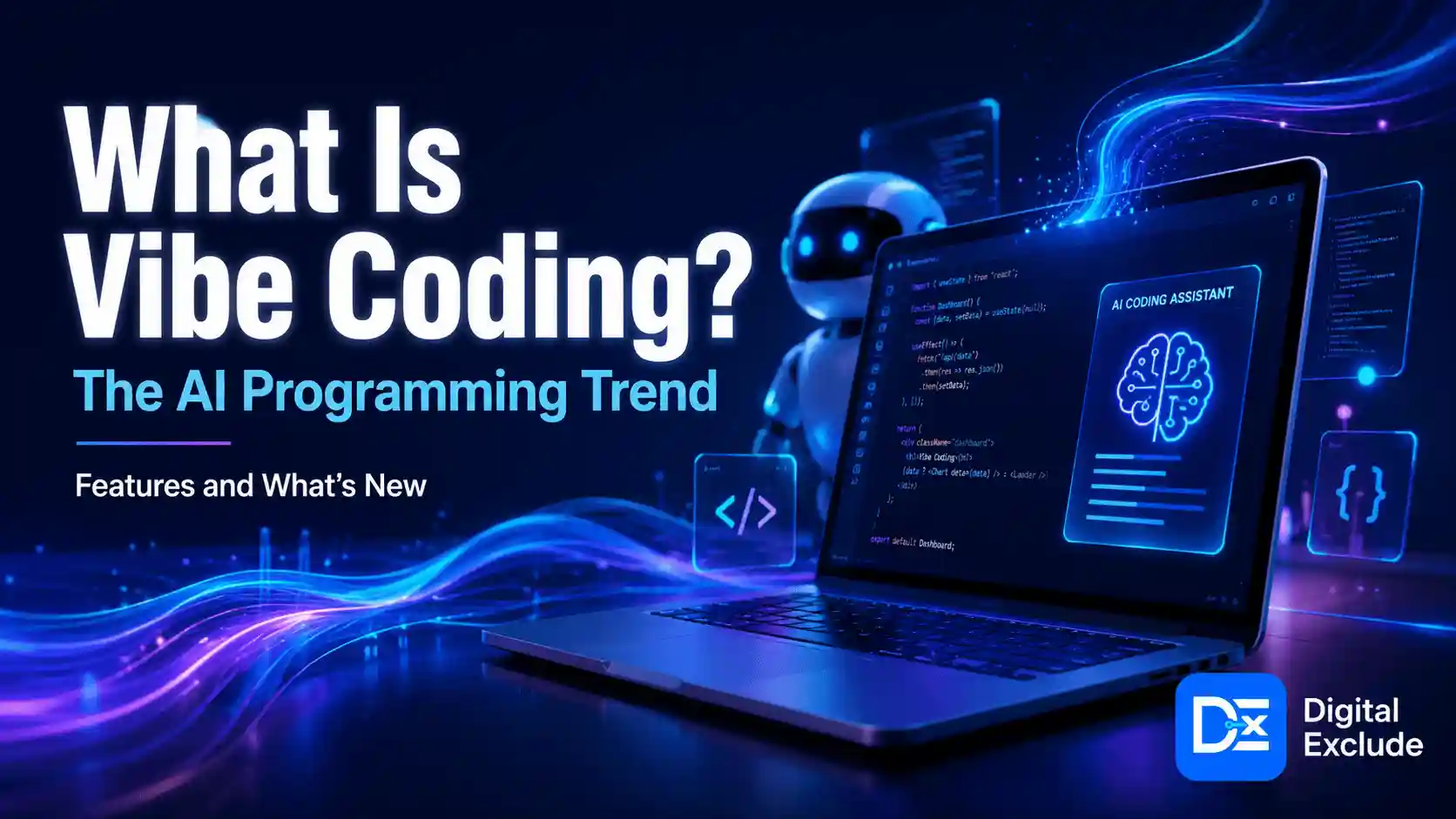
What is vibe coding, and why is everyone in tech suddenly talking about it?
Vibe coding is a new way of building software with AI coding tools. Instead of writing every line of code by hand, you describe what you want in plain English, and an AI tool writes, edits, explains, or fixes the code for you.
For example, instead of manually building a complete task manager from scratch, you might tell an AI coding assistant:
Build a simple task manager with add task, edit task, delete task, due date, status filter, and local storage. Keep the code beginner-friendly and explain each file.
The AI can create the first version quickly. You then test it, ask for changes, review the code, and improve it step by step.
That is the basic idea behind vibe coding. It is not magic, and it is not a complete replacement for software development. It is a faster, more conversational way to create software ideas, prototypes, internal tools, and learning projects.
If you are comparing AI coding tools, Digital Exclude’s guide on the best AI coding assistants in 2026 can help you choose the right tool for your skill level and project type.
Quick Answer
Vibe coding means using AI to build software through natural language prompts. You explain the app, feature, bug, or design you want, and the AI coding assistant generates or modifies the code. It is useful for beginners, founders, students, and developers who want to build faster, but it still requires testing, review, security checks, and human judgment before publishing anything serious.
What Does Vibe Coding Mean?
Vibe coding is an AI-assisted software development approach where the user guides the coding process through conversation.
You give instructions.
The AI writes code.
You run the app.
You check what works and what fails.
You ask the AI to fix or improve it.
In simple words, vibe coding means turning your software idea into working code with the help of AI prompts.
IBM explains vibe coding as a coding approach where users express their intention in plain speech, and AI turns that thinking into executable code. You can read IBM’s explanation here: What is Vibe Coding?
Vibe coding meaning with an example
Imagine you want to build a personal budget tracker.
A traditional developer might start by creating folders, choosing a framework, designing the database, writing forms, creating logic, testing errors, and styling the interface.
In vibe coding, you may start with a prompt like this:
Create a simple budget tracker using HTML, CSS, and JavaScript. It should let users add income, add expenses, choose categories, see total balance, and save data in local storage. Keep it simple for beginners.
The AI gives you code. You test it. Then you ask:
The balance is not updating after deleting an expense. Find the bug and suggest the smallest fix.
This is the vibe coding loop: prompt, generate, test, fix, improve.
Why Does Vibe Coding Matter in 2026?
Vibe coding matters in 2026 because AI programming tools are becoming part of everyday software work. They are no longer limited to simple autocomplete. Many tools can now understand project files, suggest architecture, write tests, debug errors, explain code, and even work across multiple files.
GitHub says its Copilot cloud agent can research a repository, create an implementation plan, make code changes on a branch, and let users review the diff before creating a pull request. You can read GitHub’s documentation here: About GitHub Copilot cloud agent.
This shift is important because it changes who can participate in software creation.
A non-technical founder can test an MVP idea.
A student can build a portfolio project.
A marketer can create a simple automation tool.
A developer can move faster on repetitive coding tasks.
A small business can build an internal dashboard without waiting months.
But there is a serious caution: faster coding does not always mean safer coding. AI-generated code can contain bugs, weak security, poor database design, and hidden assumptions. That is why vibe coding should be treated as a practical assistant, not an unchecked replacement for engineering.
What Is the Main Problem Vibe Coding Solves?
The main problem vibe coding solves is the gap between having a software idea and creating a working first version.
Many people have useful app ideas but get stuck because they do not know where to start. They may not understand frameworks, databases, API calls, design systems, hosting, or debugging.
Vibe coding helps by giving users a working starting point.
For example:
- A student can build a flashcard app.
- A freelancer can create an invoice tracker.
- A blogger can create a content calendar.
- A startup founder can build a landing page and waitlist.
- A developer can generate test cases or refactor repetitive code.
The real value is speed and learning. You can see results quickly, ask the AI to explain the code, and improve the project one step at a time.
Who Should Use Vibe Coding?
Vibe coding is useful for several types of users.
Beginners
Beginners can use vibe coding to understand how apps are structured. The key is to ask the AI to explain the code instead of only copying it.
Good beginner prompt:
Explain this JavaScript code line by line. Tell me what each function does and what I should change if I want to add a new feature.
Students
Students can use vibe coding to build projects, practice debugging, and understand programming concepts. They should avoid submitting AI-generated code they do not understand.
Non-technical founders
Founders can use vibe coding to create MVPs, landing pages, dashboards, and demo apps. This is useful for testing an idea before spending money on full development.
Developers
Developers can use AI coding for repetitive work, documentation, unit tests, refactoring, debugging, and exploring unfamiliar codebases.
Small businesses
Small teams can use vibe coding to build internal tools, such as task trackers, content calendars, lead forms, simple dashboards, and report generators.
When Should You Avoid Vibe Coding?
Vibe coding is not the best choice for every project.
Avoid relying only on vibe coding when your project involves:
- Payments
- Banking or financial data
- Healthcare data
- Children’s data
- Legal documents
- User passwords
- Sensitive customer records
- Public file uploads
- Complex permission systems
- Large production databases
- Business-critical workflows
You can still use AI assistance in these projects, but the code should be reviewed by experienced developers and security professionals.
For security-heavy projects, read Digital Exclude’s guide on AI in cybersecurity to understand how AI can help defenders but also create new risks.
How Does Vibe Coding Work?
A good vibe coding workflow has six steps.
1. Explain the goal clearly
Do not start with:
Build me an app.
That is too broad.
Use a clearer prompt:
Build a simple habit tracker for personal use. Users should add habits, mark daily progress, view a weekly streak, and store data locally. Do not add login, payments, or cloud sync.
This helps the AI stay focused.
2. Ask for a simple version first
The first version should be small. Do not ask for every feature at once.
A safe version one may include:
- One page
- Basic form
- Add and delete function
- Local storage
- Simple design
- Basic validation
You can add more features later.
3. Run the code yourself
Never assume the AI output works. Run it in your browser, editor, or local environment.
Check:
- Does the app load?
- Do buttons work?
- Are forms saving data?
- What happens with empty input?
- What happens after refresh?
- Does the layout work on mobile?
- Are there console errors?
4. Ask the AI to debug with context
Bad prompt:
Fix this.
Better prompt:
I get this error when I click Save: [paste error]. Here is the related function: [paste code]. Explain the cause first, then give the smallest fix.
AI coding works better when you provide the exact error and relevant code.
5. Review security and privacy
Ask the AI:
Review this code for security risks, exposed secrets, weak validation, unsafe user input, and privacy issues. Give fixes in priority order.
This is especially important if your project uses authentication, APIs, databases, file uploads, or cloud hosting.
For AI security risks, Digital Exclude’s guide on prompt injection risks and safety tips is a useful related read.
6. Improve one feature at a time
Do not ask the AI to rewrite the whole project unless necessary. Make small changes.
Good prompts:
Add edit task functionality without changing the existing layout.
Add form validation for empty title and past due date.
Add a search bar for task title and client name.
Improve mobile spacing but keep the same colors.
This keeps the code easier to review.
Basic Architecture of a Vibe Coding Project
A safe vibe coding setup should have clear layers.
| Layer | What It Does | Why It Matters |
| Product brief | Defines the app goal, audience, and features | Prevents random features |
| AI coding assistant | Generates, edits, explains, and debugs code | Speeds up development |
| Human review | Checks logic, design, security, and quality | Reduces blind trust |
| Testing | Confirms the app works in real cases | Finds bugs before users do |
| Version control | Tracks changes with Git | Helps you roll back mistakes |
| Deployment | Publishes the app safely | Protects users and data |
The most common beginner mistake is skipping human review and testing. A project can look fine on screen but still have broken logic, bad security, or poor data handling.
Tools Used for Vibe Coding
The best vibe coding tools depend on your skill level and project type.
Popular AI coding tools
Common tools include:
- ChatGPT for planning, explaining, and debugging code
- GitHub Copilot for coding inside supported editors
- Cursor for AI-first code editing
- Claude Code for terminal-based coding help
- OpenAI Codex for agentic coding workflows
- Replit for browser-based coding and quick prototypes
- Windsurf for AI-assisted development
- Lovable and Bolt for fast web app prototypes
Digital Exclude also has a detailed comparison of Codex vs Claude Code if you are choosing between agentic coding tools.
Beginner-friendly tool stack
If you are new to coding, start with:
- VS Code or Cursor as your editor
- ChatGPT or GitHub Copilot for help
- Plain HTML, CSS, and JavaScript for simple projects
- GitHub for version control
- Netlify or Vercel for simple deployment
- Local storage before adding a real database
Developer-friendly tool stack
If you already code, consider:
- Cursor, GitHub Copilot, Claude Code, or Codex
- React, Next.js, Vue, Django, Flask, or Node.js
- PostgreSQL, Supabase, or Firebase
- GitHub Actions for basic automation
- Testing tools such as Jest, Playwright, or Pytest
- Security checks before deployment
For a deeper coding assistant tutorial, read Digital Exclude’s Claude Code tutorial for developers.
Step-by-Step Vibe Coding Tutorial
Let’s use a realistic example.
Project: simple freelance task tracker
Goal: help freelancers track tasks by client
Skill level: beginner
Risk level: low because it uses local storage only
Version one: no login, no payments, no cloud database
Step 1: Create the product brief
Use this prompt:
I want to build a simple freelance task tracker. It should let users add a task title, client name, due date, and status. Users should mark tasks as completed and filter by active or completed. Version one should use local storage only. No login, no backend, no payments. Create a simple product brief.
A good AI response should include:
- Target user
- Problem solved
- Main features
- Excluded features
- User flow
- Data fields
- Basic layout idea
Step 2: Ask for the simplest technical plan
Prompt:
Recommend the simplest technical approach for this project. Compare plain HTML CSS JavaScript, React, and Next.js. I am a beginner and want to understand the code.
A reasonable answer may recommend plain HTML, CSS, and JavaScript for the first version. That is fine because the goal is learning and speed.
Step 3: Generate the first version
Prompt:
Create this freelance task tracker using HTML, CSS, and JavaScript. Include task title, client name, due date, status, add task, delete task, mark complete, filter by status, and local storage. Keep the code beginner-friendly and explain where to place each file.
Step 4: Test it manually
Use this checklist:
- Add a task with all fields.
- Try to add a task without a title.
- Add a task without a due date.
- Mark a task completed.
- Delete a task.
- Refresh the page and check if data remains.
- Add 20 tasks and check the layout.
- Test on a mobile screen.
- Open browser console and check for errors.
Step 5: Ask for a code review
Prompt:
Review this code like a careful developer. Find bugs, weak logic, accessibility issues, and messy structure. Do not rewrite everything. Suggest only important fixes.
Step 6: Ask for a security review
Prompt:
Review this app for security and privacy. It uses local storage only and has no backend. What risks still exist? What should I avoid if I later add login or a cloud database?
The AI should warn you that local storage is not suitable for sensitive data and that authentication, database access rules, and API key handling need extra care.
Step 7: Improve the app in small steps
Add one feature at a time.
Prompt examples:
Add edit task functionality.
Add a search box by task title and client name.
Add simple due date highlighting.
Improve the empty state message.
Add comments explaining the local storage functions.
This is how you keep the project manageable.
Real-World Examples of Vibe Coding
Example 1: Founder building an MVP
A founder wants to test a local service booking idea. They use vibe coding to build a landing page, waitlist form, basic booking request form, and admin view.
Good use:
- Landing page
- Email capture
- Booking request form
- Demo dashboard
- Investor or user testing prototype
Be careful with:
- Payments
- User identity
- Customer data
- Email sending limits
- Calendar integrations
- Refund or cancellation logic
Vibe coding is great for testing interest. It is not enough for a full marketplace without proper development.
Example 2: Student building a portfolio project
A student wants to create a weather app. They use AI to generate a simple interface, connect a weather API, and display results.
Good use:
- API learning
- UI practice
- Error handling
- Portfolio demo
- Code explanation
Be careful with:
- Exposed API keys
- Copying without understanding
- Broken API requests
- No loading or error state
- Poor mobile layout
Example 3: Small agency creating an internal tracker
A content agency wants to track article ideas, assigned writers, status, and publish dates. They use vibe coding to build a simple internal dashboard.
Good use:
- Content calendar
- Internal task tracking
- CSV export
- Status filters
- Lightweight team workflow
Be careful with:
- Client data
- Staff access control
- Backups
- Hosting costs
- Admin permissions
Before building a custom internal app, compare whether an existing tool can solve the problem. Digital Exclude’s article on best AI tools for students and work can help readers decide whether to build or use an existing tool.
Example 4: Developer using AI for repetitive tasks
A developer already understands the codebase. They use AI coding to generate tests, refactor repeated functions, write documentation, and debug errors.
Good use:
- Unit tests
- Small refactors
- Documentation
- Bug explanation
- Code cleanup
Be careful with:
- Large automatic rewrites
- Unreviewed dependency changes
- Security-sensitive logic
- Authentication changes
- Database migrations
Vibe Coding vs Traditional Coding vs No-Code
| Approach | How It Works | Best For | Main Limitation |
| Vibe coding | You prompt AI to generate or edit code | Prototypes, learning, MVPs, small tools | Code still needs review and testing |
| Traditional coding | A developer writes and reviews code manually | Production apps, complex systems, long-term projects | Slower for simple prototypes |
| No-code | You use visual builders and templates | Forms, workflows, landing pages, simple apps | Less flexible and may create platform lock-in |
| AI-assisted coding | A developer uses AI inside a normal workflow | Professional development and team projects | Requires skill to judge AI output |
Is vibe coding better than no-code?
Vibe coding is better when you need custom code, custom logic, or want to learn programming. No-code is better when your project fits a template and you want speed without touching code.
Use no-code for:
- Simple forms
- Landing pages
- Workflow automation
- Basic dashboards
- Internal trackers
Use vibe coding for:
- Custom web apps
- Learning projects
- MVPs
- Personal tools
- Small automations
- Code-based prototypes
Use traditional development for:
- Public SaaS products
- Payment systems
- Sensitive data
- Large user bases
- Regulated industries
- Complex backend systems
Benefits of Vibe Coding
1. Faster prototyping
You can create a working version of an idea much faster than starting from scratch.
2. Lower entry barrier
Beginners can build simple apps while learning how code works.
3. Better learning support
You can ask the AI to explain functions, errors, file structure, and programming concepts.
4. Useful for repetitive tasks
Developers can save time on boilerplate code, tests, documentation, and small fixes.
5. Helpful for idea validation
Founders can test an MVP before hiring a full development team.
Risks of Vibe Coding
1. AI can generate wrong code
The app may work in one simple case but fail with real users or edge cases.
2. Security may be weak
AI-generated code can miss access control, input validation, authentication checks, and secret handling.
The OWASP Top 10 is a useful reference for understanding common web application security risks.
3. AI may add unnecessary complexity
Sometimes the AI adds frameworks, packages, files, or patterns you do not need.
4. Code can become hard to maintain
If you keep asking for changes without reviewing structure, the codebase may become messy.
5. Privacy can be overlooked
Users may paste private data, customer records, API keys, or business secrets into AI tools. That can create privacy and compliance problems.
6. Tool costs can increase
Some AI coding tools charge by subscription, tokens, credits, model usage, team seats, or cloud execution. Always check pricing before using agentic tools heavily.
Common Mistakes to Avoid
Mistake 1: Starting with a huge app idea
Bad prompt:
Build a full SaaS app with login, billing, dashboard, admin panel, chat, AI features, and analytics.
Better prompt:
Build version one of a simple dashboard where users can add, edit, delete, and filter tasks. No login or billing yet.
Small projects are easier to test.
Mistake 2: Trusting the first AI answer
AI output should be treated as a draft. Review it before using it.
Ask:
- Why did you choose this structure?
- What are the weak points?
- What edge cases are missing?
- What security risks exist?
- What tests should I run?
Mistake 3: Adding login too early
Authentication adds serious responsibility. You need account security, password handling, session management, access rules, account deletion, and privacy review.
For beginner projects, build the local version first. Add login only when you understand the risk.
Mistake 4: Exposing API keys
Never place secret keys in frontend code. Never upload .env files to GitHub. Never paste production credentials into AI prompts.
Ask the AI:
Check this project for exposed secrets, unsafe environment variables, and public API keys.
Mistake 5: Ignoring mobile experience
Many AI-generated apps look acceptable on desktop but break on mobile. Always test screen sizes.
Mistake 6: Publishing without testing
Before publishing, test forms, errors, empty states, loading states, refresh behavior, broken API calls, and permission rules.
Best Practices for Safe Vibe Coding
1. Write a clear project brief
Use this template:
I am building [type of app] for [target user].
The main problem is [problem].
Version one should include [feature 1], [feature 2], and [feature 3].
Do not include [excluded features].
Keep the app simple, secure, and beginner-friendly.
Ask clarifying questions before writing code.
2. Ask for a plan before code
Prompt:
Before writing code, create a simple technical plan with files, components, data fields, and user flow.
This prevents random output.
3. Build one feature at a time
Do not ask AI to build everything at once. Add features one by one.
4. Use Git from the start
Commit after every working feature. This helps you restore a working version if the AI breaks something later.
5. Ask for explanations
Prompt:
Explain this code like I am a beginner. Focus on what each function does and how data flows through the app.
6. Review every file change
Check for:
- New packages
- Removed validation
- Hardcoded keys
- Unexpected API calls
- Unnecessary rewrites
- Broken imports
- Authentication changes
- Database rule changes
7. Run tests before deployment
Even a small app should be tested. Ask the AI to create manual test cases or automated tests.
8. Protect private data
Do not paste real customer data, passwords, API keys, private documents, or internal business information into AI tools.
9. Check cloud settings carefully
If your app uses cloud hosting, storage, or databases, review permissions. Digital Exclude’s guide on cloud security risks and best practices is a useful next read.
10. Bring in a developer when risk increases
If the project handles money, personal data, uploads, business operations, or compliance, get expert review before launch.
Security Checklist Before Publishing a Vibe-Coded App
Use this checklist before your app goes live.
- Are all API keys stored safely?
- Is the .env file excluded from Git?
- Is user input validated?
- Are users blocked from seeing other users’ data?
- Are admin pages protected?
- Are database rules tested?
- Are file uploads restricted?
- Are dependencies updated?
- Are errors handled safely?
- Are logs free from sensitive data?
- Is there a backup plan?
- Is there a rollback plan?
- Is there a privacy policy if user data is collected?
- Has a human reviewed security-sensitive code?
For AI-based applications, also review the OWASP Top 10 for LLM Applications because risks like prompt injection, sensitive information disclosure, and excessive agency can affect AI-powered software.
Cost Checklist Before Using Vibe Coding Tools
Check these items before using paid AI coding tools:
- Monthly plan cost
- Token or credit limit
- Model usage cost
- Team seat cost
- Cloud execution cost
- Deployment cost
- Database cost
- Storage cost
- Email sending cost
- API rate limits
- Refund policy
- Data retention policy
- Export options
A free prototype can become expensive if you add hosting, database, authentication, email, storage, and AI API calls.
Final Recommendation
Vibe coding is worth using if your goal is to build faster, learn faster, or test a software idea before investing heavily.
Use vibe coding for:
- Learning projects
- MVPs
- Internal tools
- Simple dashboards
- Personal apps
- Automation scripts
- UI prototypes
- Test generation
- Documentation
- Debugging help
Do not rely only on vibe coding for:
- Payment systems
- Healthcare apps
- Financial tools
- Apps for children
- Sensitive customer data
- Large production systems
- Security-critical software
- Apps you do not understand or cannot maintain
Digital Exclude Verdict:
Vibe coding is not the end of software development. It is a faster way to move from idea to prototype. The best results come when you use AI as a coding partner, not as an unchecked developer.
The practical approach is simple: start small, prompt clearly, test everything, review the code, protect user data, and ask for expert help before launching serious software.
FAQs
-
What is vibe coding in simple terms?
Vibe coding is a way of building software by telling an AI coding tool what you want in plain English. The AI writes or edits the code, and you guide it through testing and follow-up prompts.
-
Can beginners use Vibe coding?
Yes, beginners can use vibe coding for simple apps, learning projects, and prototypes. They should ask the AI to explain the code and avoid publishing serious apps without review.
-
Is vibe coding the same as AI coding?
Vibe coding is a type of AI coding. AI coding can include autocomplete, code review, debugging, and test generation. Vibe coding focuses more on conversational, prompt-based app building.
-
Can vibe coding replace developers?
No. Vibe coding can speed up software creation, but developers are still needed for architecture, security, testing, performance, user experience, and long-term maintenance.
-
What are the best vibe coding tools?
Popular vibe coding tools include ChatGPT, GitHub Copilot, Cursor, Claude Code, OpenAI Codex, Replit, Windsurf, Lovable, and Bolt. The best choice depends on your skill level, project type, privacy needs, and budget.
Conclusion
What is vibe coding? It is the AI programming trend where people build software by describing what they want and letting AI coding assistants generate, edit, debug, and explain the code.
It is changing software development because it makes app building faster and more accessible. Beginners can create simple tools. Founders can test MVPs. Developers can reduce repetitive work. Small businesses can build lightweight internal systems.
But vibe coding still needs discipline. The code must be reviewed. The app must be tested. Security and privacy must be checked. Tool costs must be understood. Sensitive projects should involve experienced developers.
Used carefully, vibe coding can turn an idea into a working prototype faster than traditional methods. Used carelessly, it can create fragile, insecure, and expensive software.
The smart path is to treat AI as a helpful coding partner. Give it clear instructions, check its work, and stay responsible for the final product.