Quick Answer
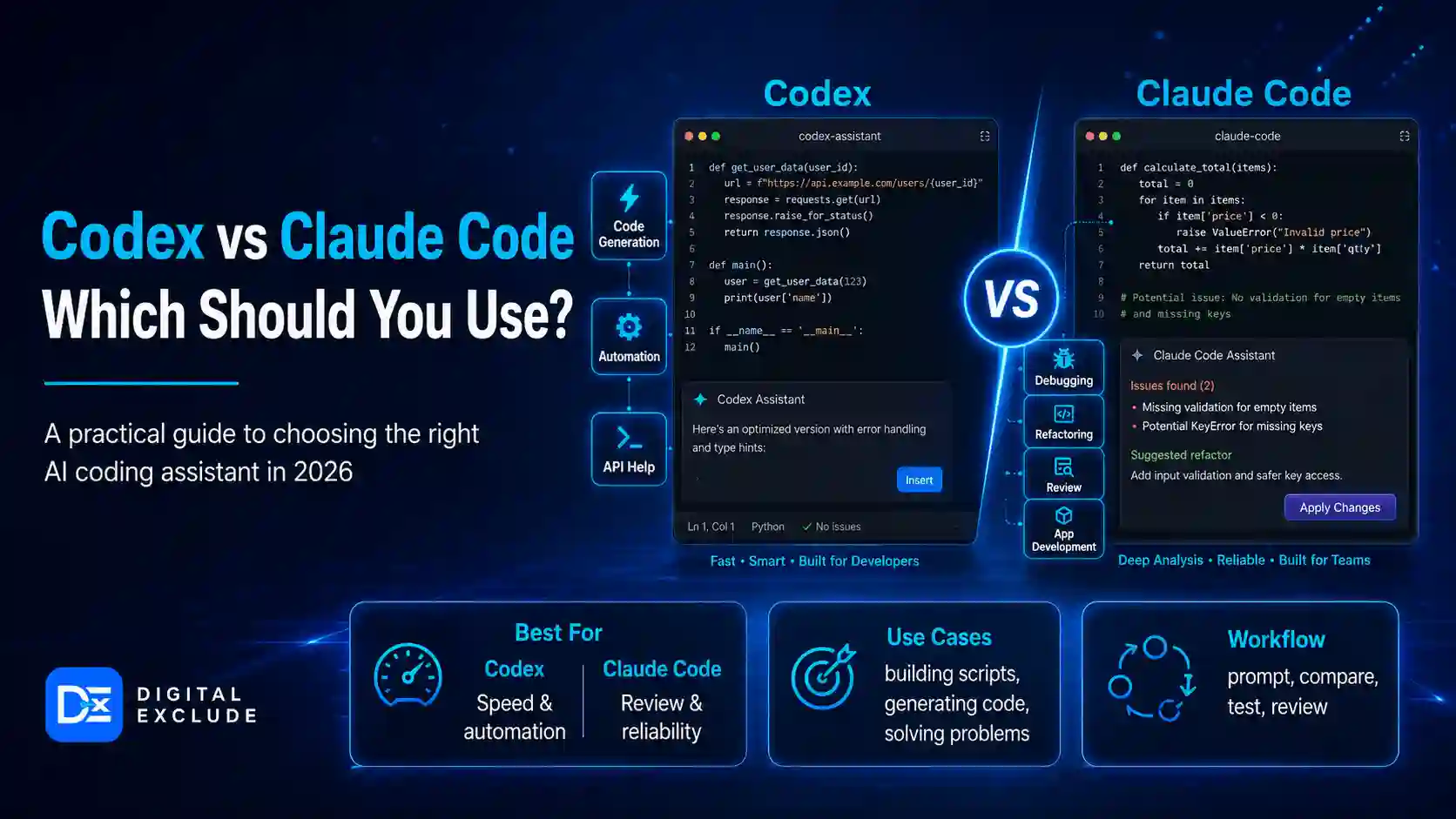
Codex vs Claude Code comes down to workflow. Choose OpenAI Codex if you want a coding agent built around parallel tasks, worktrees, cloud or local coding threads, Git workflows, and deeper ChatGPT ecosystem integration. Choose Claude Code if you prefer a terminal first or an IDE-friendly coding assistant that reads your project, edits files with approval, runs commands, helps with Git, and gives strong step-by-step coding support.
For most solo developers and coding learners, Claude Code may feel easier if they already work in the terminal and want tight project-level help. For teams, SaaS founders, and engineering leads, Codex may be stronger when multi-agent workflows, cloud tasks, app-based review, and scalable team usage are important. Neither tool should be used without human review, tests, Git branches, and security checks.
Introduction
AI coding assistants are no longer limited to autocomplete. Developers now use them to inspect codebases, fix bugs, write tests, create pull requests, review changes, refactor files, and build app features faster. This is why many developers are comparing Codex vs Claude Code before choosing their main AI coding tool.
The confusion is understandable. Both tools can help write code. Both can read the project context. Both can assist with debugging. Both can save time when used properly. But they are not identical in workflow, user experience, permissions, pricing, and team fit.
This article explains OpenAI Codex vs Claude Code in simple terms. It is written for developers, coding learners, SaaS founders, and tech decision makers who want to choose the best AI coding assistant for their coding level, project type, budget, and security needs.
What Codex vs Claude Code Means
Codex is OpenAI’s AI coding partner. OpenAI describes the Codex app as a command center for agentic coding with built-in worktrees and cloud environments, where agents can work in parallel across projects. OpenAI also says Codex can contribute to work around code understanding, prototyping, documentation, and pull request-related workflows.
Claude Code is Anthropic’s agentic coding tool. Anthropic describes Claude Code as a tool that reads your codebase, edits files, runs commands, and integrates with development tools. It is available through terminal, IDE, desktop app, and browser experiences.
In simple words:
| Tool | Simple Meaning |
| Codex | OpenAI’s coding agent for agentic coding workflows, parallel tasks, code review, Git, and project work |
| Claude Code | Anthropic’s coding assistant for terminal, IDE, file editing, debugging, Git help, and project-based coding |
| Best use | Both are useful, but the better choice depends on your workflow, team setup, pricing comfort, and review process |
Why This Matters in 2026
The AI coding tools comparison matters in 2026 because coding work is changing. Developers are not only asking AI to write one function. They are asking AI tools to inspect a repo, make changes, run tests, create commits, handle multiple tasks, and explain unfamiliar systems.
OpenAI’s Codex app is available on macOS and Windows and is described as a focused desktop experience for Codex threads in parallel, with built-in worktree support, automations, and Git functionality. OpenAI also says ChatGPT Plus, Pro, Business, Edu, and Enterprise plans include Codex.
Claude Code also supports real project workflows. Anthropic’s quickstart says Claude Code can analyze files as needed, answer questions such as “what does this project do,” show proposed changes, ask for approval, make edits, support Git commands, and fix bugs or add features by locating relevant code, understanding context, implementing solutions, and running tests if available.
For developers and founders, this is important because the wrong tool can waste time. A beginner may need careful explanations and approval prompts. A senior developer may care more about parallel task execution, diff review, and Git flow. A startup founder may care about cost control, repo safety, and speed. A tech decision maker may care about permissions, auditability, team adoption, and privacy.
Codex vs Claude Code: Main Practical Guide
1. Which Tool Is Better for Beginners?
Short answer: Claude Code may feel more approachable for coding learners who want to understand a local project step by step. Codex is also useful, but its stronger value appears when you start using parallel threads, worktrees, Git review, cloud tasks, and broader agentic workflows.
Claude Code is good for beginners because it can answer simple project questions such as:
- What does this project do?
- What technologies does this project use?
- Where is the main entry point?
- Explain the folder structure.
Anthropic’s quickstart states that Claude Code reads project files as needed, so users do not have to manually add all context before asking questions.
Beginner example:
A student opens a React project and asks Claude Code:
Explain this project structure in simple language. Do not edit files yet.
This is useful because the student learns before allowing file changes.
Where Codex fits:
Codex can also help beginners, especially if they already use ChatGPT and want an OpenAI coding assistant that can work on project threads. But beginners should start with small tasks and avoid accepting large code changes without review.
2. Which Tool Is Better for Professional Developers?
Short answer: Codex is strong for developers who want agentic coding across parallel tasks, worktrees, Git workflows, automations, local and cloud contexts, and review flows. Claude Code is strong for developers who want terminal or IDE-based assistance with readable explanations, file edits, debugging, and command execution.
OpenAI’s Codex app supports project threads side by side, built in Git worktrees, remote connections, review and ship workflows, terminal actions, in-app browser workflows, automations, skills, plugins, and IDE extension sync.
Claude Code supports CLI-based coding, VS Code extension workflows, desktop mode, terminal use, Git operations, and file editing. Its VS Code docs also note that the extension provides inline diffs, mentions, plan review, and conversation history directly in the editor.
Developer example:
A backend developer needs to fix three separate issues:
- Add input validation to an API endpoint.
- Write tests for a payment webhook.
- Refactor an old helper module.
Codex may be stronger if the developer wants to run multiple coding threads in parallel and keep changes isolated through worktrees. Claude Code may be stronger if the developer wants to stay inside the terminal or VS Code and control each change step by step.
3. Which Tool Is Better for SaaS Founders?
Short answer: Use Codex if you want to move faster across multiple product tasks and can afford the review process. Use Claude Code if you want focused help building and debugging features inside a smaller repo while staying close to the code.
A SaaS founder may use these tools for:
- MVP screens
- Admin dashboards
- User onboarding
- Subscription logic
- Form validation
- Internal tools
- Bug fixes
- Test coverage
- Documentation
- Refactoring
Practical founder rule:
Do not ask either tool to “build the whole SaaS app.” Break the work into small tasks.
Good prompt:
Create a basic billing settings page using existing UI components. Use mock data only. Do not change authentication or payment logic.
Bad prompt:
Build my complete SaaS app with login, payments, dashboard, emails, and admin panel.
Founders should also be careful with security. AI-generated code can look ready, but still miss access control, edge cases, audit logs, data privacy, and billing safety.
4. Which Tool Is Better for Team Decision Makers?
Short answer: Codex may be better if your team wants OpenAI ecosystem integration, Codex app workflows, team pricing options, parallel coding threads, cloud tasks, and Git based review. Claude Code may be better if your team wants terminal-first workflows, developer-controlled permissions, IDE workflows, and strong local coding assistant behavior.
OpenAI says teams on ChatGPT Business and Enterprise can add Codex-only seats with pay-as-you-go pricing, and Codex-only seats are billed on token consumption. This can help teams pilot Codex without giving every user a full ChatGPT seat, but cost tracking still matters.
Anthropic’s pricing page says Claude Pro includes Claude Code, Max includes higher usage than Pro, and Team Premium includes Claude Code, central billing, SSO, admin controls, and no model training on content by default. It also states that usage limits apply and plans may change.
For team adoption, decision makers should check:
- Repository access control
- Data handling policy
- Secrets management
- Admin controls
- Audit logs
- Usage limits
- Billing model
- Developer experience
- Security review process
- Whether the team prefers ChatGPT or Claude workflows
Codex vs Claude Code Comparison Table
| Comparison Point | OpenAI Codex | Claude Code |
| Best fit | Developers and teams using agentic coding, parallel threads, Git workflows, and the ChatGPT ecosystem | Developers who prefer terminal, IDE, file editing, debugging, and controlled project assistance |
| Main interface | Codex app, CLI, web, IDE extension, ChatGPT-related surfaces | Terminal CLI, VS Code, desktop app, browser, and IDE integrations |
| Project understanding | Works with project context and coding threads | Reads project files as needed and answers codebase questions |
| Parallel work | Strong focus on threads, worktrees, and multi-agent workflows | Can run sessions and workflows, but is strongest for focused task-by-task coding |
| File editing | Supports coding changes, review, and Git workflows | Shows proposed changes, asks for approval, then edits files |
| Git support | Built-in Git functionality, worktrees, review, and ship workflows | Conversational Git operations such as changed files, branches, commits, and merge conflicts |
| Testing | Can support task execution and review workflows | Can run tests if available during bug fixing or feature work |
| Permissions | Depends on environment, app, local or cloud workflow, and team setup | Clear modes such as ask permissions, auto accept edits, plan mode, auto, and bypass permissions |
| Safety style | Stronger when used with worktrees, diffs, cloud or local isolation, and code review | Stronger when using manual approval, plan mode, restricted permissions, and careful diff review |
| Pricing caution | Usage limits depend on plan, task size, complexity, and execution location | Pro, Max, Team, and Enterprise options can include Claude Code, but usage limits and API credit options need attention |
| Better for beginners | Good if already using ChatGPT, but requires careful task scoping | Good for learning project structure and terminal-based coding |
| Better for teams | Strong for team pilots, parallel workflows, and the OpenAI ecosystem | Strong for developer-led terminal and IDE workflows |
OpenAI Codex vs Claude Code by Use Case
| Use Case | Better Choice | Why |
| Learning a new codebase | Claude Code | It is very direct for asking project structure and file questions |
| Running multiple coding tasks | Codex | The Codex app is built around parallel project threads and worktrees |
| Debugging a small local bug | Claude Code | Clear terminal workflow, file reading, edits with approval, and tests if available |
| Building an MVP fast | Codex or Claude Code | Codex for parallel tasks, Claude Code for focused feature work |
| Working inside VS Code | Claude Code | Its VS Code extension supports inline diffs and editor workflows |
| Managing Git based coding threads | Codex | Built-in worktrees and Git functionality are central to the Codex app |
| Teaching coding students | Claude Code | Good for explanations, step-by-step prompts, and controlled edits |
| Scaling team adoption | Codex | Codex only team seats and pay-as-you-go options may help pilots |
| Sensitive client work | Depends | Choose based on company policy, data handling, permissions, and review controls |
| Security-related code changes | Neither without review | AI suggestions must be checked by a human and tested |
Real World Examples
Example 1: Coding Learner Fixing a React Bug
A coding learner has a React app where the profile page crashes when user data is missing.
Better workflow with Claude Code:
Find why the profile page crashes when user data is missing. Explain the issue first. Do not edit files yet.
Then:
Add a safe loading state and write a test for missing user data.
Why Claude Code fits:
- It can explain the codebase.
- It can locate relevant files.
- It asks for approval before changes.
- The learner can understand the fix.
Codex can also do this, but Claude Code’s beginner-friendly terminal flow may feel more controlled for this type of learning task.
Example 2: SaaS Founder Building Three MVP Features
A founder wants to add a settings page, a usage table, and a basic onboarding checklist.
Better workflow with Codex:
- One thread for the settings page.
- One thread for the usage table.
- One thread for the onboarding checklist.
- Use worktrees to keep changes isolated.
- Review diffs before merging.
Why Codex fits:
- Parallel project threads are central to the Codex app.
- Worktrees reduce conflicts.
- Founders can review multiple small tasks instead of one large risky change.
Example 3: Developer Reviewing a Pull Request
A developer wants an AI review before asking teammates.
Codex prompt:
Review this change for missing tests, edge cases, unclear naming, and possible regressions. Do not modify files.
Claude Code prompt:
Review my current Git diff for bugs, missing tests, and security concerns. Do not edit files yet.
Best choice:
Both can help. Codex may fit better if the review is part of a larger Codex app workflow. Claude Code may fit better if the developer is already in the terminal or VS Code.
Example 4: Team Lead Piloting AI Coding Tools
A tech decision maker wants to pilot an AI coding assistant with five developers.
Recommended approach:
- Pick two small internal repos.
- Define allowed task types.
- Block secrets from repositories.
- Require feature branches.
- Require pull request review.
- Track time saved, bugs found, and rework.
- Compare Codex and Claude Code over two weeks of real tasks.
Do not choose a tool from marketing claims alone. Test it against the team’s real workflow.
Common Mistakes to Avoid
Mistake 1: Choosing Only by Model Reputation
A strong model does not automatically mean the best developer workflow. The best AI coding assistant is the one that fits your repo, editor, Git process, security policy, and budget.
Mistake 2: Asking for Huge Changes in One Prompt
Bad prompt:
Refactor the whole app and make it production-ready.
Better prompt:
Refactor the invoice calculation helper. Keep public function names unchanged. Add tests for discounts, tax, and rounding.
Mistake 3: Skipping Diff Review
Never accept AI-generated code without checking the diff. Review every file changed, especially config files, package files, auth logic, database migrations, and deployment scripts.
Mistake 4: Allowing Too Much Autonomy Too Soon
Claude Code desktop has permission modes. Anthropic recommends asking permissions for new users, where Claude asks before editing files or running commands and shows diffs. The same docs say bypass permissions should only be used in sandboxed containers or VMs.
Mistake 5: Ignoring Pricing and Usage Limits
Codex usage limits depend on the user’s plan and on the size, complexity, and execution location of coding tasks. Larger codebases and long-running tasks can use more allowance per message.
Claude Code usage can also involve plan limits, Pro or Max allocations, and optional API credits. Anthropic’s support page says Claude Code and Claude share usage limits, and API credit use is billed separately from Pro or Max plan pricing if the user chooses that option.
Mistake 6: Using AI Coding Tools on Sensitive Code Without Approval
Before connecting private repositories, check:
- Company AI policy
- Client agreements
- Data retention rules
- Secrets in the repo
- Customer data exposure
- Vendor security review
- Access permissions
- Audit logging needs
Mistake 7: Treating Passing Tests as Final Proof
Passing tests is useful, but tests may not cover business logic, security cases, performance issues, or UI behavior. Human review is still needed.
Best Practices: Step-by-Step Tips
Step 1: Define Your Workflow First
Before choosing Codex or Claude Code, answer:
- Do I mostly work in the terminal?
- Do I work in VS Code?
- Do I need multiple agents or parallel tasks?
- Do I use ChatGPT daily?
- Do I need cloud coding tasks?
- Do I need strict permission prompts?
- Do I work alone or with a team?
- Do I handle client code or sensitive data?
Step 2: Test Both Tools on the Same Task
Use one small real task.
Example task:
Add validation to the contact form so users cannot submit an empty email or message. Add tests and do not change the API route.
Compare:
- Time to first useful plan
- Files changed
- Code quality
- Test quality
- Ease of review
- Number of corrections needed
- Cost or usage impact
- Comfort with the workflow
Step 3: Use Git Branches
Never test AI coding tools directly on the main branch.
Use:
git checkout -b ai-test/contact-form-validation
Then let the assistant propose changes.
Step 4: Start in Plan or Approval Mode
For Claude Code, use Ask permissions or Plan mode when learning. Anthropic describes Plan mode as a mode where Claude reads files and runs commands to explore, then proposes a plan without editing source code.
For Codex, use isolated project threads, worktrees, and review flows before shipping changes.
Step 5: Require Tests and Manual Checks
Ask either assistant:
Add tests for this change and explain what is not covered.
Then run:
- Unit tests
- Type checks
- Linting
- Build command
- Manual smoke test
- Security checks if relevant
Step 6: Review Security Sensitive Areas Carefully
Be extra careful with:
- Login and signup
- Password reset
- Payment flows
- Webhooks
- Admin access
- File uploads
- API keys
- Database queries
- Role-based permissions
- User data exports
Step 7: Track Real Value
For one or two weeks, track:
| Metric | What to Measure |
| Speed | Did the tool reduce development time? |
| Rework | How much code needs correction? |
| Quality | Did tests and reviews pass? |
| Safety | Did it touch risky files unexpectedly? |
| Learning | Did developers understand the changes? |
| Cost | Did usage stay within budget? |
| Fit | Did it match the existing workflow? |
This gives a real answer instead of a preference based on hype.
Pros and Cons of Codex
| Pros | Cons |
| Strong for parallel coding threads | Maybe more than beginners need at first |
| Built-in worktree support | Usage can vary by task size and plan |
| Good fit for team workflows | Requires review discipline |
| Strong ChatGPT ecosystem connection | Cloud and local behavior need a clear setup |
| Useful for code review and shipping flows | Can still make incorrect changes |
| Good for SaaS founders with multiple tasks | Sensitive repos need policy review |
Pros and Cons of Claude Code
| Pros | Cons |
| Strong terminal and IDE workflow | Requires comfort with developer tools |
| Reads project files as needed | Can still misunderstand vague prompts |
| Asks approval before edits in the default flow | Approval fatigue can happen |
| Good for debugging and explanations | Larger tasks can create big diffs |
| Useful for students and solo developers | Usage limits and API credit options need attention |
| Clear permission modes | Bypass mode is risky outside sandboxes |
Final Recommendation
Use this decision guide:
| If You Are | Choose |
| Coding learner | Claude Code |
| Solo developer who loves terminal workflows | Claude Code |
| VS Code user who wants inline coding assistance | Claude Code |
| SaaS founder managing multiple product tasks | Codex |
| Team lead testing agentic coding at scale | Codex |
| Developer already using ChatGPT heavily | Codex |
| A developer who wants cautious file edits and plans | Claude Code |
| Team needing parallel coding threads and worktrees | Codex |
| Security-sensitive team | Either, but only with policy, review, and sandboxing |
| Budget-sensitive user | Test both carefully before paying or scaling |
The practical answer is not “Codex is always better” or “Claude Code is always better.” The right choice depends on how you work.
Choose Codex if your priority is parallel agentic coding, project threads, worktrees, Git workflows, OpenAI ecosystem integration, and team scale.
Choose Claude Code if your priority is terminal-based coding, project explanation, controlled file editing, debugging, learning support, IDE integration, and step-by-step development.
FAQs
What is the main difference between Codex and Claude Code?
Codex is OpenAI’s AI coding agent focused on agentic coding workflows, parallel threads, worktrees, Git flows, and ChatGPT ecosystem integration. Claude Code is Anthropic’s coding assistant focused on terminal, IDE, file editing, debugging, commands, and developer-controlled workflows.
Which is better, Codex or Claude Code?
Codex is better if you need parallel coding tasks, worktrees, team workflows, and OpenAI integration. Claude Code is better if you want terminal-based coding help, clear explanations, file edits with approval, and beginner-friendly debugging.
Is Codex better for teams?
Codex can be a strong choice for teams because the Codex app supports parallel project threads, worktrees, automations, Git functionality, and team pricing options. Teams should still run a pilot before wide adoption.
Can Codex and Claude Code both write production code?
Both tools can help write production code, but neither should be trusted without review. Production code needs tests, security checks, code review, staging validation, and human ownership.
Which AI coding assistant is safer?
Safety depends more on setup than brand. Claude Code has clear permission modes, including Ask permissions and Plan mode. Codex has worktrees, review flows, and project isolation features. In both cases, avoid secrets, use branches, review diffs, and run tests.
Conclusion
Codex vs Claude Code is not a simple winner-takes-all comparison. Both are strong AI coding tools, but they fit different workflows.
Codex is a better fit when you want an OpenAI coding agent for parallel tasks, worktrees, app-based review, Git flows, and team scale. Claude Code is a better fit when you want a Claude coding assistant for terminal-first work, file editing with approval, debugging, IDE use, and step-by-step learning.
For developers, coding learners, SaaS founders, and tech decision makers, the safest choice is to test both on the same small real task. Compare code quality, review effort, test coverage, cost, and workflow comfort. The best AI coding assistant is the one that helps your team ship safer code with less confusion, not the one with the loudest marketing claim.