Cloud migration can give a small business more flexibility, stronger collaboration, easier remote access, and infrastructure that can grow with demand. It can also create unexpected bills, operational downtime, security exposure, and data recovery problems when the migration is poorly planned.
The difference is rarely the cloud platform itself. Most cloud migration problems begin with business decisions made before the first application or file is moved.
A small business may choose a cloud provider before assessing its workloads, underestimate the full cost of operating in the cloud, assume that backups are automatically handled, or move several critical systems during one high-risk cutover. These decisions can turn a promising modernization project into an expensive business disruption.
This guide explains the most damaging cloud migration mistakes small businesses should avoid, how to recognize the warning signs, and what practical steps can reduce the risk.
Quick Answer
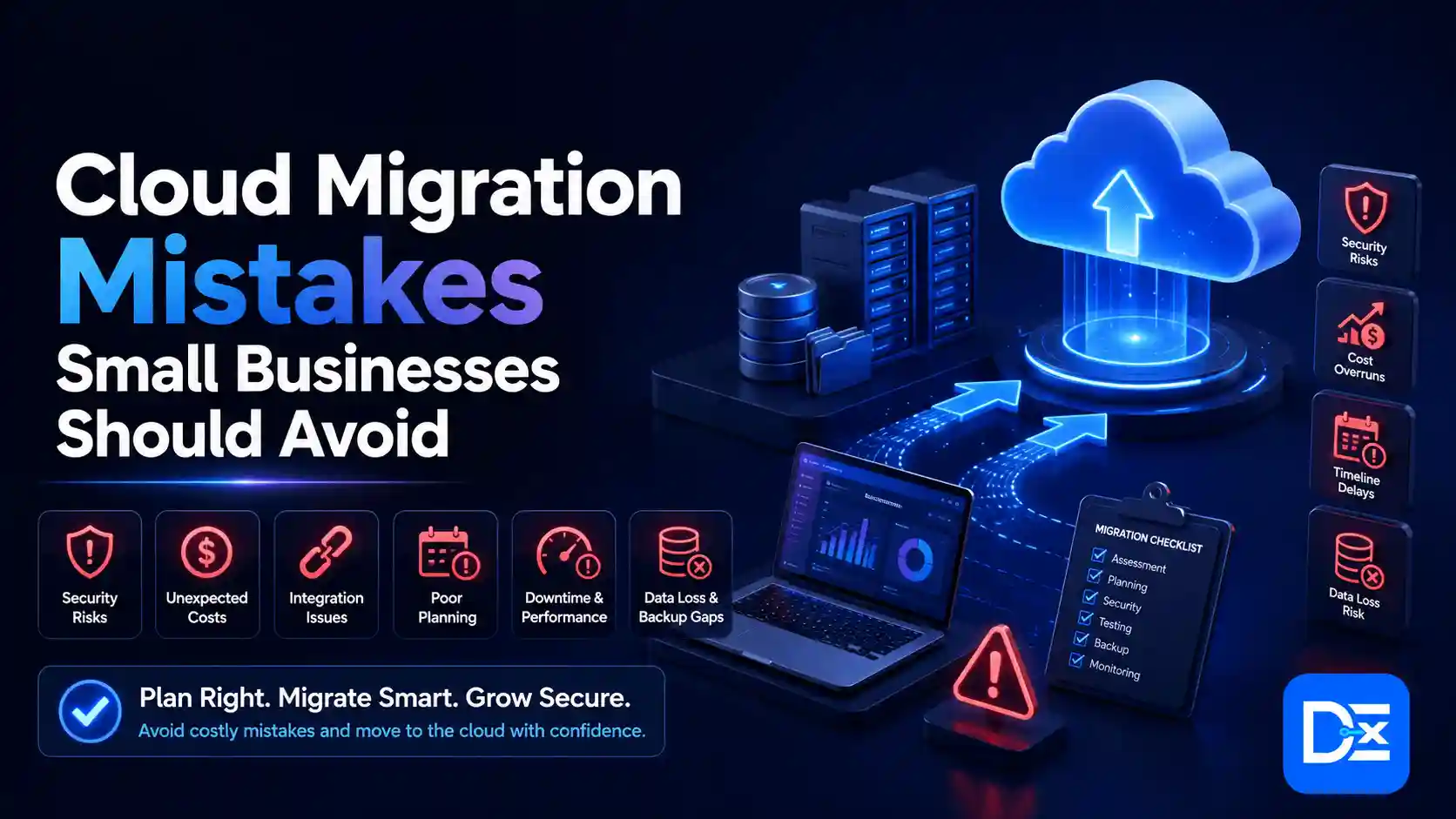
The biggest cloud migration mistakes small businesses make include:
- Migrating without a measurable business objective
- Starting without clear ownership or readiness
- Moving workloads that should be retained, retired, or replaced
- Skipping application dependency mapping
- Using lift-and-shift for every application
- Underestimating long-term cloud costs
- Misunderstanding cloud security responsibilities
- Treating backup, disaster recovery, and rollback as the same thing
- Moving too many systems at once
- Ignoring connectivity, latency, and local hardware dependencies
- Failing to prepare employees for new tools and processes
- Neglecting cost, security, and performance after migration
Small businesses can avoid these problems by completing a readiness assessment, building a three-year cost model, assigning owners, migrating in controlled waves, testing recovery, and reviewing the environment continuously after launch.
For a complete planning workflow, use the Digital Exclude cloud migration checklist for small businesses.
Why Cloud Migration Mistakes Are Especially Costly for Small Businesses
Small businesses often operate with limited IT staff, tighter cash flow, and fewer backup systems than larger enterprises. A large company may be able to shift work to another team or location during an outage. A 20-person business may depend on one accounting application, one internet connection, and one administrator who already has several other responsibilities.
This means a single migration problem can affect:
- Customer orders
- Employee productivity
- Invoicing and payment processing
- Payroll
- Customer support
- Regulatory obligations
- Sales pipelines
- Supplier communication
- Website availability
- Access to business records
Cloud adoption among smaller businesses continues to grow. The Flexera 2026 State of the Cloud Report found that the proportion of small and midsized business workloads running in the public cloud increased from 55% to 63% year over year. The same research estimated that 29% of cloud spending was wasted and found that hybrid cloud remained the most common architecture.
These figures highlight an important point. Moving more workloads to the cloud does not automatically create more value. Businesses must actively manage architecture, security, spending, and operational responsibility.
Cloud Migration Mistakes at a Glance
| Cloud migration mistake | Likely business impact | Immediate corrective action |
| No measurable business objective | Spending without clear value | Define the problem, expected outcome, and success metric |
| No workload assessment | Wrong applications move first | Inventory and score every workload |
| Missing dependency mapping | Application failures and downtime | Document technical and business dependencies |
| Automatic lift-and-shift | Higher costs and poor performance | Select a strategy for each workload |
| Incomplete cost model | Unexpected monthly bills | Calculate migration cost and three-year TCO |
| Weak access controls | Account compromise and data exposure | Apply least privilege and strong authentication |
| Untested recovery | Extended outage or permanent data loss | Define RTO and RPO and test restoration |
| One large cutover | Widespread operational disruption | Use pilots and controlled migration waves |
| Poor user preparation | Low adoption and productivity loss | Train users before migration |
| No post-migration governance | Cost growth and security drift | Assign ongoing operational owners |
12 Cloud Migration Mistakes Small Businesses Should Avoid
1. Migrating Without a Measurable Business Objective
What This Mistake Looks Like
A business decides to migrate because its competitors are using the cloud, a vendor recommends it, or its existing servers are getting old.
Those may be valid reasons to begin an assessment, but they are not complete business objectives.
“Move to the cloud” is a project activity. It does not explain what the company expects to improve.
Why It Hurts a Small Business
Without a measurable objective, the business cannot determine:
- Which workloads should move
- How much it should invest
- Which cloud model is appropriate
- Whether the migration has succeeded
- Which trade-offs are acceptable
- When the project should stop
The company may successfully move its servers while seeing no meaningful improvement in customer service, reliability, productivity, or cost.
The Business Solution
Start by defining one or more operational problems.
Examples include:
- Employees cannot access applications reliably from outside the office.
- Aging servers create an unacceptable risk of failure.
- Opening a new location takes too long.
- Seasonal demand causes website performance problems.
- Backups cannot be restored within the required timeframe.
- Software releases are delayed by infrastructure work.
- Maintaining local hardware consumes too much staff time.
Connect each problem to a measurable outcome.
| Business objective | Possible success metric |
| Improve remote access | Fewer remote access support tickets |
| Reduce downtime | Application availability reaches the agreed target |
| Support growth | New users can be added without purchasing hardware |
| Improve recovery | Critical systems meet defined RTO and RPO |
| Control infrastructure cost | Three-year cost stays within the approved business case |
| Speed up deployment | Average release time decreases |
How to Measure Progress
Track business outcomes, not only technical activity.
The number of servers migrated is not a meaningful success metric unless those migrations improve reliability, productivity, security, or cost.
2. Starting Without Clear Ownership or Migration Readiness
What This Mistake Looks Like
The business begins technical work before deciding who is responsible for:
- Budget approval
- Application decisions
- Data quality
- Security controls
- Vendor communication
- Employee training
- Cutover approval
- Rollback decisions
- Post-migration support
The internal IT employee may be expected to handle everything, even when that person cannot approve business downtime, change accounting processes, or decide how long customer data must be retained.
Why It Hurts a Small Business
Cloud migration crosses several business functions.
An application owner may understand how employees use a system. Finance may understand licensing and cost limits. Security or compliance advisors may understand data obligations. An external provider may understand the technical platform.
When responsibility is unclear, important decisions are delayed or made by people who do not have the required authority.
The Business Solution
Assign at least four roles:
- Executive sponsor: Approves priorities, funding, and major risk decisions.
- Migration lead: Coordinates the plan and tracks dependencies.
- Workload owner: Approves testing and confirms that an application works.
- Security or risk owner: Reviews access, data protection, logging, and compliance.
A small business may assign multiple roles to one person. The important point is that every responsibility must have a named owner.
Before migration, evaluate readiness across:
- Business objectives
- Application inventory
- Dependency visibility
- Data quality
- Security requirements
- Network capacity
- Internal skills
- Backup and recovery
- Vendor support
- User readiness
AWS describes a migration readiness assessment as a process for identifying cloud-readiness strengths, weaknesses, and actions required to close gaps.
How to Measure Progress
Every critical application, decision, risk, and migration task should have:
- A named owner
- A due date
- Acceptance criteria
- An escalation path
3. Assuming Every Workload Should Move to the Cloud
What This Mistake Looks Like
The migration is treated as an all-or-nothing project.
Management assumes that a successful migration means removing every server from the office or moving every application to one cloud provider.
Why It Hurts a Small Business
Some applications are not good migration candidates.
A system may:
- Depend on specialized local hardware
- Require extremely low latency
- Be unsupported in a cloud environment
- Be scheduled for retirement
- Contain data with contractual storage restrictions
- Cost more to migrate than it is worth
- Be easier to replace with a SaaS product
- Have undocumented dependencies
- Need to remain on-premises temporarily
Moving unsuitable workloads can increase cost and complexity without delivering additional value.
The Business Solution
Choose a strategy for each workload instead of applying one approach to the entire environment.
AWS defines seven common migration strategies, often called the 7 Rs of cloud migration: rehost, replatform, refactor, repurchase, relocate, retire, and retain.
For a small business, the decision can be simplified:
| Strategy | When it may be appropriate |
| Retire | The application is no longer needed |
| Retain | The workload cannot or should not move yet |
| Replace | A SaaS product can meet the business need |
| Rehost | The workload must move quickly with limited change |
| Replatform | Moderate changes can improve cost or operation |
| Refactor | Rebuilding creates enough long-term value to justify the investment |
A hybrid environment can be a valid long-term architecture. Keeping one workload on-premises does not mean the migration failed.
How to Measure Progress
Every workload should have a documented migration decision and a business reason for that decision.
4. Skipping Application and Data Dependency Mapping
What This Mistake Looks Like
A team moves an application based on its visible components but overlooks the services it depends on.
For example, an accounting application may rely on:
- Local identity services
- A shared database
- A file server
- An email relay
- A reporting tool
- A desktop plugin
- A third-party API
- A fixed IP address
- A scheduled data import
- A physical scanner or printer
The application may open successfully after migration but fail during an important business process.
Why It Hurts a Small Business
Unmapped dependencies are a common source of unexpected outages.
A technical test may confirm that users can log in, while failing to test whether they can:
- Generate invoices
- Process payments
- Export reports
- Send customer emails
- Scan documents
- Update inventory
- Connect with suppliers
- Complete month-end accounting
This creates a dangerous gap between technical availability and business usability.
The Business Solution
Create two dependency maps.
Technical dependency map
Document:
- Servers
- Databases
- APIs
- DNS records
- Certificates
- Authentication services
- Storage
- Network ports
- Scheduled tasks
- Third-party integrations
Business dependency map
Document:
- Who uses the application
- Which customer or financial processes depend on it
- When it is most critical
- What happens when it is unavailable
- Which reports or approvals it supports
- Which applications must move before or after it
Test complete business workflows, not isolated system components.
How to Measure Progress
A workload should not enter production migration until its technical and business dependencies have been documented and validated by its owner.
5. Using Lift-and-Shift for Every Application
What This Mistake Looks Like
Lift-and-shift, also called rehosting, moves an application to cloud infrastructure with minimal architectural change.
It can be useful when time is limited or when an application cannot be changed immediately. The mistake is treating it as the correct strategy for every workload.
Why It Hurts a Small Business
An oversized on-premises server remains oversized when copied into the cloud.
A poorly designed application may also carry forward:
- Excessive processing requirements
- Old operating systems
- Unnecessary storage
- Weak access controls
- Manual deployment processes
- Unsupported software
- Expensive licensing
- Performance bottlenecks
Public cloud pricing is usually consumption-based. Inefficient architecture that was hidden inside a fixed hardware purchase becomes a visible monthly expense.
A 2025 case study on cloud migration costs found that moving an existing architecture to a selected public cloud provider could increase deployment costs by as much as 50% when database sizing, licensing, and architecture were not redesigned. The finding came from one large product deployment and should not be treated as a universal benchmark, but it demonstrates why moving an unchanged system does not guarantee savings.
The Business Solution
Before choosing rehosting, ask:
- Is the application supported in the target environment?
- What is its actual CPU, memory, storage, and network usage?
- Can a managed database replace a self-managed database?
- Can unused services or data be removed?
- Would SaaS be more practical?
- Will current licenses remain valid?
- Does the application need modernization now, or can it be improved later?
- Is there a clear plan to optimize it after migration?
Use rehosting intentionally. Do not use it because the assessment was skipped.
How to Measure Progress
Compare cloud resource sizing with measured usage rather than the specifications of existing physical servers.
6. Underestimating the Complete Cost of Cloud Migration
What This Mistake Looks Like
The budget covers data transfer and implementation services but excludes the full cost of preparing, operating, securing, and supporting the new environment.
The business may also compare a monthly cloud bill with the original purchase price of old hardware instead of comparing complete costs over the same period.
Why It Hurts a Small Business
Cloud services make it easy to create resources. They also make it easy to keep paying for unused resources.
Flexera’s 2026 research estimated that 29% of cloud spending was wasted. Its 2025 report also found that cloud budgets exceeded planned limits by an average of 17% among surveyed organizations. These figures cover organizations of different sizes, but the underlying risks, such as idle resources, weak forecasting, and unclear cost ownership, also affect small teams.
The Business Solution
Build a three-year total cost of ownership model that includes:
One-time costs
- Application discovery
- Migration assessment
- External consulting
- Application modification
- Data cleanup
- Data transfer
- Security configuration
- Testing
- Employee training
- After-hours cutover support
- Documentation
- Legacy system decommissioning
Recurring costs
- Compute
- Storage
- Databases
- Backups
- Monitoring and logging
- Security tools
- Technical support
- Software licensing
- Data transfer and egress
- Internet connectivity
- Managed services
- Compliance and audit work
Temporary overlap costs
Many businesses pay for both old and new environments during testing and stabilization. Include this dual-running period in the budget and assign a date for decommissioning old systems.
After migration, use a basic FinOps process to track spending, ownership, and business value. Digital Exclude’s guide to FinOps and cloud cost management explains how small teams can use tags, budgets, alerts, and recurring reviews without buying an expensive platform.
How to Measure Progress
Track:
- Actual cost compared with forecast
- Cost by application
- Cost by team or owner
- Percentage of untagged resources
- Idle resources
- Storage growth
- Data transfer cost
- Dual-running cost
- Cost per customer or transaction where appropriate
7. Assuming the Cloud Provider Handles All Security
What This Mistake Looks Like
The business assumes that moving to AWS, Microsoft Azure, Google Cloud, or a SaaS platform automatically secures every application, user account, and file.
Why It Hurts a Small Business
Cloud providers secure their underlying infrastructure, but customers still have responsibilities.
The exact division changes depending on whether the business uses infrastructure as a service, platform as a service, or software as a service.
Under the AWS shared responsibility model, AWS secures the infrastructure that operates its services, while customers remain responsible for areas such as data, identities, applications, operating systems in applicable services, permissions, and firewall configuration. Microsoft’s shared responsibility guidance describes a similar division of responsibilities.
Small businesses cannot afford to ignore this distinction. Verizon’s 2025 SMB data breach snapshot reported that ransomware was involved in 88% of the breaches affecting small and midsized businesses in its dataset.
The Business Solution
Build security into the migration from the beginning.
At minimum:
- Use individual accounts instead of shared administrator logins.
- Require multi-factor authentication for administrators and remote users.
- Apply least-privilege permissions.
- Protect root, owner, and emergency accounts.
- Encrypt sensitive data in transit and at rest.
- Centralize important logs.
- Configure alerts for unusual sign-ins and permission changes.
- Remove former employee and vendor access.
- Patch operating systems and applications.
- Review public storage, firewall rules, APIs, tokens, and secrets.
- Secure every laptop and mobile device that connects to cloud applications.
- Document who responds to security alerts.
For phishing-resistant authentication options, see Digital Exclude’s guide to passkeys and passwordless login. A broader risk and controls roadmap is available in the guide to cybersecurity trends and business priorities in 2026.
How to Measure Progress
Track:
- Percentage of administrator accounts protected by strong MFA
- Number of shared accounts
- Number of permanent administrator assignments
- Percentage of production workloads sending security logs
- Number of public storage resources
- Time required to remove former employee access
- Number of unresolved critical security findings
8. Treating Backup, Disaster Recovery, and Rollback as the Same Thing
What This Mistake Looks Like
A business confirms that backups exist and assumes it can recover from every migration failure, ransomware incident, or cloud outage.
Why It Hurts a Small Business
These three capabilities solve different problems.
Backup provides copies of data.
Disaster recovery restores applications, infrastructure, identity, data, integrations, and business operations after a major incident.
Rollback returns a migration to its previous working state when a cutover fails.
A file backup does not prove that the accounting system, authentication service, integrations, and user access can be restored within an acceptable timeframe.
The Business Solution
Define two recovery objectives for every critical workload:
- Recovery Time Objective: How quickly the system must be restored.
- Recovery Point Objective: How much recent data the business can afford to lose.
A payroll application may require a shorter RTO during payroll processing. A document archive may tolerate a longer recovery period.
CISA recommends maintaining offline or isolated, encrypted backups of critical data and regularly testing their availability and integrity in a disaster recovery scenario.
Before production cutover:
- Confirm that backups completed successfully.
- Restore a representative sample of data.
- Test restoration of a critical application.
- Document who can authorize recovery.
- Confirm where backup credentials are stored.
- Define conditions that trigger rollback.
- Estimate how long rollback will take.
- Test the most critical rollback steps.
- Document how employees and customers will be informed.
How to Measure Progress
Track:
- Backup success rate
- Restore test success rate
- Actual recovery time
- Actual data loss during testing
- Number of critical workloads meeting RTO and RPO
- Unresolved findings from recovery tests
9. Migrating Too Many Systems at Once
What This Mistake Looks Like
The business schedules one large migration weekend and attempts to move email, file storage, accounting, customer management, identity services, and other applications together.
Why It Hurts a Small Business
A large cutover creates several risks:
- Failures are harder to isolate.
- Support requests arrive at the same time.
- Employees lose access to multiple systems.
- Rollback becomes more complicated.
- Dependencies may fail in unexpected combinations.
- The migration team becomes overloaded.
- Management may not know which problem to address first.
A big-bang migration may look faster on a project schedule, but one failure can create a much longer business interruption.
The Business Solution
Use controlled migration waves.
A practical sequence may be:
- Move a low-risk but useful pilot workload.
- Validate security, cost, support, and monitoring.
- Move applications with limited dependencies.
- Move connected applications together when necessary.
- Schedule critical workloads only after earlier waves have passed.
- Stabilize each wave before starting the next.
Do not select an irrelevant test system merely because it is easy. The pilot should teach the team something useful about identity, connectivity, support, monitoring, or cost.
How to Measure Progress
Every wave should have:
- Entry criteria
- Test cases
- Business acceptance
- Rollback conditions
- A stabilization period
- Documented lessons for the next wave
10. Ignoring Internet Connectivity, Latency, and Local Hardware
What This Mistake Looks Like
The cloud architecture is technically sound, but the business does not evaluate how employees will access it from offices, homes, warehouses, or customer locations.
Why It Hurts a Small Business
Cloud access depends heavily on connectivity.
A business may experience:
- Slow application response
- Failed video calls
- Delayed file synchronization
- Poor performance at branch offices
- Inability to work during an internet outage
- Problems with scanners, printers, or manufacturing equipment
- Unexpected network upgrade costs
- Higher data transfer consumption
An application that worked over a local network may feel noticeably slower when every transaction must travel to a distant cloud region.
The Business Solution
Before migration:
- Measure current bandwidth and peak usage.
- Test latency from every important location.
- Identify applications that transfer large files.
- Confirm the selected cloud region.
- Evaluate secondary internet connectivity.
- Test VPN or secure remote access capacity.
- Check printers, scanners, point-of-sale systems, and specialized devices.
- Confirm offline procedures for critical work.
- Prioritize traffic where necessary.
- Include connectivity upgrades in the business case.
How to Measure Progress
Track application response time, network availability, support tickets by location, and employee-reported performance before and after migration.
11. Neglecting Employee Training and Change Management
What This Mistake Looks Like
The technical migration is completed, and employees receive a short email telling them where to log in.
No one explains:
- Why the system changed
- How daily workflows are affected
- How to access files
- How to share data securely
- How to report problems
- What employees should no longer do
- How account recovery works
Why It Hurts a Small Business
Employees may recreate familiar processes outside the approved environment.
They may:
- Download sensitive files to personal devices
- Continue using old systems
- Share accounts
- Create duplicate records
- Use unapproved storage tools
- Make security mistakes
- Submit large numbers of avoidable support requests
A technically successful migration can still fail to deliver business value when employees do not use the new system correctly.
The Business Solution
Create role-based training.
Administrators need training on:
- Identity and permissions
- Monitoring
- Cost controls
- Backup and recovery
- Security alerts
- Vendor escalation
Managers need training on:
- Approval workflows
- Reporting
- Employee access
- Business continuity
- Success metrics
Employees need training on:
- Logging in
- File access
- Sharing information
- New workflows
- Security expectations
- Support procedures
Identify power users in each department who can provide first-line assistance during rollout.
How to Measure Progress
Track:
- Training completion
- User adoption
- Support tickets
- Repeated user errors
- Usage of old systems
- Employee satisfaction
- Time required to complete important workflows
12. Treating Go-Live as the End of the Migration
What This Mistake Looks Like
Once the applications are running, the project team closes the migration and stops reviewing cost, performance, security, and user experience.
Why It Hurts a Small Business
Cloud environments change continuously.
New resources are created. Storage grows. Employees change roles. Vendors retain access. Logs accumulate. Development environments continue running. Application demand changes.
Without active management, the business may experience:
- Rising bills
- Excess permissions
- Forgotten cloud resources
- Performance degradation
- Security misconfigurations
- Unsupported components
- Incomplete backups
- Expired certificates
- Unresolved employee problems
The Business Solution
Create a post-migration operating model before cutover.
Assign owners for:
- Cloud spending
- Security alerts
- Identity and access
- Backup and recovery
- Application performance
- Vendor support
- Capacity planning
- User support
- Compliance
- Documentation
Hold structured reviews.
Weekly during stabilization
- Review incidents and support tickets.
- Check backup completion.
- Monitor security alerts.
- Review application performance.
- Compare actual cost with forecast.
Monthly after stabilization
- Review spending and usage.
- Remove unused resources.
- Review administrator and vendor access.
- Check storage and logging growth.
- Confirm service-level performance.
- Review unresolved security findings.
Quarterly
- Test recovery.
- Review privileged access.
- Update documentation.
- Reassess provider commitments.
- Confirm that the business case remains valid.
How to Measure Progress
A useful post-migration scorecard should include:
- Monthly cloud spend
- Spend variance
- Application availability
- User support volume
- Backup and restore success
- Security findings
- Idle resource cost
- Application response time
- User adoption
- Business outcome achieved
How to Choose a Cloud Migration Partner
Many small businesses need external assistance because they do not employ cloud architects, security engineers, FinOps specialists, and migration managers internally.
The right provider should reduce dependency and risk. It should not make the environment impossible to operate without permanent vendor involvement.
Questions to Ask Before Signing a Contract
Ask potential providers:
- What discovery and assessment work is included?
- How will you identify application dependencies?
- Which migration strategy do you recommend for each workload?
- What is excluded from the quote?
- How are recurring cloud costs calculated?
- How long will the business pay for both environments?
- How will backups and recovery be tested?
- What are the expected RTO and RPO?
- What conditions will trigger rollback?
- How will security and compliance be validated?
- What employee training is included?
- What support is available after cutover?
- Who will own the cloud accounts and credentials?
- Will the business receive complete documentation?
- Can you provide verifiable references from similar projects?
Cloud Migration Partner Red Flags
Be cautious when a provider:
- Guarantees savings before completing an assessment
- Recommends migrating every workload
- Cannot explain shared responsibility
- Provides no rollback plan
- Excludes testing from the proposal
- Does not discuss application licensing
- Uses vague pricing
- Requires permanent unrestricted administrator access
- Provides no plan for post-migration support
- Cannot explain how your internal team will operate the environment
Pre-Migration Red Flag Checklist
Delay production migration when any of the following statements are true:
- The business objective is unclear.
- No executive sponsor has been assigned.
- Critical applications do not have owners.
- Dependencies are undocumented.
- The budget excludes recurring costs.
- The dual-running period has no end date.
- Security responsibilities are unclear.
- Administrator accounts do not use strong MFA.
- Backups have not been restored successfully.
- RTO and RPO are undefined.
- No rollback conditions exist.
- Employees have not been trained.
- Business workflows have not been tested.
- Internet connectivity has not been validated.
- No one owns the environment after launch.
Stopping a migration because evidence is missing is not a failure. It is a risk-control decision.
A Practical First 30 Days After Cloud Migration
Days 1 to 7: Stabilize
- Monitor application availability.
- Review security and identity alerts.
- Confirm backup completion.
- Track employee support requests.
- Validate important integrations.
- Compare actual usage with forecasts.
- Keep rollback options available until acceptance is complete.
Days 8 to 14: Correct
- Resolve recurring user problems.
- Remove unnecessary access.
- Fix failed monitoring and alert rules.
- Right-size obviously oversized low-risk resources.
- Review unexpected data transfer.
- Update technical documentation.
Days 15 to 30: Optimize
- Review the first full cloud bill.
- Tag unowned resources.
- Remove confirmed unused services.
- Establish a monthly cost review.
- Complete business acceptance.
- Decommission old systems only after approval.
- Schedule the next recovery test.
- Compare early results with the original business case.
How Digital Exclude Supports Cloud and Technology Companies
At Digital Exclude, we publish practical technology resources for business owners, professionals, developers, and technology decision-makers.
We also provide strategic backlinks and link building support for cloud computing, SaaS, cybersecurity, software development, digital marketing, and other technology companies that want to strengthen search visibility and build relevant online authority.
Cloud and software companies can attract stronger editorial links by publishing original resources such as:
- Cloud migration cost calculators
- Readiness assessments
- Security checklists
- Industry benchmarks
- Migration case studies
- Provider comparison tools
- Recovery templates
- Technical research
- Original survey data
These assets give journalists, business publications, consultants, and industry websites a meaningful reason to reference the company.
Organizations interested in backlink campaigns, link building partnerships, or technology content collaboration can contact Digital Exclude.
Final Thoughts
Cloud migration should not be measured by how quickly a small business closes its server room or how many workloads are moved.
A successful migration should help the business:
- Operate more reliably
- Support employees and customers
- Recover from disruption
- Control long-term costs
- Protect sensitive information
- Scale when demand changes
- Reduce dependence on aging systems
- Improve the speed of business operations
The safest approach is to start with a measurable business problem, assess every workload, map dependencies, calculate the complete cost, and move applications in controlled waves.
Security, backup, disaster recovery, user training, and cost management must be part of the plan before production cutover. They should not be added after problems appear.
The cloud is not automatically cheaper, safer, or more reliable. Those outcomes come from sound architecture, disciplined execution, clear ownership, and continuous improvement.
Frequently Asked Questions
1. What Is the Biggest Mistake Small Businesses Make During Cloud Migration?
The biggest mistake is beginning without a clear business objective and workload assessment. When a business does not define the problem it wants to solve, it may move unsuitable applications, choose the wrong architecture, underestimate costs, and struggle to measure success.
2. Is Cloud Migration Always Cheaper for a Small Business?
No. Cloud migration can reduce hardware maintenance and provide more flexible capacity, but it is not automatically cheaper. Costs can rise because of oversized resources, storage growth, data transfer, security tools, licensing, backups, support, and unused services. Businesses should compare three-year total cost rather than focusing only on the initial migration quote.
3. Should a Small Business Move Every Application to the Cloud?
No. Some applications should be retired, retained, replaced with SaaS, or modernized before migration. Workloads with specialized hardware requirements, unsupported software, strict latency needs, or unclear dependencies may need to remain on-premises temporarily or permanently.
4. How Can a Small Business Reduce Cloud Migration Downtime?
Use a phased migration plan, map dependencies, test complete business workflows, maintain validated backups, define rollback conditions, and schedule critical cutovers during lower-risk periods. A pilot migration should be completed before moving the most important applications.
5. Who Is Responsible for Security After Cloud Migration?
Security is shared between the cloud provider and the customer. The provider generally secures the underlying cloud infrastructure. The customer remains responsible for areas such as user identities, permissions, data, application configuration, endpoints, and many compliance requirements. The exact responsibilities depend on whether the business uses IaaS, PaaS, or SaaS.