Claude Code is one of the strongest AI coding agents available. It can inspect a repository, edit files, run commands, use Git, execute tests, and work through a multi-step development task from a plain-English prompt.
The problem is not whether Claude Code is capable. The problem is whether it is the right fit for your budget, development environment, security requirements, model strategy, and team workflow.
A solo developer may want a lower-cost terminal agent that works with several model providers. A startup may need predictable spending and simple code review. An enterprise may require approved models, audit logs, self-hosted execution, and strict permission controls.
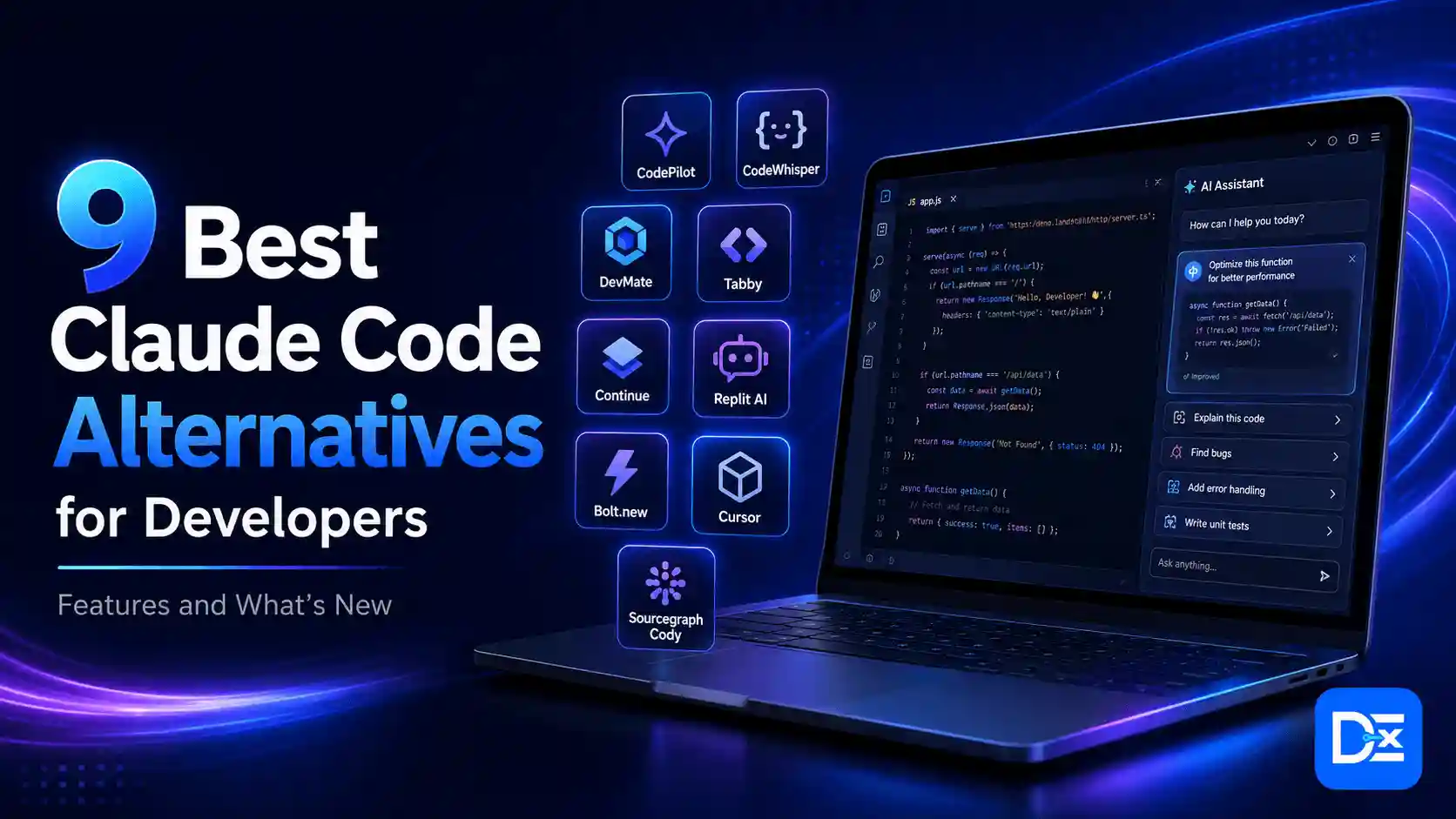
This guide compares nine Claude Code alternatives based on the business problems they solve, not just the features listed on their product pages.
Quick Answer
The best Claude Code alternative depends on your main constraint:
- OpenCode is the best open-source, model-neutral terminal alternative.
- OpenAI Codex CLI is the best option for OpenAI and ChatGPT users.
- Gemini CLI is the best fit for Google Cloud and Vertex AI teams.
- Aider is best for Git-focused workflows and automatic testing.
- Kilo CLI is best for broad model choice and platform flexibility.
- GitHub Copilot CLI is best for GitHub-native development teams.
- Cline is best for VS Code users who want BYOK and local models.
- Cursor CLI is best for teams already using Cursor.
- OpenHands is best for self-hosted and organization-wide agent infrastructure.
For most terminal-first developers seeking an open-source replacement, OpenCode is the strongest starting point. Organizations already paying for OpenAI, Google, GitHub, or Cursor should evaluate the coding agent included in that ecosystem before adding another vendor.
Why Developers Are Looking Beyond Claude Code
AI coding tools have moved beyond autocomplete.
The 2025 Stack Overflow Developer Survey found that 84% of respondents were using or planning to use AI tools in software development, up from 76% the previous year. Among professional developers, 51% reported using AI tools every day.
Adoption, however, has not created complete trust.
The same survey found that 46% of developers distrusted the accuracy of AI output, compared with 33% who trusted it. The largest frustration, reported by 66% of respondents, was receiving answers that were almost correct but not fully correct. Another 45% said debugging AI-generated code could take more time.
Google’s 2025 DORA research reached a similar conclusion after studying nearly 5,000 technology professionals. AI tends to amplify the engineering system already in place. Strong teams can use it to become more productive. Weak testing, unclear workflows, and poor internal platforms can become larger problems when AI increases the volume of changes.
This is why choosing a Claude Code alternative should be treated as an engineering and business decision, not a software popularity contest.
Common reasons to consider another tool include:
- High or unpredictable model usage
- Preference for several model providers
- Need for local or offline models
- Better IDE-based review
- CI/CD and headless automation
- Private or self-hosted execution
- Centralized model and spending controls
- GitHub or cloud-platform integration
- Multi-agent and multi-repository workflows
Readers who are new to terminal agents can start with Digital Exclude’s Claude Code tutorial for coding, debugging, and app development.
What Makes a Real Claude Code Alternative?
A chatbot that generates code snippets is not a direct Claude Code replacement.
A serious alternative should be able to complete most of these actions:
- Read and understand a repository
- Locate relevant files
- Edit several files in one task
- Run terminal commands
- Interpret build and test output
- Work with Git branches, commits, and diffs
- Follow repository-level instructions
- Ask for approval before sensitive actions
- Continue through multiple development steps
- Support interactive or automated execution
Some products in this guide are direct terminal replacements. Others are IDE agents or agent platforms. They are included because they solve specific business problems that a terminal-only comparison would miss.
For a wider overview of autocomplete tools, editors, and coding agents, read Digital Exclude’s guide to the best AI coding assistants.
Claude Code Alternatives Compared
| Tool | Best for | Interface | Model flexibility | Local models | Headless or CI use | Main limitation |
| OpenCode | Open-source terminal development | CLI, desktop, IDE | Very broad | Yes | Yes | Requires provider configuration |
| Codex CLI | OpenAI-based coding and automation | CLI, IDE, cloud | OpenAI-focused | Limited | Strong | Does not provide broad provider freedom |
| Gemini CLI | Google Cloud and large-context work | CLI and IDE | Gemini-focused | Limited | Strong | Best experience remains Google-centered |
| Aider | Git-focused coding and testing | CLI | Broad | Yes | Scriptable | Limited enterprise orchestration |
| Kilo CLI | Model choice and platform expansion | CLI, IDE, cloud | Very broad | Yes | Strong | More configuration complexity |
| Copilot CLI | GitHub-native teams | CLI and GitHub | Copilot-managed | No | Strong | Provider choice is controlled by GitHub |
| Cline | VS Code and BYOK workflows | IDE and CLI | Very broad | Yes | Strong | Usage and permissions need management |
| Cursor CLI | Existing Cursor customers | IDE and CLI | Multiple providers | Limited | Strong | Proprietary and usage-sensitive |
| OpenHands | Self-hosted agent infrastructure | CLI, web, SDK | Broad | Supported | Strong | More infrastructure work |
1. OpenCode
OpenCode is one of the closest direct alternatives to Claude Code for developers who want a terminal-first agent without committing to one model company.
The project supports more than 75 model providers through Models.dev, including custom OpenAI-compatible endpoints and locally hosted models. It also provides a desktop application, IDE integration, Language Server Protocol support, MCP connections, project rules, configurable agents, and granular permissions.
Why OpenCode Stands Out
OpenCode separates the agent harness from the model.
A development team can use a premium model for architecture, a less expensive model for routine edits, and a local model for sensitive work. Developers do not need to replace the terminal agent every time the company changes providers.
Its permission system can independently control:
- File reading
- File editing
- Shell commands
- Web access
- External directories
- Subagents
- Skills
- LSP tools
OpenCode denies access to common .env files by default and can ask for approval when a tool leaves the project directory.
Best For
- Terminal-first developers
- Teams avoiding model lock-in
- Local-model experimentation
- Open-source environments
- Companies using several model providers
Main Limitation
Provider freedom creates administrative work. The organization still needs to decide which models are approved, where keys are stored, and which tasks justify premium inference costs.
Verdict: OpenCode is the best direct open-source alternative for most terminal-focused developers.
2. OpenAI Codex CLI
OpenAI Codex CLI is an open-source coding agent that runs locally and can inspect, modify, and execute code.
The maintained CLI is primarily written in Rust and is licensed under Apache 2.0. Developers can authenticate through supported ChatGPT plans or configure API-key access. Codex is also available through IDE and cloud experiences connected to the same broader product family.
Why Codex CLI Stands Out
Codex provides a strong approval and sandbox model.
Developers can choose between reviewing proposed actions, allowing workspace edits, or granting broader execution permissions. This makes Codex useful for repositories where unrestricted shell access would be unacceptable.
It is well suited to:
- Repository exploration
- Bug fixing
- Multi-file implementation
- Test generation
- Code review
- Controlled terminal execution
- Scripted engineering tasks
Best For
- OpenAI and ChatGPT users
- Teams wanting controlled agent permissions
- Developers combining terminal, editor, and cloud tasks
- Organizations already using OpenAI APIs
Main Limitation
Codex is OpenAI-focused. It does not solve the model-neutrality problem for a company that wants unrestricted access to Claude, Gemini, open-weight models, and several independent providers.
Verdict: Codex CLI is the cleanest Claude Code alternative for OpenAI-first organizations.
For a detailed comparison, read Digital Exclude’s Codex vs Claude Code guide and its overview of OpenAI Codex features and limitations.
3. Gemini CLI
Gemini CLI is Google’s open-source terminal coding agent.
It provides filesystem tools, shell commands, web fetching, Google Search integration, MCP, checkpointing, project memory, enterprise configuration, and a headless mode for scripts and CI/CD. Headless execution supports text and JSON output, piping, file redirection, and consistent exit codes.
Why Gemini CLI Stands Out
Gemini CLI has a relatively accessible entry point.
Google’s current quota documentation lists up to 1,000 model requests per user per day for eligible users who authenticate with a Google account through Gemini Code Assist for individuals. Paid Code Assist and API or Vertex AI access use different limits and billing models.
This makes Gemini CLI attractive for:
- Google Cloud developers
- Vertex AI customers
- Large-repository analysis
- Automated documentation
- CI-based code review
- Teams that prefer Google identity and billing
Best For
- Google Cloud organizations
- Developers testing agentic coding at low initial cost
- Teams needing structured headless output
- Projects that benefit from Google Search integration
Main Limitation
The strongest experience remains centered on Gemini and Google infrastructure. Authentication method affects quotas, privacy terms, model access, and billing, so organizations need a standardized access policy.
Verdict: Gemini CLI is the best Claude Code alternative for Google-centered development teams.
4. Aider
Aider is an open-source terminal pair programmer built around Git.
Whenever Aider modifies files, it can create a descriptive commit. Developers can inspect the diff, undo the change, or manage the work through normal Git history.
Aider can also lint edited files and run a configured test suite after changes. If a test fails, the tool can read the output and attempt to repair the problem.
Why Aider Stands Out
Aider keeps AI-generated work visible and reversible.
That matters because a coding agent should not only write code. It should make the review and recovery process easier.
Aider supports many hosted providers, OpenAI-compatible endpoints, and local models through tools such as Ollama. Its documentation also warns that weaker models may struggle to return edits in the structure the agent requires.
Best For
- Developers who value Git history
- Small and medium refactors
- Test-driven changes
- Automatic lint and test loops
- Local-model workflows
- Teams wanting a focused CLI
Main Limitation
Aider is not an enterprise agent platform. It does not offer the same organization-wide dashboards, cloud-agent fleets, or governance layer as larger commercial systems.
Verdict: Aider is the best alternative for developers who want automatic Git hygiene and built-in testing.
5. Kilo CLI
Kilo CLI is the terminal component of the wider Kilo Code platform.
It supports direct provider connections, BYOK, custom endpoints, local models, MCP, skills, custom agents, model switching, session export, cost statistics, and headless server operation. Kilo’s gateway provides access to hundreds of models, while its direct provider documentation lists more than 30 supported providers.
Why Kilo CLI Stands Out
Kilo is designed for teams that want to begin in the terminal but may later need a wider development platform.
Its product family includes:
- IDE extensions
- Cloud agents
- Code review
- Centralized BYOK
- Organization-level provider controls
- Cost and token reporting
- Local models through Ollama and LM Studio
- Specialized agent modes
Kilo also supports a headless server and reports token usage and estimated model costs through CLI commands.
Best For
- Teams expecting their model strategy to change
- Organizations using several providers
- Developers requiring local and hosted models
- Businesses wanting centralized credentials
- Teams planning to expand into cloud-agent workflows
Main Limitation
The number of providers, models, modes, and platform features can create unnecessary complexity for a developer who wants a simple terminal assistant.
Access to hundreds of models also does not mean every model is suitable for production coding. Organizations still need an approved model list.
Verdict: Kilo CLI is the strongest option for broad model choice and long-term platform expansion.
6. GitHub Copilot CLI
GitHub Copilot CLI brings GitHub Copilot into the terminal.
It can answer code questions, make changes, use GitHub context, manage MCP tools, run custom agents, use LSP servers, create pull requests, perform security reviews, and operate autonomously through autopilot mode. GitHub also offers local and cloud sandbox options.
Why Copilot CLI Stands Out
Copilot CLI’s strongest advantage is not model independence. It is GitHub integration.
A development team can move from an issue to a local change, review, pull request, and GitHub Actions workflow without introducing a separate system of record.
GitHub also supports repository, organization, and enterprise-level custom agents. Teams can encode their coding conventions, tools, prompts, and MCP access in reusable agent profiles.
Best For
- GitHub-standardized organizations
- Teams working from issues and pull requests
- Companies already paying for Copilot
- Engineering teams using GitHub Actions
- Organizations needing managed policies
Main Limitation
Model access, AI credits, and governance are mediated through GitHub Copilot plans. It is not the ideal option for unrestricted BYOK or local-model use.
Verdict: GitHub Copilot CLI is the best choice when GitHub is already the center of the engineering workflow.
7. Cline
Cline is an open-source coding agent available inside several editors and through a command-line interface.
The CLI supports interactive sessions, headless tasks, JSON output, MCP, scheduled work, command restrictions, model selection, and automated execution.
Cline can connect through its managed provider or use direct provider keys. It supports Anthropic, OpenAI, Google, AWS Bedrock, OpenRouter, OpenAI-compatible services, Ollama, and LM Studio. API keys are stored through the operating system’s credential manager when direct provider access is used.
Why Cline Stands Out
Cline combines a visual editor workflow with broad model control.
Developers can review diffs inside the IDE, use planning and execution modes, create checkpoints, and switch models based on task complexity.
Cline’s documentation also presents model-orchestration workflows where inexpensive models handle routine tasks and stronger models are reserved for architecture, security, or complex implementation.
Best For
- VS Code and JetBrains users
- Teams wanting BYOK
- Local-model development
- Visual diff review
- Headless scripts and scheduled workflows
- Companies using different models for different tasks
Main Limitation
Cline can consume significant tokens when it repeatedly reads large files, invokes browser tools, or uses premium models in long loops.
Automated execution also requires strict command permissions and clean Git branches.
Verdict: Cline is the best IDE-focused alternative for developers who want direct control over models and billing.
8. Cursor CLI
Cursor CLI extends Cursor’s coding agent into the terminal.
It supports interactive sessions, resumable conversations, repository changes, code review, model selection, and non-interactive operation. Headless mode supports text, JSON, and streaming JSON output for scripts and CI systems.
Why Cursor CLI Stands Out
Cursor CLI makes the most sense when developers already use Cursor as their primary editor.
The team gains:
- One account and billing relationship
- Shared model access
- Editor and terminal continuity
- Automated code analysis
- CI-compatible output
- Familiar repository rules
- Existing team administration
Cursor supports models from several major providers, but usage is consumed according to the cost of the selected model. Cursor’s own guidance notes that frequent agent users and teams running multiple automations may consume significantly more than occasional users.
Best For
- Existing Cursor customers
- Teams wanting editor and terminal continuity
- Developers who prefer visual review
- Organizations using Cursor administration
Main Limitation
Cursor is proprietary and is not the best fit when self-hosting, open-source ownership, or local inference is the main requirement.
Verdict: Cursor CLI is a logical extension for teams already committed to the Cursor ecosystem.
9. OpenHands
OpenHands is an open platform for creating and operating software development agents.
It offers a CLI, local graphical interface, software agent SDK, hosted cloud service, and enterprise deployment options. The CLI supports terminal, headless, browser-based, GUI, and IDE integration modes.
Why OpenHands Stands Out
OpenHands is more than a coding CLI. It is agent infrastructure.
The hosted platform adds repository integrations, multi-user support, role-based access, usage reporting, collaboration, and budget enforcement. Enterprise customers can deploy the platform inside their own cloud environment.
Its SDK also supports local development and container-based production execution, allowing the same agent logic to move from a developer environment to a sandboxed, multi-user system.
Best For
- Companies building internal coding agents
- Self-hosted requirements
- Multiple repositories and teams
- Central budgets and usage controls
- Custom agent development
- Enterprise infrastructure teams
Main Limitation
OpenHands requires more setup and operational knowledge than a standalone terminal agent. A solo developer may not need an SDK, Docker deployment, RBAC, or a shared agent platform.
Verdict: OpenHands is the strongest option when the real requirement is operating agents across an organization.
Which Claude Code Alternative Should You Choose?
Start with the problem that is creating the most cost or friction.
Choose OpenCode for Provider Freedom
OpenCode is the strongest direct alternative when model choice, local models, and open-source control are the main priorities.
Choose Codex CLI for OpenAI Workflows
Codex is a practical choice when the company already uses ChatGPT, OpenAI APIs, and OpenAI workspace controls.
Choose Gemini CLI for Google Cloud
Gemini CLI fits organizations already using Google identity, Gemini, Vertex AI, and Google Cloud billing.
Choose Aider for Git-Based Development
Aider is suitable for small teams that want automatic commits, clear rollback, and a built-in lint-and-test cycle.
Choose Kilo for a Multi-Provider Strategy
Kilo is valuable when the company expects to route different tasks to different providers and may later need centralized credentials, cloud agents, or wider platform features.
Choose Copilot CLI for GitHub-Centered Teams
Copilot CLI is the natural choice when GitHub already manages source code, issues, pull requests, reviews, actions, and developer access.
Choose Cline for IDE Work With BYOK
Cline is a strong option for teams that want a visual development workflow without losing provider flexibility.
Choose Cursor CLI for Existing Cursor Teams
Cursor CLI provides the strongest value when it consolidates tools the organization is already paying for.
Choose OpenHands for Agent Infrastructure
OpenHands is appropriate when the organization needs custom agents, self-hosted execution, governance, and multi-user operations.
Do You Actually Need to Replace Claude Code?
Switching is not always the best decision.
Claude Code itself supports interactive and non-interactive terminal use, MCP, configurable permission modes, JSON output, session continuation, and enterprise access through Anthropic, Amazon Bedrock, or Google Vertex AI.
Consider keeping Claude Code when:
- Developers are satisfied with its output
- Anthropic models meet your requirements
- Costs remain within budget
- Existing project instructions work well
- Your team already has approved security controls
- The alternative would add more administration than value
A second agent may be more useful than a complete replacement. For example, Claude Code can handle complex implementation while Aider manages smaller Git-focused tasks or Codex performs an independent review.
Calculate the Real Business Cost
Do not compare coding agents only by subscription price.
Use this formula:
Total cost = platform fees + model usage + infrastructure + setup time + review time + failed runs + rework
Consider a ten-developer team that delegates four tasks per developer per workday.
That produces roughly 800 agent-assisted tasks in a 20-day month.
If 20% of those tasks require fifteen minutes of correction, the team spends 40 engineering hours repairing agent output. Depending on developer compensation, correction time may cost more than the software subscription.
Track these metrics during a pilot:
| Metric | Business question |
| Cost per completed task | Is the agent financially sustainable? |
| Human interventions | How autonomous is it in real work? |
| Time to merge | Is the delivery cycle becoming faster? |
| Review time | Is work being shifted to reviewers? |
| Defects after merge | Is product quality declining? |
| Reverted changes | How often is the output unusable? |
| Security findings | Is the agent introducing new risk? |
| Developer adoption | Does the tool fit daily workflows? |
| Cost per merged pull request | Is spending connected to accepted output? |
| Customer impact | Does faster coding improve the product? |
For a wider financial framework, read Digital Exclude’s guide to AI agent pricing, total cost of ownership, and ROI.
Security Questions Every Team Should Ask
Coding agents can read files, execute commands, access networks, connect to external tools, and interact with sensitive repositories.
That creates risks beyond normal autocomplete.
OWASP ranks prompt injection as a leading risk for LLM applications. Indirect prompt injection can be hidden inside websites, files, issues, documentation, or tool responses that an agent reads. When the agent has access to commands or external systems, malicious instructions may lead to data exposure or unauthorized actions.
Before approving an agent, review four areas.
Data and Privacy
- Does source code leave the device?
- Which provider receives the prompt?
- Is data retained or used for training?
- Can sensitive paths be excluded?
- Can the agent access customer information?
Credentials
- Can it read .env files?
- Where are provider keys stored?
- Can it access production cloud credentials?
- Are developers using personal accounts?
- Can secrets be redacted from logs?
Execution
- Is a sandbox available?
- Can network access be disabled?
- Can commands be allowlisted?
- Are dangerous commands blocked?
- Can writes be limited to a worktree?
- Is human approval required for deployment?
Governance
- Can administrators restrict models?
- Are audit logs available?
- Can spending limits be enforced?
- Is SSO supported?
- Can MCP servers be approved centrally?
- Can the runtime be self-hosted?
Digital Exclude’s guide to prompt injection risks and safety practices provides additional background on protecting tool-connected AI systems.
Passing Tests Is Not Proof the Feature Works
AI coding agents often report success based on code-level evidence:
- The project compiled
- Unit tests passed
- Types were valid
- The linter found no issues
- The build completed
Those checks are necessary, but they do not prove that a user can complete the intended task.
A form can pass unit tests while failing in a browser. A redirect can lead to a missing page. A button can call the wrong API. A permission problem may appear only under a real account.
Use a layered validation process:
- Compilation
- Formatting and linting
- Type checking
- Unit tests
- Integration tests
- Security scanning
- Browser or UI testing
- Human code review
- Staging validation
- Production monitoring and rollback
This is especially important for teams experimenting with vibe coding. Faster generation does not remove the need for architecture, security, and testing.
A Seven-Day Pilot Plan
Day 1: Define the Business Problem
Choose one primary goal:
- Reduce model costs
- Add provider flexibility
- Improve IDE review
- Enable CI automation
- Use local models
- Strengthen governance
- Support self-hosting
Do not test several agents without a clear decision criterion.
Day 2: Select Two Candidates
Choose one direct replacement and one alternative workflow.
Example:
- OpenCode for terminal flexibility
- Cline for IDE-based review
Day 3: Configure Safety
Set up:
- A non-production repository
- A feature branch or worktree
- Restricted credentials
- File exclusions
- Command permissions
- Spending limits
- Logging
Day 4: Run a Real Bug Fix
Provide clear reproduction steps, expected behavior, logs, and acceptance criteria.
Day 5: Run a Feature Task
Choose a small multi-file feature. Require a plan, tests, assumptions, and a change summary.
Day 6: Test Automation
Run the agent through its headless mode.
Review:
- Exit codes
- Structured output
- Timeout behavior
- Permission failures
- Partial file changes
- Cleanup behavior
- Logs
Day 7: Compare Results
Score each tool on:
- Completion rate
- Cost
- Human correction
- Review effort
- Code quality
- Security
- Developer experience
- Automation reliability
The winner should be the agent that reduces total engineering effort, not the one that produces the largest code diff.
How Digital Exclude Supports Technology Companies
At Digital Exclude, we publish practical content for developers, software buyers, SaaS teams, technology marketers, and business decision-makers.
We also help software, SaaS, AI, cloud, cybersecurity, and digital product companies strengthen organic visibility through strategic backlink acquisition and link-building outreach.
Strong technical content often fails to earn links because it repeats product features without offering original value. Link-worthy assets usually include:
- Original benchmarks
- Cost calculators
- Security checklists
- Migration templates
- Technical surveys
- Comparison databases
- Free tools
- Transparent case studies
Companies that need help promoting technical content and earning relevant authority links can contact Digital Exclude to discuss backlink and link-building opportunities.
Frequently Asked Questions
What Is the Closest Alternative to Claude Code?
OpenCode is one of the closest alternatives because it provides a terminal-first coding agent, multi-file editing, command execution, project instructions, MCP support, and broad model choice.
What Is the Best Free Claude Code Alternative?
OpenCode, Aider, Gemini CLI, Cline, Kilo CLI, and OpenHands provide free or open-source entry points. Model APIs, cloud infrastructure, and premium platform features may still create costs.
Which Claude Code Alternative Supports Local Models?
OpenCode, Aider, Kilo, and Cline support local-model workflows through tools or endpoints such as Ollama and LM Studio. Local models require adequate hardware and may not equal the speed or reliability of leading cloud models.
Is Codex CLI Better Than Claude Code?
Codex CLI may be better for OpenAI customers, controlled execution, and workflows connected to ChatGPT. Claude Code may be better for teams that prefer Anthropic models and its established coding workflow. Neither is universally better.
Which Alternative Is Best for Privacy?
The answer depends on the privacy requirement. Local models can keep inference on the device. Self-hosted platforms can keep execution inside company infrastructure. Enterprise cloud services may provide contractual privacy controls. Review the full data path before choosing.
Final Recommendation
Choose the Claude Code alternative that solves the most expensive problem in your current workflow.
Choose OpenCode for open-source terminal development and provider freedom.
Choose Codex CLI for OpenAI-based coding.
Choose Gemini CLI for Google Cloud and Vertex AI.
Choose Aider for Git discipline and automatic testing.
Choose Kilo CLI for broad model choice and platform flexibility.
Choose GitHub Copilot CLI for GitHub-centered engineering.
Choose Cline for IDE workflows with BYOK.
Choose Cursor CLI when your team already uses Cursor.
Choose OpenHands for self-hosting and organization-wide agent infrastructure.
Test two tools on the same repository before committing. Measure cost, correction time, review effort, security, reliability, and business impact.
The best Claude Code alternative is not the agent that writes code fastest. It is the one that helps your team deliver correct, secure, and maintainable software with less total effort.